Mineuniverse
Resource Packs
Better dyeing (Datapack)

Better dyeing (Datapack)

RESOURCE PACK
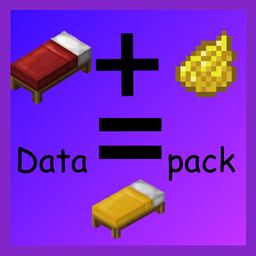
Let you craft a orange wool block with red dye into a red one. (Also banner's, bed's, carpet's)
by devcooking
Download Claim this project
Add a badge to your pageLink to Better dyeing (Datapack) from a README, website or forum post.
Preview: Badge

Badges update automatically and link to the resource pack page on MineUniverse.

340 downloads
0 likes
0 followers
Updated Oct 14, 2026
0 hypes
Follow0
Data Packs Miscellaneous
Advertisement Remove ads with Premium →

Hi there, I have with my friends a minecraft server.

We had a problem with dyeing things like wool and beds.

So I made a datapack that helps to improve dyeing in Minecraft.


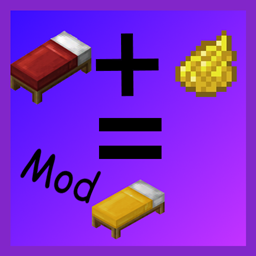
 There Is also a Fabic Mod with the same function out 


The Datapack works now with wool, carpet's, banner's and bed dyeing.


Orange Wool + red dye = red wool


How to install?

Go into your world files and then

paste the datapack zip into the datapack folder


For now compatible with 1.14-1.19

In Future also for older versions 


Any idea to improve say it in the comments

Any Questions ask in the comments

better_dyeing_1.14-1.19_2.0
MC 1.16-Snapshot, 1.17.1, 1.16.3, 1.15-Snapshot, 1.16.1, 1.18.1, 1.14.4, 1.14.1, 1.17, 1.14.3, 1.15, 1.16, 1.19-Snapshot, 1.16.5, 1.18.2, 1.15.2, 1.14, 1.17-Snapshot, 1.18, 1.16.4
Release 2022-06-16 Get
better_dyeing_1.14-1.19_1.0
MC 1.16-Snapshot, 1.17.1, 1.16.3, 1.15-Snapshot, 1.16.1, 1.18.1, 1.14.4, 1.14.1, 1.17, 1.14.3, 1.15, 1.16, 1.19-Snapshot, 1.16.5, 1.18.2, 1.15.2, 1.14, 1.17-Snapshot, 1.18, 1.16.4
Release 2022-06-15 Get

Requirements & install

How to use this resource pack in Minecraft
Resolution
Not specified
Minecraft
1.16.5 – 1.19-Snapshot
Install folder
.minecraft/resourcepacks

How to install resource packs

  1. Download the resource pack .zip file (do not extract it).
  2. In Minecraft open Options → Resource Packs → Open Pack Folder.
  3. Drop the .zip into the resourcepacks folder (.minecraft/resourcepacks).
  4. Move the pack to the Selected column and click Done.
Browse more: 16x resource packs 32x resource packs 64x resource packs 128x resource packs 256x resource packs 512x+ resource packs Resource Packs for 1.19-Snapshot All resource packs

More from devcooking

Advertisement Remove ads with Premium →

You Might Also Like