Mineuniverse
Resource Packs
Better Chicken

Better Chicken

RESOURCE PACK
Better Chicken adds new chicken skins to Minecraft
by HeyCronus
Download Claim this project
5,149 downloads
0 likes
Updated Oct 14, 2026
0 hypes
16x Miscellaneous
Advertisement Remove ads with Premium →

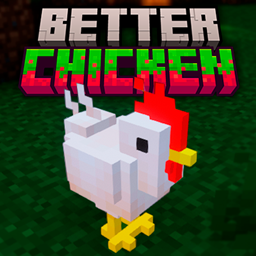
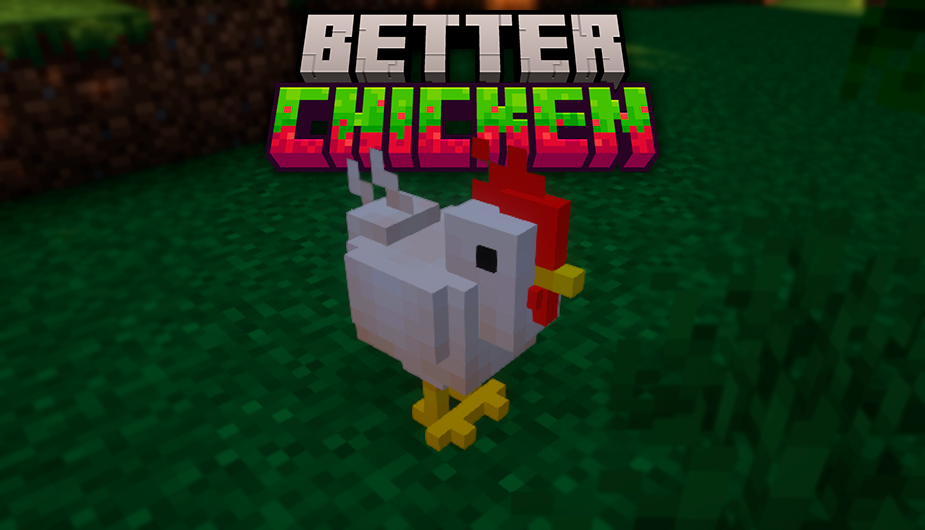
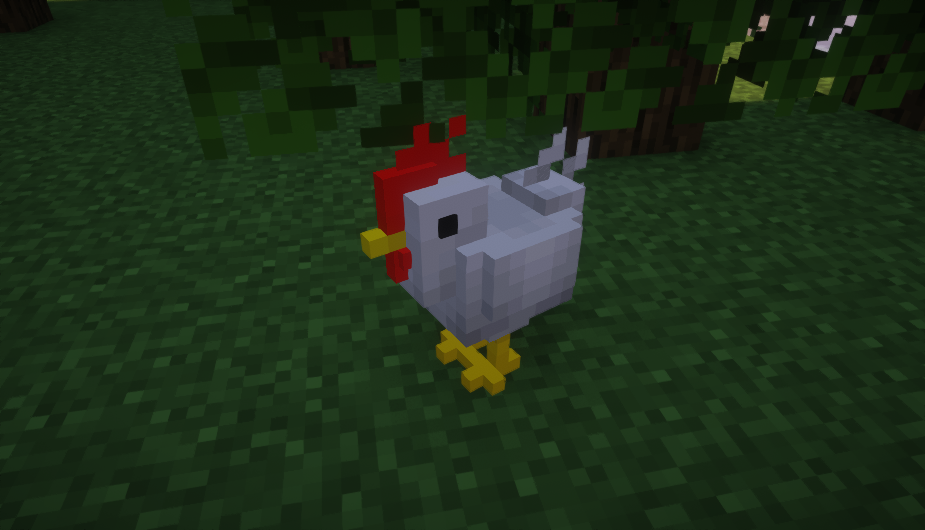
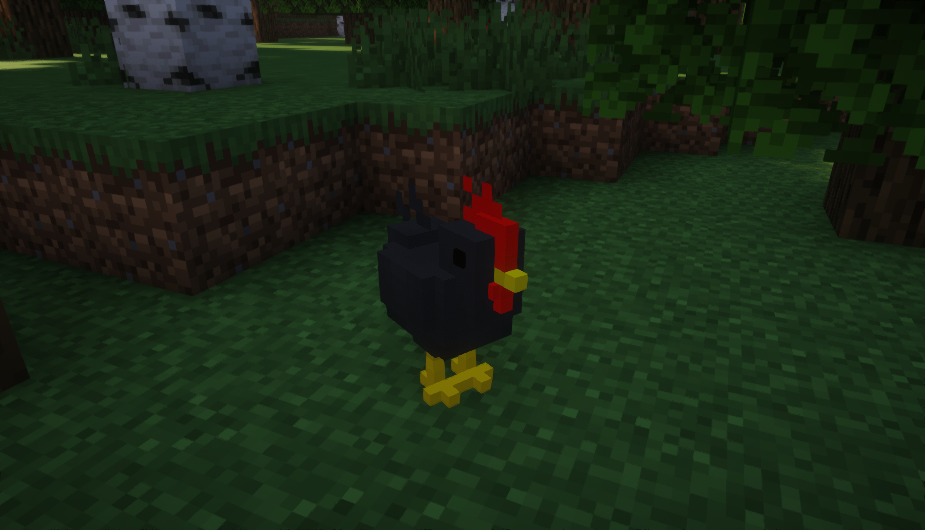
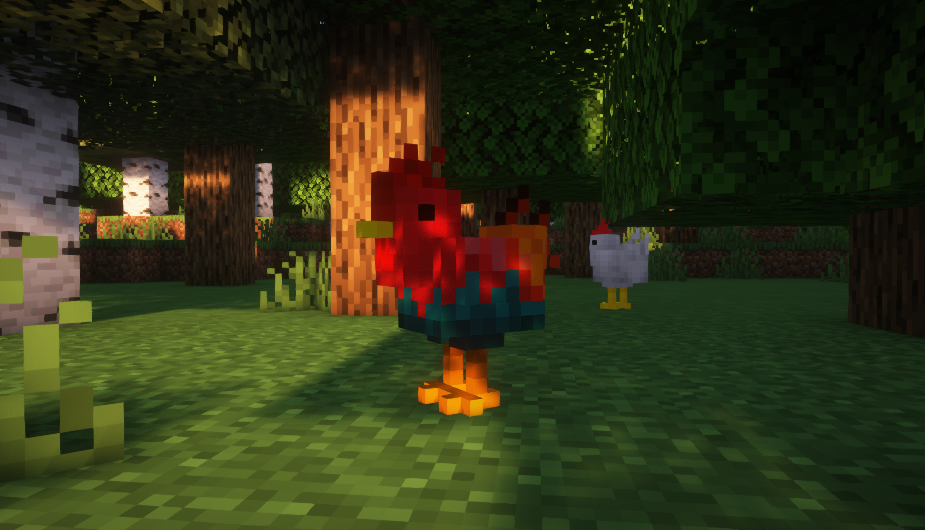
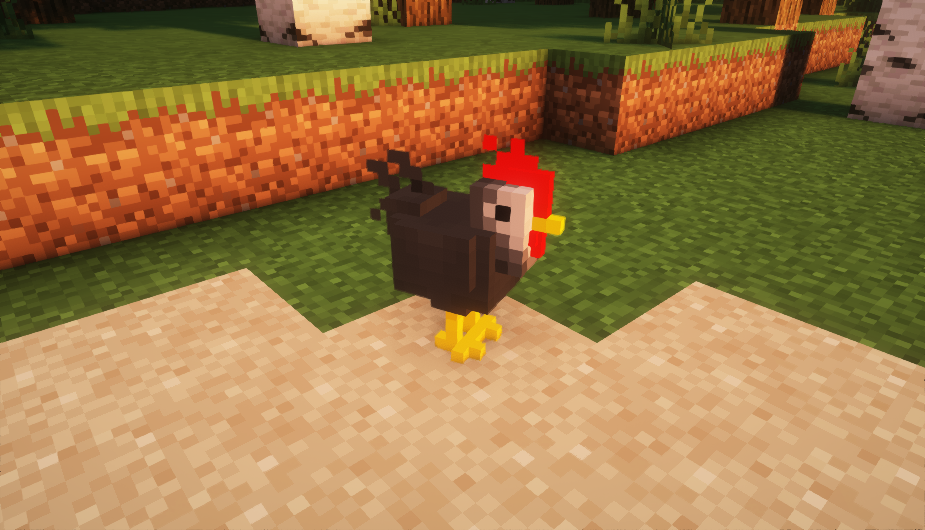
Better Chicken is a texture pack for Minecraft that enhances the appearance of chickens by making them more beautiful in 3D and adding seven unique variations. This pack adds visual diversity and aesthetic appeal to your Minecraft world, making your chicken farm more lively and interesting.

Description:

Better Chicken - 3D Chickens with 7 Variations

Are you tired of the same old chicken look in Minecraft? Do you want to add more variety and beauty to your chicken farm? Look no further! Better Chicken is the perfect texture pack for you.

Features:

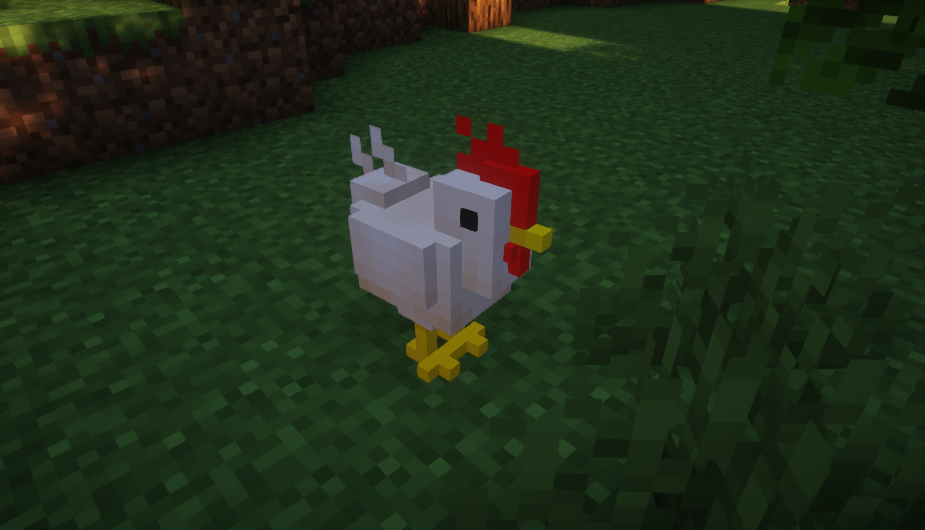
  • 3D Chickens: This texture pack transforms the standard chickens into stunning 3D models, giving them a more realistic and appealing appearance.
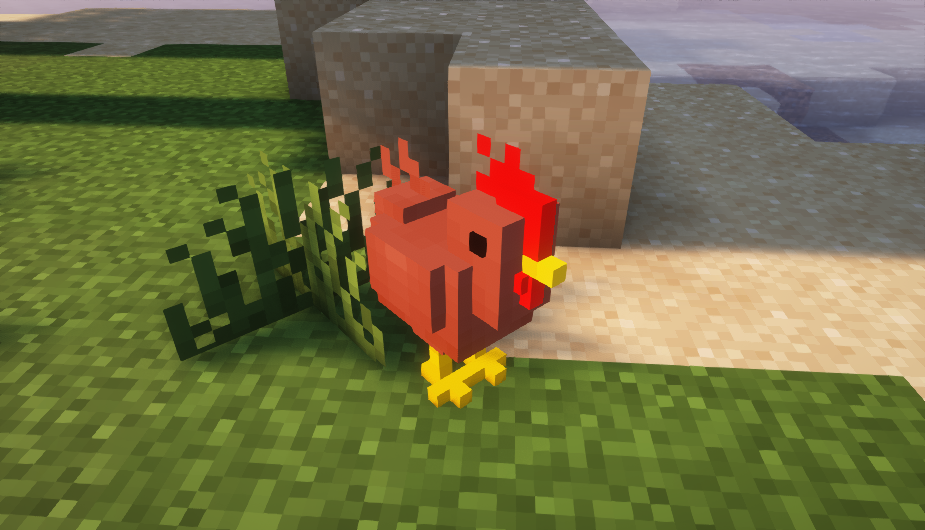
  • 7 Unique Variations: Enjoy a diverse range of chickens with seven different designs, adding visual variety to your game.
  • Enhanced Textures: Each chicken variation comes with detailed and high-quality textures, making them stand out in your Minecraft world.
  • Seamless Integration: Better Chicken integrates smoothly with the default Minecraft textures, ensuring a cohesive look across your game.

What It Changes:

  • Chickens: The main focus of this texture pack is to enhance the chickens in Minecraft, making them more visually appealing and adding seven distinct variations to their appearance.
  • 3D Models: The standard 2D chicken models are replaced with detailed 3D models.
  • Textures: Each chicken variation has its own unique texture, providing a refreshing change from the default look.

Why Choose Better Chicken? Better Chicken is perfect for players who love to enhance their Minecraft experience with better visuals and more variety. Whether you're a farmer, a builder, or just a Minecraft enthusiast, this texture pack will make your game more enjoyable and aesthetically pleasing.

Upgrade your chicken farm and bring new life to your Minecraft world with Better Chicken!

 

Better Chicken
MC 1.16.3, 1.13.1, 1.16-Snapshot, 1.17.1, 1.21.2-Snapshot, 1.21, 1.21.6-snapshot, 1.15-Snapshot, 1.16.1, 1.18.1, 1.20.2-Snapshot, 1.20.5-Snapshot, 1.14.3, 1.15, 1.16, 1.13
Release 2026-10-16 Get
Better Chicken
MC 1.16.3, 1.13.1, 1.16-Snapshot, 1.17.1, 1.21.2-Snapshot, 1.21, 1.21.6-snapshot, 1.15-Snapshot, 1.16.1, 1.18.1, 1.20.2-Snapshot, 1.20.5-Snapshot, 1.14.3, 1.15, 1.16, 1.13
Release 2026-09-04 Get
Better Chicken
MC 1.16.3, 1.13.1, 1.16-Snapshot, 1.17.1, 1.21.2-Snapshot, 1.21, 1.21.6-snapshot, 1.15-Snapshot, 1.16.1, 1.18.1, 1.20.2-Snapshot, 1.20.5-Snapshot, 1.14.3, 1.15, 1.16, 1.13
Release 2026-07-18 Get
Better Chicken
MC 1.16.3, 1.13.1, 1.16-Snapshot, 1.17.1, 1.21.2-Snapshot, 1.21, 1.21.6-snapshot, 1.15-Snapshot, 1.16.1, 1.18.1, 1.20.2-Snapshot, 1.20.5-Snapshot, 1.14.3, 1.15, 1.16, 1.13
Release 2026-05-28 Get
Better Chicken
MC 1.16.3, 1.13.1, 1.16-Snapshot, 1.17.1, 1.21.2-Snapshot, 1.21, 1.21.6-snapshot, 1.15-Snapshot, 1.16.1, 1.18.1, 1.20.2-Snapshot, 1.20.5-Snapshot, 1.14.3, 1.15, 1.16, 1.13
Release 2026-05-09 Get
Better Chicken
MC 1.16.3, 1.13.1, 1.16-Snapshot, 1.17.1, 1.21.2-Snapshot, 1.21, 1.21.6-snapshot, 1.15-Snapshot, 1.16.1, 1.18.1, 1.20.2-Snapshot, 1.20.5-Snapshot, 1.14.3, 1.15, 1.16, 1.13
Release 2026-04-15 Get
Better Chicken
MC 1.16.3, 1.13.1, 1.16-Snapshot, 1.17.1, 1.21.2-Snapshot, 1.21, 1.21.6-snapshot, 1.15-Snapshot, 1.16.1, 1.18.1, 1.20.2-Snapshot, 1.20.5-Snapshot, 1.14.3, 1.15, 1.16, 1.13
Release 2025-10-04 Get
Better Chicken
MC 1.16-Snapshot, 1.17.1, 1.16.3, 1.19.3, 1.20.2, 1.21, 1.15-Snapshot, 1.16.1, 1.18.1, 1.19.4-Snapshot, 1.20.5, 1.17, 1.20.2-Snapshot, 1.20.5-Snapshot, 1.15, 1.16, 1.19.4
Release 2024-07-08 Get

Requirements & install

How to use this resource pack in Minecraft
Resolution
16x
Minecraft
1.19.4 – 1.21.6-snapshot
Install folder
.minecraft/resourcepacks

How to install resource packs

  1. Download the resource pack .zip file (do not extract it).
  2. In Minecraft open Options → Resource Packs → Open Pack Folder.
  3. Drop the .zip into the resourcepacks folder (.minecraft/resourcepacks).
  4. Move the pack to the Selected column and click Done.
Browse more: 16x resource packs 32x resource packs 64x resource packs 128x resource packs 256x resource packs 512x+ resource packs Resource Packs for 1.21.6-snapshot All resource packs

More from HeyCronus

Advertisement Remove ads with Premium →

You Might Also Like