Mineuniverse
Resource Packs
Better Blocks in Frames!

Better Blocks in Frames!

RESOURCE PACK
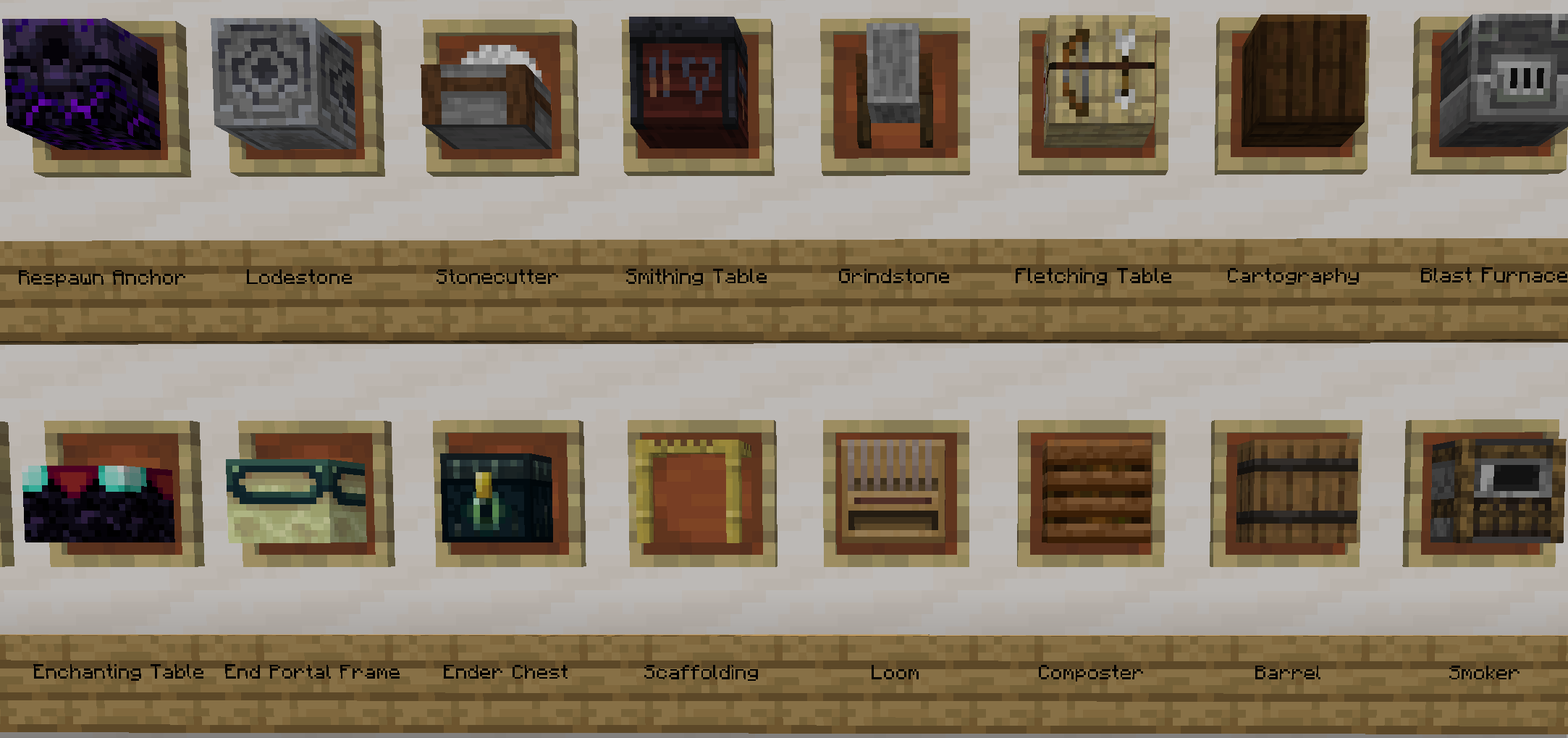
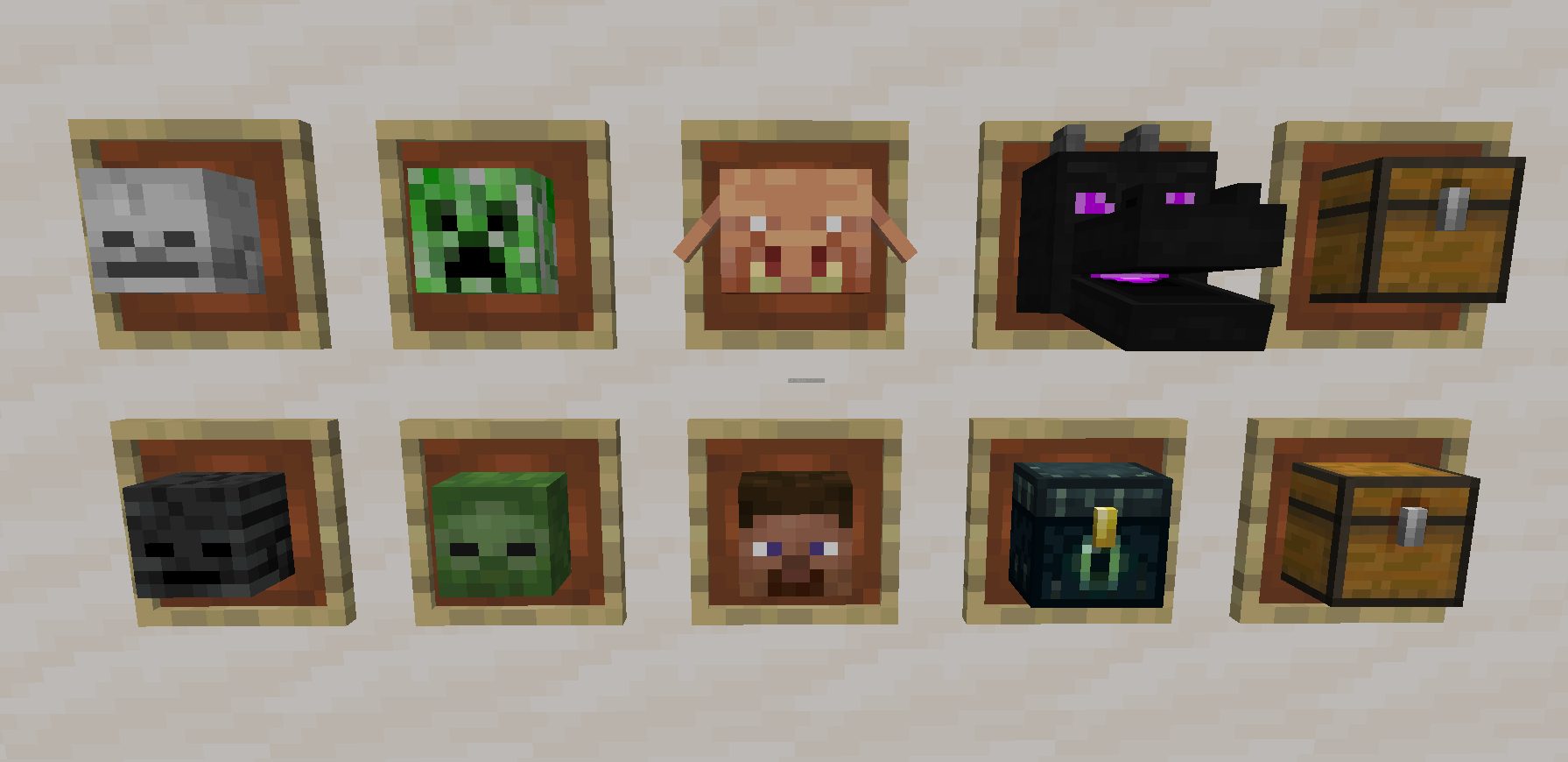
Makes the Blocks in item frames bigger.
by 5543Mj
Download Claim this project
3,907 downloads
0 likes
Updated Oct 14, 2026
0 hypes
16x
Advertisement Remove ads with Premium →

Have you ever just looked at an Item frame and wondered, "Why is there so much empty space?"

No?

Well now you won't have to!

Does NOT need Optifine


Should work in most versions and texture packs, but let me know if any of the blocks are showing up small in the item-frame.

Better Blocks in Frames 1.21.9-26.1.2
MC 1.21.9, 1.21.10, 1.21.11-snapshot, 1.21.11, 26.1, 26.1.1, 26.1.2
Release 2026-04-22 Get
Better Blocks in Frames 1.21.8
MC 1.21.8, 1.21.7, 1.21.6
Release 2025-08-25 Get
Better Blocks in Frames.zip
MC 1.20.1, 1.20
Release 2023-08-06 Get
1.20.1 Better Blocks in Frames
MC 1.20.1, 1.20, 1.20-Snapshot
Release 2023-07-30 Get
Better Blocks in Frames.zip
MC 1.19.4, 1.20.1, 1.20
Release 2023-07-27 Get

Requirements & install

How to use this resource pack in Minecraft
Resolution
16x
Minecraft
1.21.8 – 26.1.2
Install folder
.minecraft/resourcepacks

How to install resource packs

  1. Download the resource pack .zip file (do not extract it).
  2. In Minecraft open Options → Resource Packs → Open Pack Folder.
  3. Drop the .zip into the resourcepacks folder (.minecraft/resourcepacks).
  4. Move the pack to the Selected column and click Done.
Browse more: 16x resource packs 32x resource packs 64x resource packs 128x resource packs 256x resource packs 512x+ resource packs Resource Packs for 26.1.2 All resource packs

More from 5543Mj

Advertisement Remove ads with Premium →

You Might Also Like