Mineuniverse
Resource Packs
Better Armor And Items

Better Armor And Items

RESOURCE PACK
Texture Fixes , Items Textures , Cold Lava Netherite
by 23msmj23
Download Claim this project
2,119 downloads
0 likes
Updated Oct 14, 2026
0 hypes
16x Miscellaneous
Advertisement Remove ads with Premium →

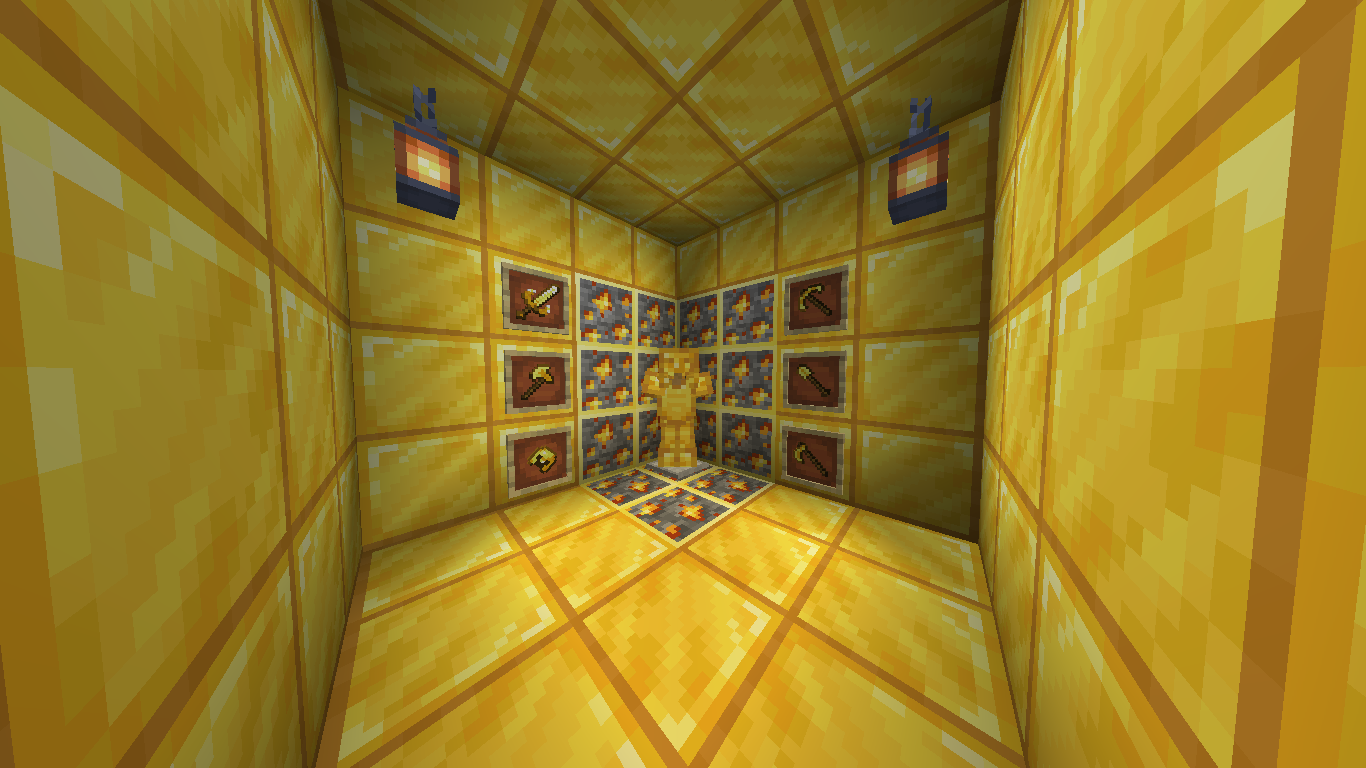
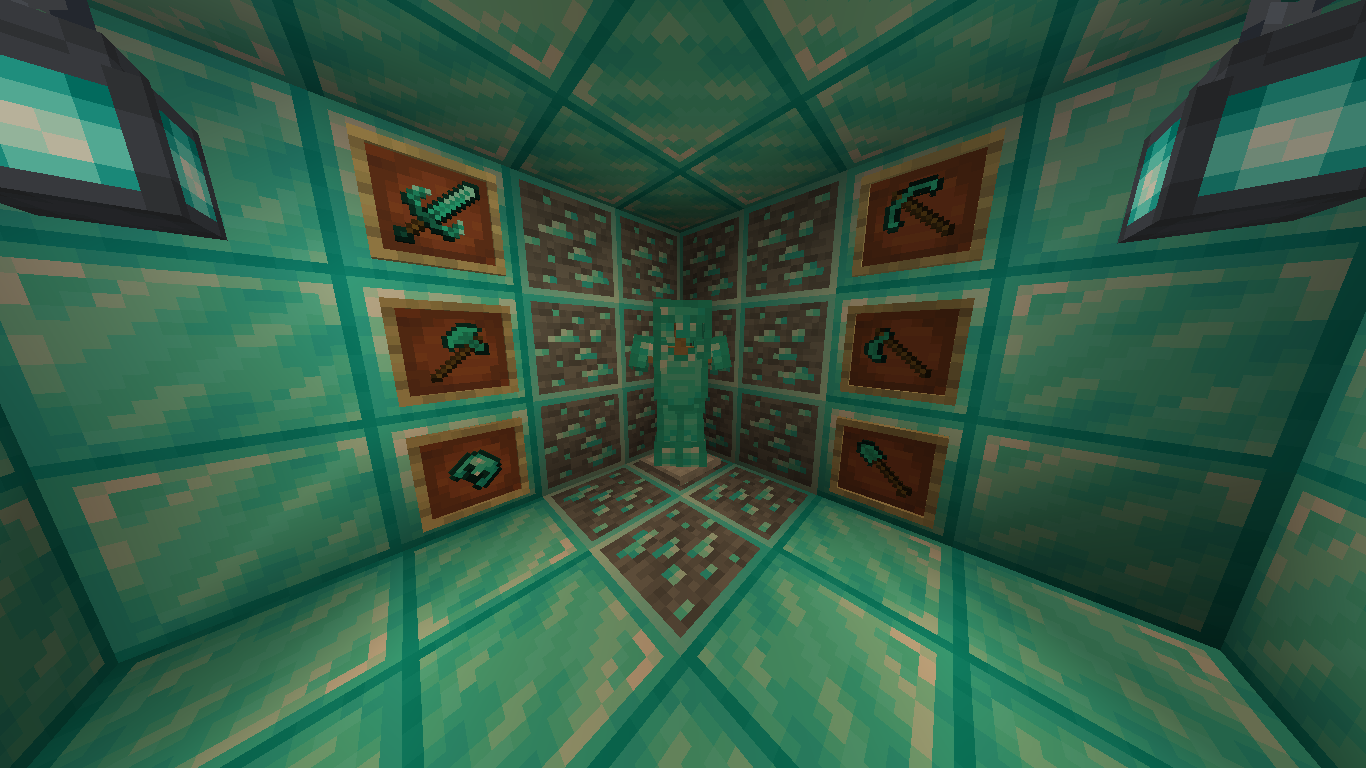
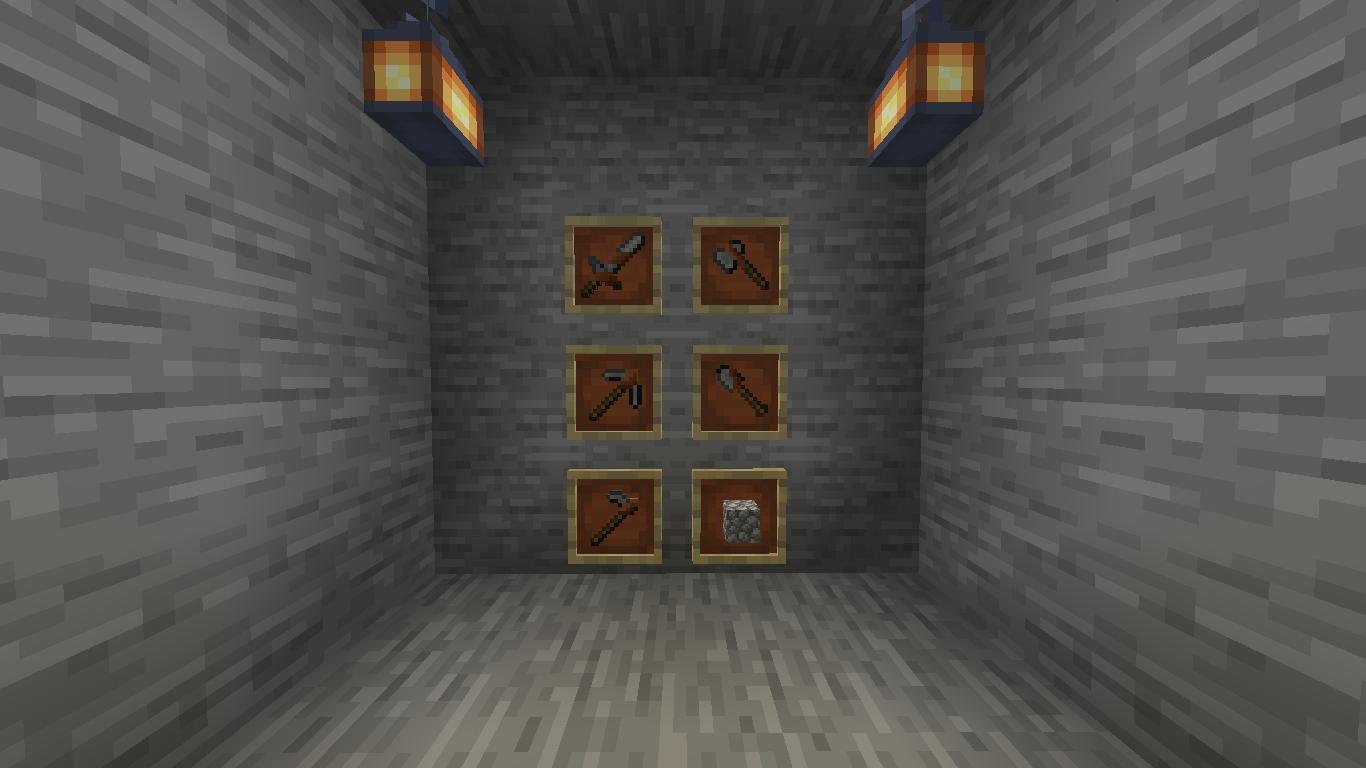
Shield Banner Texture Fixes , Item Textures ( All Swords[Yes Wooden] ,  All Tools[Not Wood] , All Helmets[Not Leather] And Totem) Changes


It Makes Game Cooler

If You Don't Like You Can Delete It Any Time


It  Could Be Red In 1.17 But Do Not Worry It Will Work


If You Like My Models And Have Sword Or Armor Mod

You Can Tell Me From Comments

I Will Add It In Resource Pack You


Can Ask Me Somethings Until I Upload A Video


I Hope You Like It.


If You Name Any Netherite Tool clean ... ( if it sword "clean sword" if it axe "clean axe" ) then cold lava gone if you change the name cold lava will come 


If You Name Any Axe "double axe" it will change DoubleSided Axe



Do Not Dowload
MC 1.16.3, 1.16.1, 1.16, 1.16.5, 1.16.4, 1.16.2
Release 2021-08-24 Get
OptiEdition v2.5.zip
MC 1.16.3, 1.16.1, 1.16, 1.16.5, 1.16.4, 1.16.2
Release 2021-08-24 Get
Better Armor And Items v2.0.zip
MC 1.16.3, 1.16.1, 1.16, 1.16.5, 1.16.4, 1.16.2
Release 2021-08-22 Get

Requirements & install

How to use this resource pack in Minecraft
Resolution
16x
Minecraft
1.16 – 1.16.5
Install folder
.minecraft/resourcepacks

How to install resource packs

  1. Download the resource pack .zip file (do not extract it).
  2. In Minecraft open Options → Resource Packs → Open Pack Folder.
  3. Drop the .zip into the resourcepacks folder (.minecraft/resourcepacks).
  4. Move the pack to the Selected column and click Done.
Browse more: 16x resource packs 32x resource packs 64x resource packs 128x resource packs 256x resource packs 512x+ resource packs Resource Packs for 1.16.5 All resource packs
Advertisement Remove ads with Premium →

You Might Also Like