Mineuniverse
Resource Packs
barely seen

barely seen

RESOURCE PACK
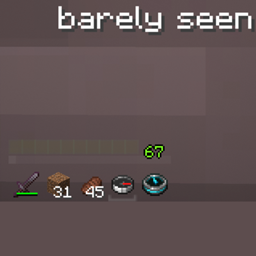
partly invisible hotbar
by ziad_mc
Download Claim this project
391 downloads
0 likes
Updated Oct 14, 2026
0 hypes
16x Miscellaneous Modern
Advertisement Remove ads with Premium →

barely seen

partly hidden ui and hotbar
for a playble F1 view
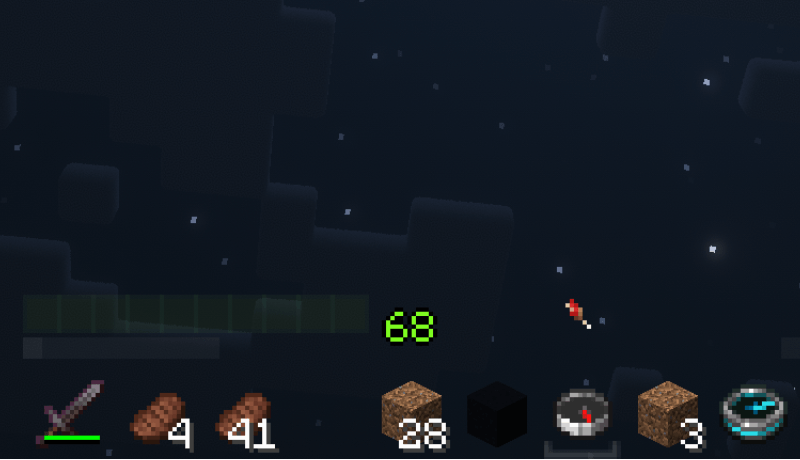
  • health is a transparent green progress bar
  • your xp bar a white progress bar with clear edges
  • your hunger is hidden, only shown when low
  • your items shown clear with no dark green boxes behind them

your current item bottom is highlighted
most of your hunger bar is hidden
your health and hunger are only clearly shown while freezing, posioned, when in hardcore and ext.. to make sure you wont die without knowing
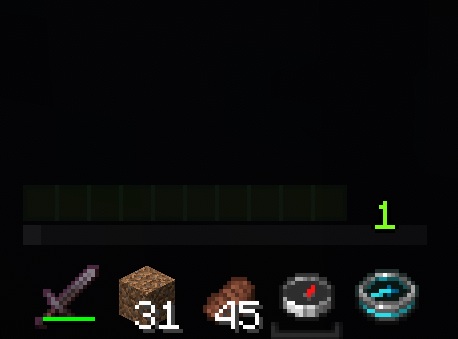
item highlight


ive been looking such a pack for a loong time
so please dont repost this pack as soon as someone finally created it

thank you for reading, enjoy

barely seen
MC 1.21.2-Snapshot, 1.21, 1.21.6-snapshot, 1.21.1-Snapshot, 1.21.8, 1.21.5, 1.21.4, 1.21.5-Snapshot, 1.21.1, 1.21.6, 1.21.3, 1.21.7, 1.21.4-Snapshot, 1.21.2, 1.21.9-snapshot, 1.21.9
Release 2026-01-08 Get

Requirements & install

How to use this resource pack in Minecraft
Resolution
16x
Minecraft
1.21.5-Snapshot – 1.21.9
Install folder
.minecraft/resourcepacks

How to install resource packs

  1. Download the resource pack .zip file (do not extract it).
  2. In Minecraft open Options → Resource Packs → Open Pack Folder.
  3. Drop the .zip into the resourcepacks folder (.minecraft/resourcepacks).
  4. Move the pack to the Selected column and click Done.
Browse more: 16x resource packs 32x resource packs 64x resource packs 128x resource packs 256x resource packs 512x+ resource packs Resource Packs for 1.21.9 All resource packs
Advertisement Remove ads with Premium →

You Might Also Like