Mineuniverse
Resource Packs
Ballistix: Bigger Missiles

Ballistix: Bigger Missiles

RESOURCE PACK
Making the default Ballistix Mod Missiles larger with improved models and textures.
by Beckstation
Download Claim this project
Add a badge to your pageLink to Ballistix: Bigger Missiles from a README, website or forum post.
Preview: Badge

Badges update automatically and link to the resource pack page on MineUniverse.
5,934 downloads
0 likes
0 followers
Updated Oct 14, 2026
0 hypes
Follow0
16x Miscellaneous Mod Support Modern
Advertisement Remove ads with Premium →


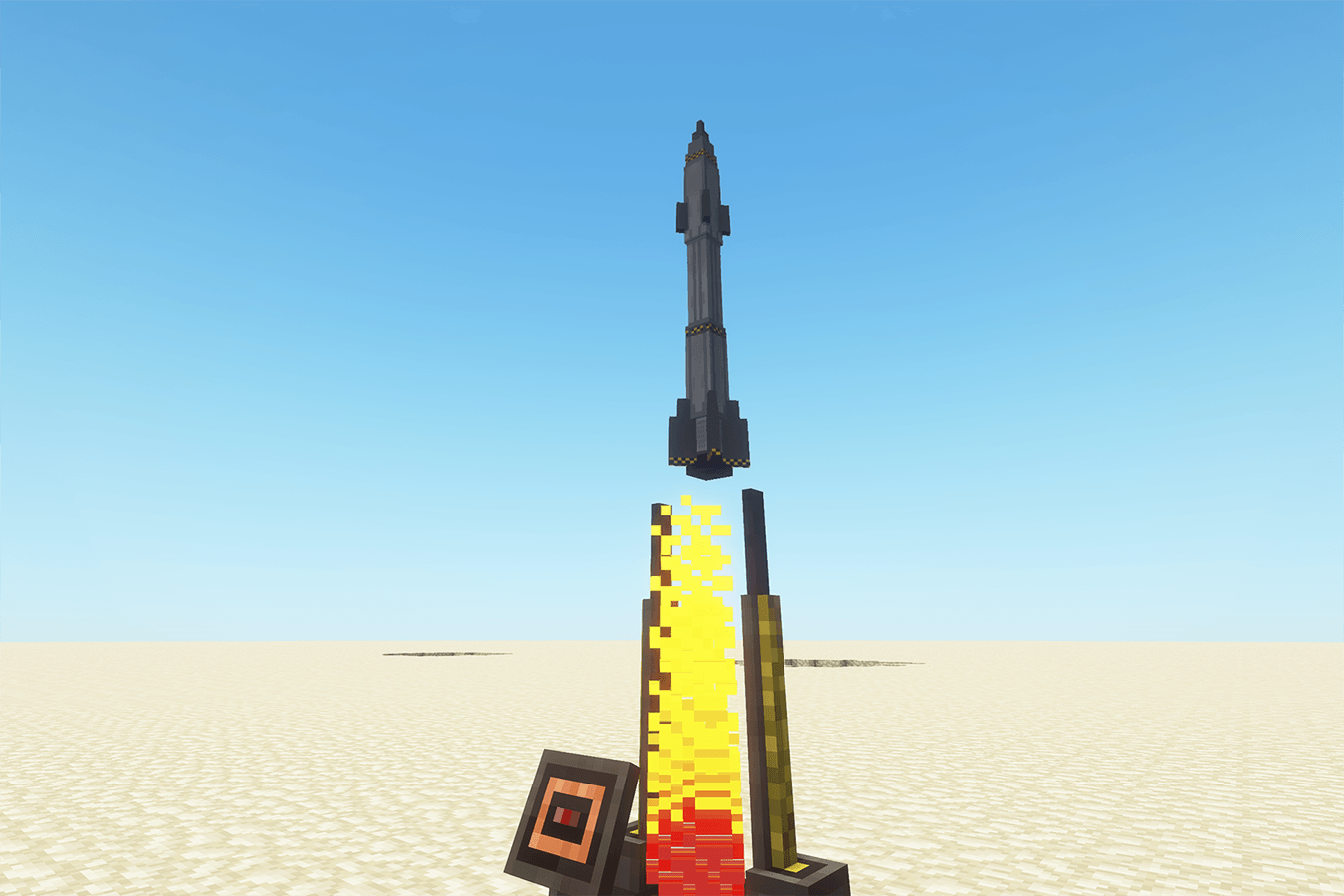
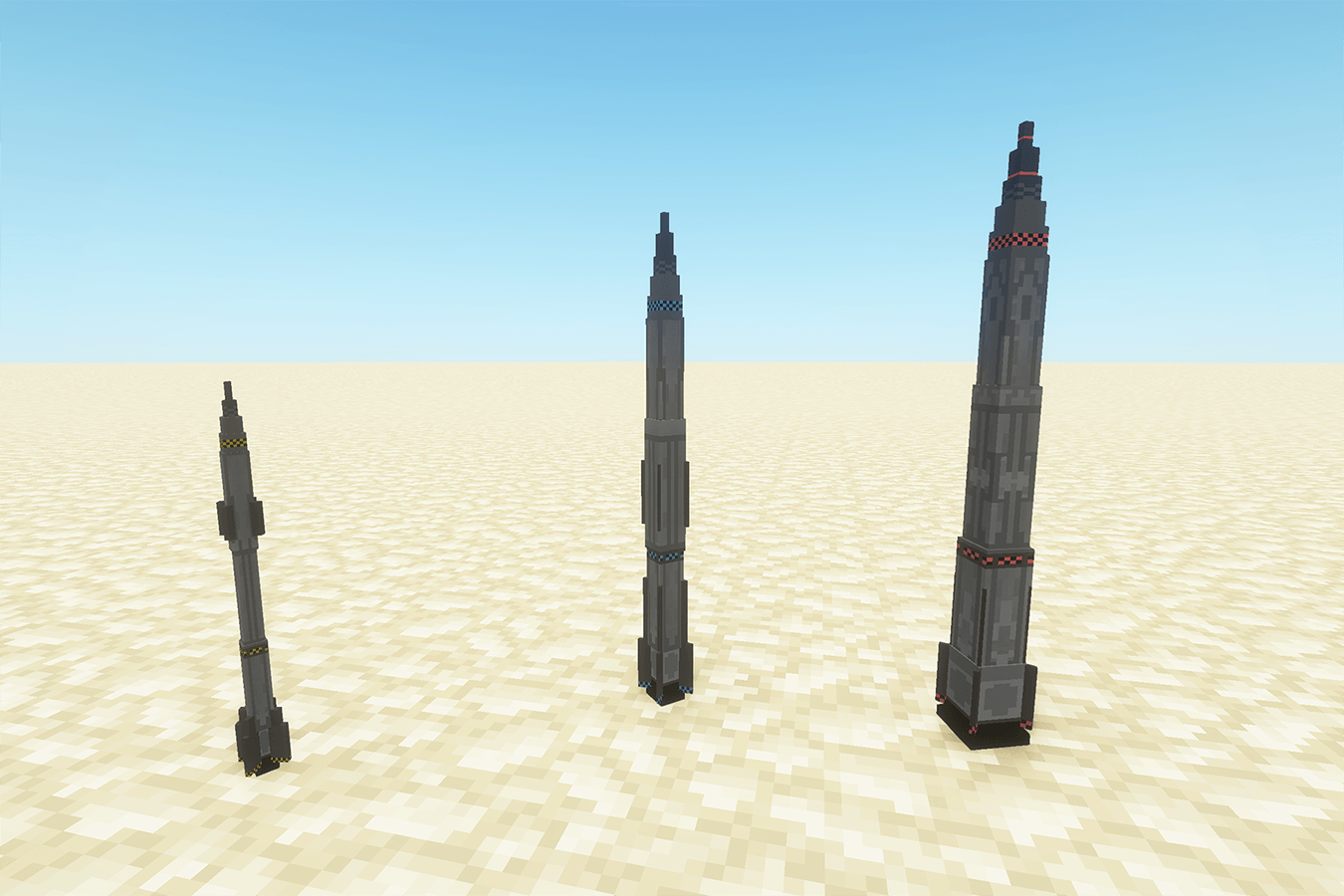
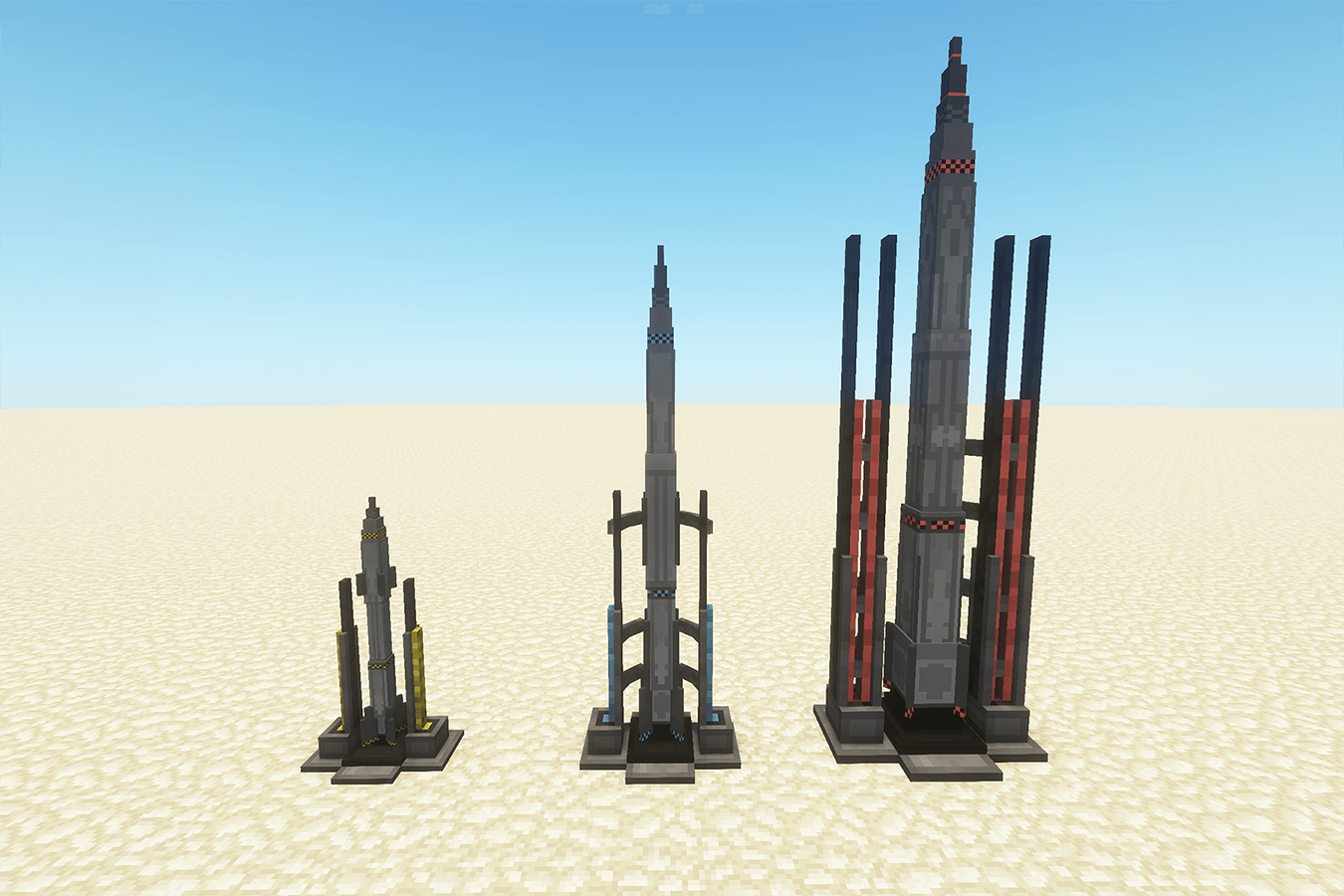
This Resource Pack remodels and retextures the Missiles and Launch Platforms from the Ballistix Mod. 
The new Missiles are larger/taller with a modern look and the Launch Platforms are scaled and redesigned to match the updated Missiles. Besides from bigger and better, the missiles and their launch platforms are now color coded to better match the progression of technology when playing with Electrodynamics Mod.
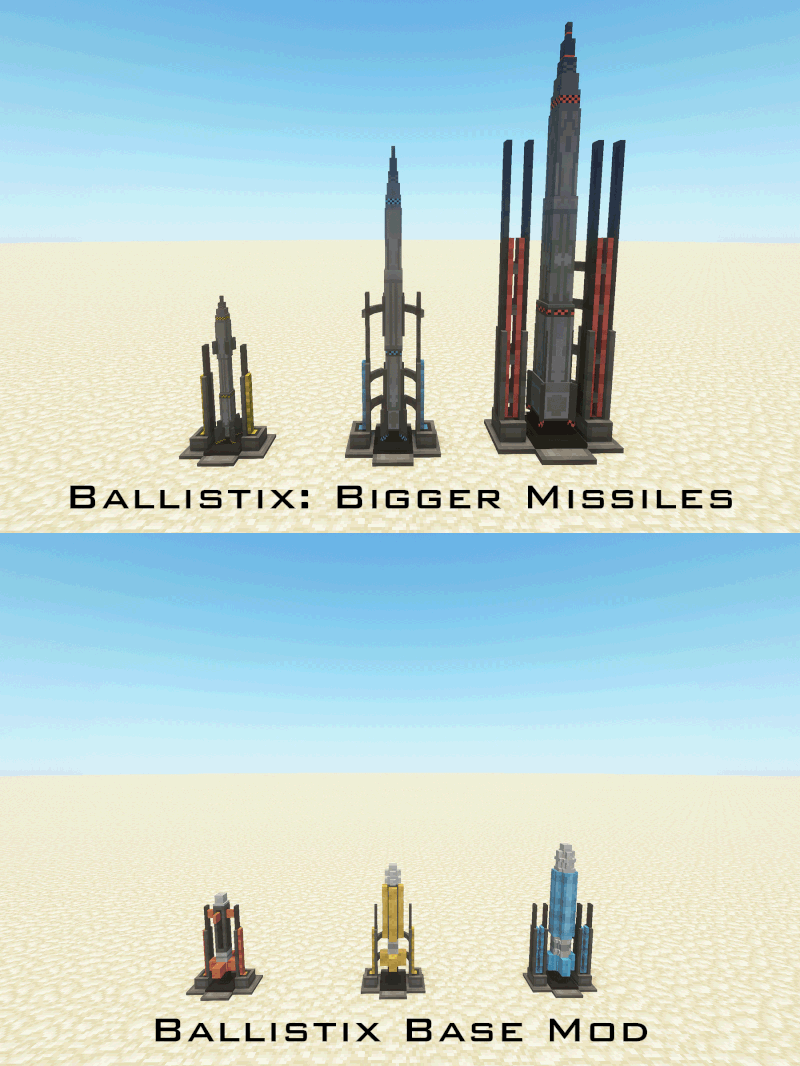
NOTE: As this is a Resource Pack the Hitboxes/Block Bounds have not changed from the Mod default.


Currently the Pack Edits the following:

  • Tier 1 Missile
  • Tier 2 Missile
  • Tier 3 Missile
  • Tier 1 Launch Platform
  • Tier 2 Launch Platform
  • Tier 3 Launch Platform

WIP:

  • Cluster Missile
  • Surface to Air Missile
  • All Launch Platform Supports

I will continue to expand on this pack as new missiles also get added to the mod. Other overhuals such as the Launch Platform Support frames will also get new models to match the larger Launch Platforms in time..

Enjoy!

Ballistix Bigger Missiles v1.1-1.20.1.zip
MC 1.20.1
Release 2026-05-27 Get
Ballistix Bigger Missiles v1.1-1.21.1.zip
MC 1.21.1
Release 2026-05-27 Get
Ballistix Bigger Missiles v1.0.zip
MC 1.20.1
Release 2025-07-21 Get

Requirements & install

How to use this resource pack in Minecraft
Resolution
16x
Minecraft
1.20.1 – 1.21.1
Install folder
.minecraft/resourcepacks

How to install resource packs

  1. Download the resource pack .zip file (do not extract it).
  2. In Minecraft open Options → Resource Packs → Open Pack Folder.
  3. Drop the .zip into the resourcepacks folder (.minecraft/resourcepacks).
  4. Move the pack to the Selected column and click Done.
Browse more: 16x resource packs 32x resource packs 64x resource packs 128x resource packs 256x resource packs 512x+ resource packs Resource Packs for 1.21.1 All resource packs

More from Beckstation

Advertisement Remove ads with Premium →

You Might Also Like