Mineuniverse
Resource Packs
Avatar(Pandora)

Avatar(Pandora)

RESOURCE PACK
This Resource Pack changes the visuals from minecraft to the world of pandora.
by Doc_Navi
Download Claim this project
1,837 downloads
0 likes
Updated Oct 14, 2026
0 hypes
16x
Advertisement Remove ads with Premium →

My YouTube Chanel: UCLZA96yWueaCe6S5QdyFa3g

The Project 🗂️:

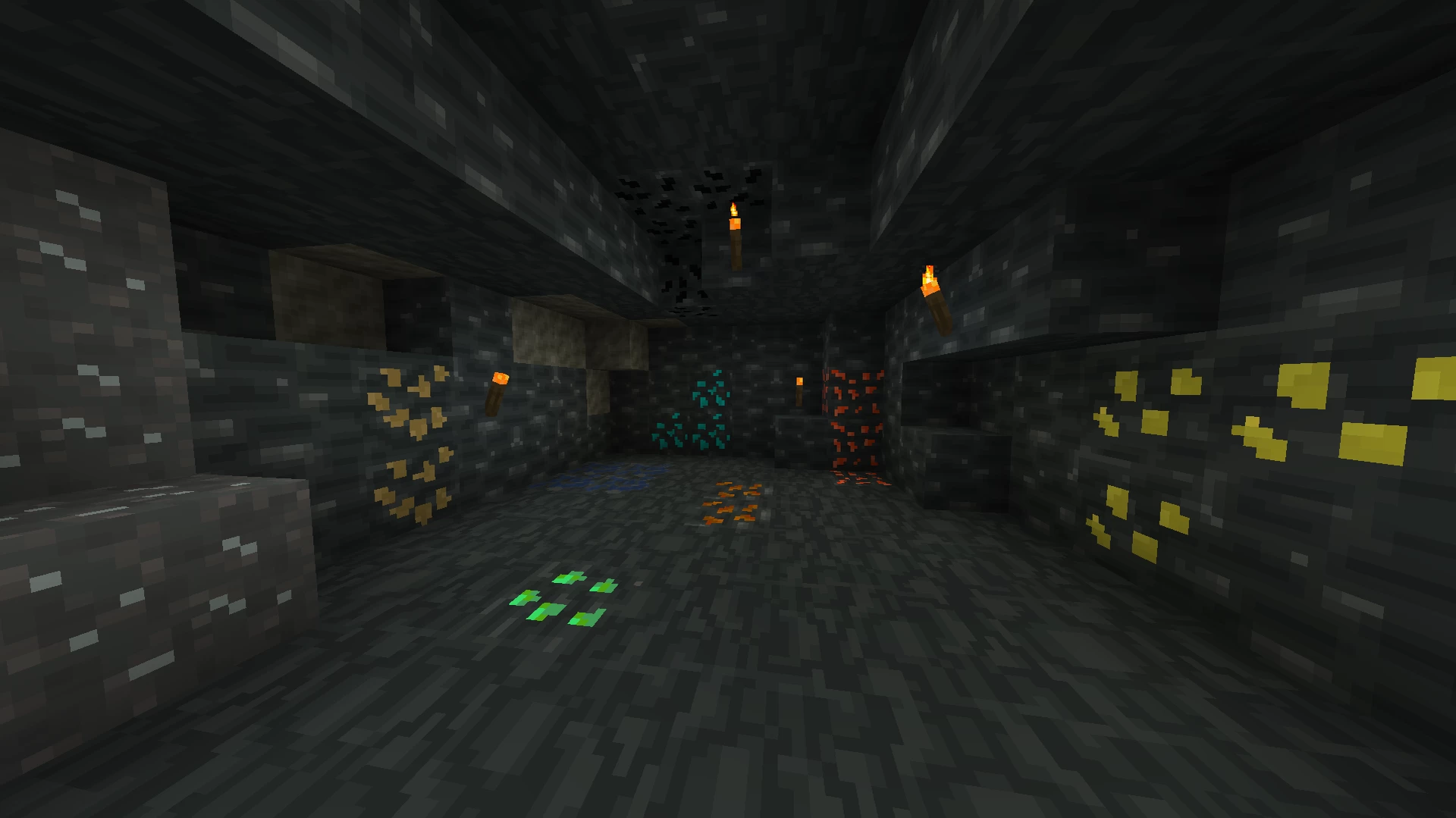
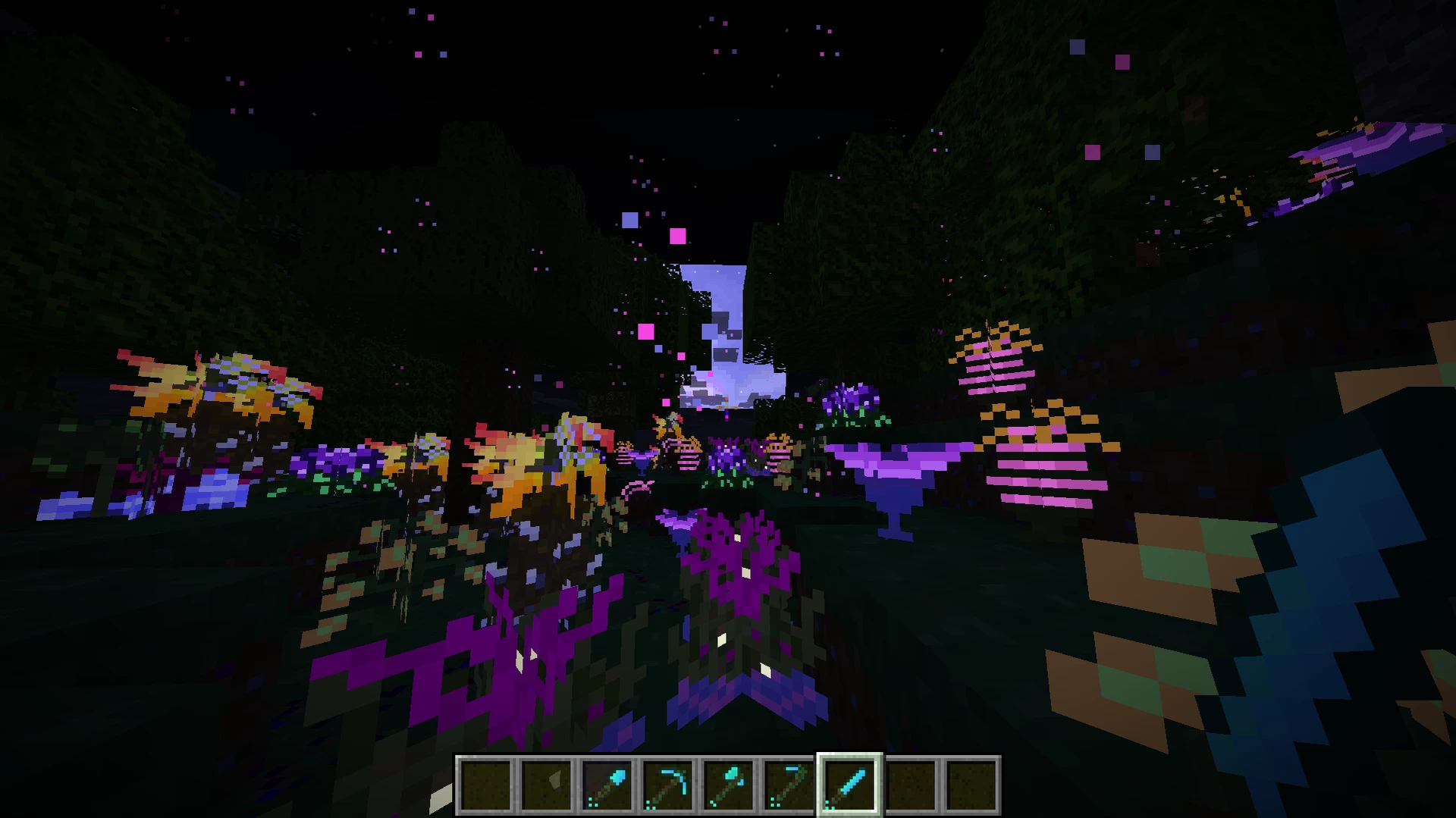
This is The Avatar Texture Pack it changes the textures from minecraft to Avatar style. it also adds some new glowing effects to plants. If you like Avatar This Texture Pack is made for you!

what we have 🎮:

-All tools are reworked(exept netherite) -deepslate and ores have a new design. -2 wood secies have a new design.

How to use it ⚙️:

  1. download it
  2. put it in your modpack folder
  3. start it and go to settings
  4. click on resource packs and add the Avatar-Resource pack.

But i would recomend watch an youtube tutorial because every modding-platform is different.

Support/Discord/contact 🤝:

Im still working on this project, and it would be awesome if you can support me. if there a bugs (wrong color/invisible etc.) or ideas (new designs for blocks/rework ideas) join my Discord and tell them. Ever detail matters. that would help a lot!

If you need help Join my discord: https://discord.gg/xJA6ayYXaX

Thanks!

made by: Dr_Navi

Minecraft ingame name: Dr_Navi_YT
Avatar TexturePack Version 1.0.5
MC 1.21.6-snapshot, 1.21.8, 1.21.5, 1.21.4, 1.21.5-Snapshot, 1.21.6, 1.21.7, 1.21.4-Snapshot
Beta 2026-05-11 Get
Avatar-1.0.4
MC 1.21.6-snapshot, 1.21.8, 1.21.5, 1.21.4, 1.21.5-Snapshot, 1.21.6, 1.21.7, 1.21.4-Snapshot
Release 2026-03-20 Get
Pandora-1.0.1
MC 1.21.2-Snapshot, 1.21, 1.21.6-snapshot, 1.21.1-Snapshot, 1.21.8, 1.21.5, 1.21.4, 1.21.5-Snapshot, 1.21.1, 1.21.6, 1.21.3, 1.21.7, 1.21-Snapshot, 1.21.4-Snapshot, 1.21.2
Beta 2026-01-12 Get

Requirements & install

How to use this resource pack in Minecraft
Resolution
16x
Minecraft
1.21.4-Snapshot – 1.21.8
Install folder
.minecraft/resourcepacks

How to install resource packs

  1. Download the resource pack .zip file (do not extract it).
  2. In Minecraft open Options → Resource Packs → Open Pack Folder.
  3. Drop the .zip into the resourcepacks folder (.minecraft/resourcepacks).
  4. Move the pack to the Selected column and click Done.
Browse more: 16x resource packs 32x resource packs 64x resource packs 128x resource packs 256x resource packs 512x+ resource packs Resource Packs for 1.21.8 All resource packs
Advertisement Remove ads with Premium →

You Might Also Like