Badges update automatically and link to the resource pack page on MineUniverse.
BEFORE YOU DO ANYTHING!!!
-Install Optifine 1.20.1 !!!!!
-Turn off Mipmaps!! (Video Settings/Quality/Mipmap Levels: Off)
After these two teensy tiny tweaks Askew should work like a dream!!
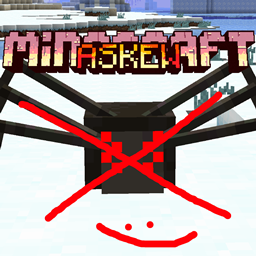
I have received many a tale!! A tale of unpleasantness!! To some, the 'Triders" in Minecraft: Askew are far too frightening to those afflicted by Arachnophobia!
Grand News!!
Phobe no mo'......be.....
This handy Add-On just replaces everything involving spiders with some less scary stuff!
-Spider Models
-Spider Textures
-Spider Items
-Spider Sounds
Unless you have a fear of Add-Ons...Which I currently do not have a workaround for...................
CHECK OUT THE FULL PACK HERE!!!
This pack has nothing to do with the music but im shilling it anyways and if you're mean to me im gonna show you a picture of a spider to combat you :)!!
Minecraft: Askew FULL ALBUM [Seamless + Gameplay]
PLEASE!! I don’t want to sound like a beggar! But I worked so hard on this pack, and it would mean the world if you could spare a couple bucks,
thanks boss :)!
Support Minecraft: Askew on Ko-Fi!
Album available on:
Spotify
Apple Music
Soundcloud
Bandcamp
And pretty much everywhere else you get music!:)!!