
Hey guys my name is Ashram !
I've made a small add-on for the official faithful32 texture pack.
You can see that this add-on suits very well for PVE and PVP gaming.
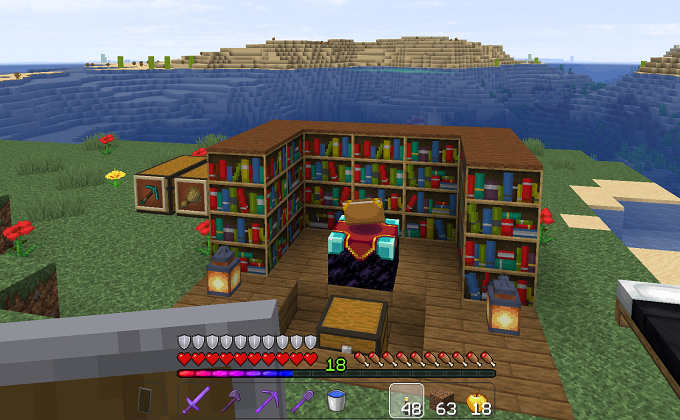
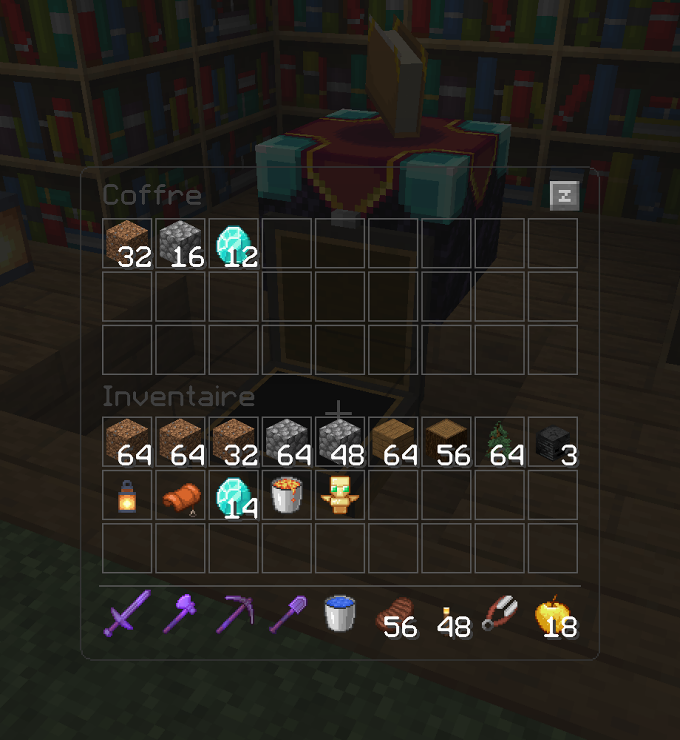
Every inventories and crafting menus will be displayed in full transparency. At every moment during a PVP or PVE game you will be able to see what's going on around you. Simple, sober, stylish, I think you will enjoy it !

What's inside ?
It's an add-on, an overlay for the official faithful32 that will bring you :
■ Transparent HUD
■ Dark skin for the user interface
■ Rainbow XP bar
■ Various transparent elements like empty hearts, empty food, etc
■ Low burning fire
■ Low shield
■ Tools textures (from the Sama_Faithful texture pack)
■ Weapons textures with bow animations (from Sama_Faithful & Mathox texture pack)
■ Moon and Sun HD textures
■ Better sky and rainbow (need Optifine)
■ And many various small things (from Soartex Fanver texture pack and some of my creation)
Requirements
As I said before, this texture pack is just an add-on for the official faithful32, it requires two things :
■ Need - Faithful32 official
■ Need - Optifine / Sodium / NeoContinuity (or equivalent) - for glowing ores and more
----------------------------------------------------------------------------------------------------------------------------------
I hope you will enjoy this add-on for the faithful32 texture pack !
----------------------------------------------------------------------------------------------------------------------------------
Thank you.
- Ashram -







