Artition's Font Resource Pack
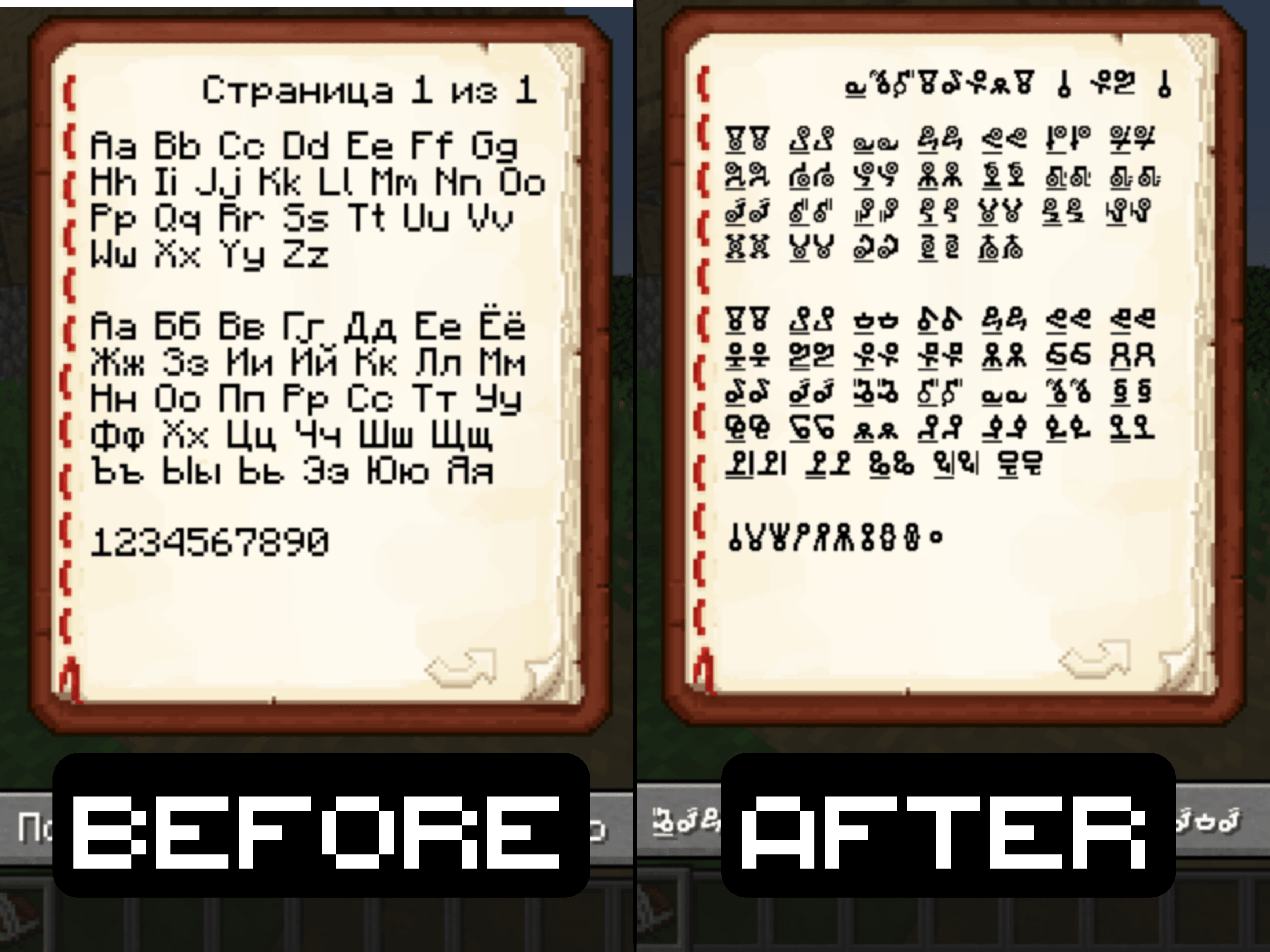
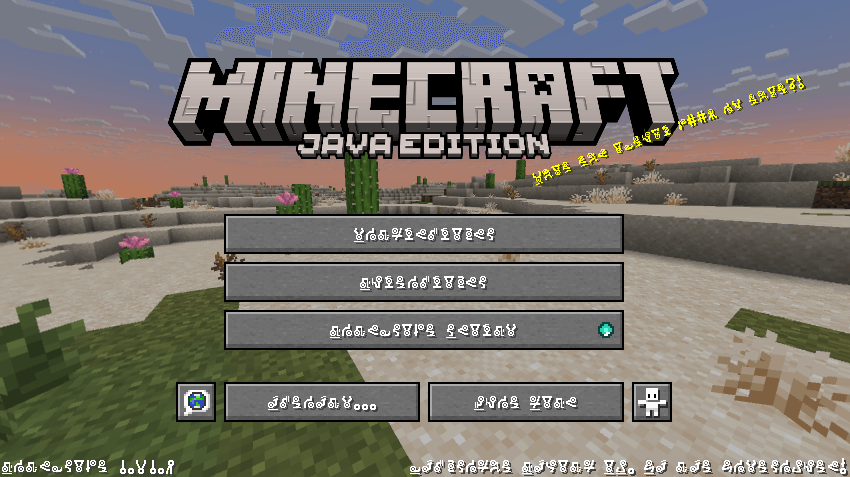
This resource pack replaces the default Minecraft font with a custom cipher-style encrypted font made by Artition.
All characters are fully readable once you get used to them, but at first glance the text looks mysterious, distorted, and intentionally “cursed”.
The pack is designed for players who want to change the visual perception of text in the game without affecting gameplay mechanics.
Features
- Replaces the default Minecraft font with a unique encrypted-looking cipher font
- Supports Latin characters (A–Z, a–z), numbers, basic symbols, and punctuation
- All UI elements remain functional: menus, chat, item names, tooltips, commands
- No scripts, no mods — resource pack only
- Lightweight and compatible with other texture packs
How It Affects Gameplay
This pack does not change gameplay balance or mechanics.
Instead, it alters how text is visually perceived:
- Menus and chat feel more cryptic and atmospheric
- Reading text becomes an intentional action rather than automatic scanning
- Great for ARG-style worlds, puzzle maps, horror maps, or roleplay servers
- Adds a layer of mystery even to familiar UI elements
Over time, players naturally adapt and begin recognizing characters, turning the font into a visual cipher rather than unreadable noise.
Intended Use Cases
- ARG / mystery projects
- Horror or liminal-themed worlds
- Puzzle maps with encoded clues
- Roleplay servers with secret knowledge or factions
- Personal aesthetic customization
Notes
- This font is intentionally unusual and may reduce readability for some players
- Not recommended for competitive gameplay or fast-paced PvP
- Best experienced when combined with atmospheric texture packs or shaders
Enjoy decoding your own Minecraft world 👁️