https://discord.gg/A2Nx9kxDeB Join the discord for questions or support.
https://modrinth.com/user/cutebow
---
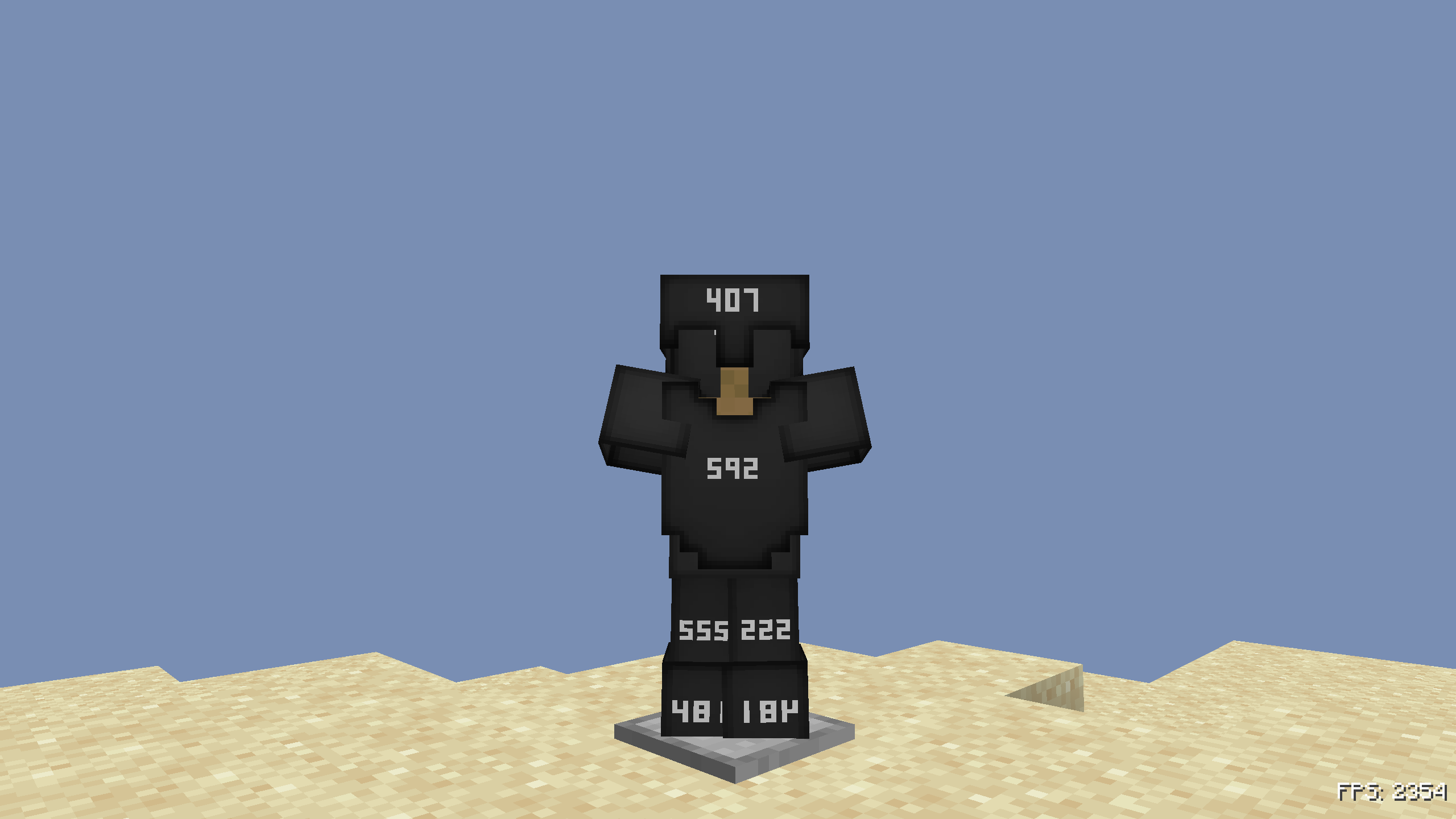
This Pack Illustrates the Durability of Armor after damage to the armor with shades of gray matching the netherite look and Also shows current durability of armor.
for more detail
This texture pack makes it way easier to keep track of your armor durability by giving each piece a clear and colorful visual change as it gets damaged. Instead of guessing how close your armor is to breaking or constantly opening your inventory, the armor itself slowly shifts in color so you can tell its durability at a glance. It's super helpful for PvP, PvE, grinding, or really anything where your gear takes a lot of hits. The pack also shows the exact durability of each armor piece, which adds even more clarity and makes it almost impossible to get caught off guard by breaking gear.
To use this pack, you’ll need OptiFine or CIT-Resewn on Fabric so the durability-based textures can work correctly. With those installed, the armor automatically updates its look in real time as it loses durability. This pack uses brightness changes and shading similar to how netherite items darken as they get worn down, except applied across all armor types in a clean, readable way. The different shades of gray make each durability stage easy to see without being distracting or changing the original style too much.
Overall, this pack is perfect if you want a simple but super useful upgrade that makes tracking armor durability way more intuitive and visually satisfying.
Pack textures by cutebow
Idea by Steven (he also tried helping with textures)
-------------------
have any questions?
need help?
or you just wanna be cool? ⭐
**Then join my Discord!** (it would be appreciated we spent forever working on this pack)