Mineuniverse
Resource Packs
ANTDAWG's Shenanigans

ANTDAWG's Shenanigans

RESOURCE PACK
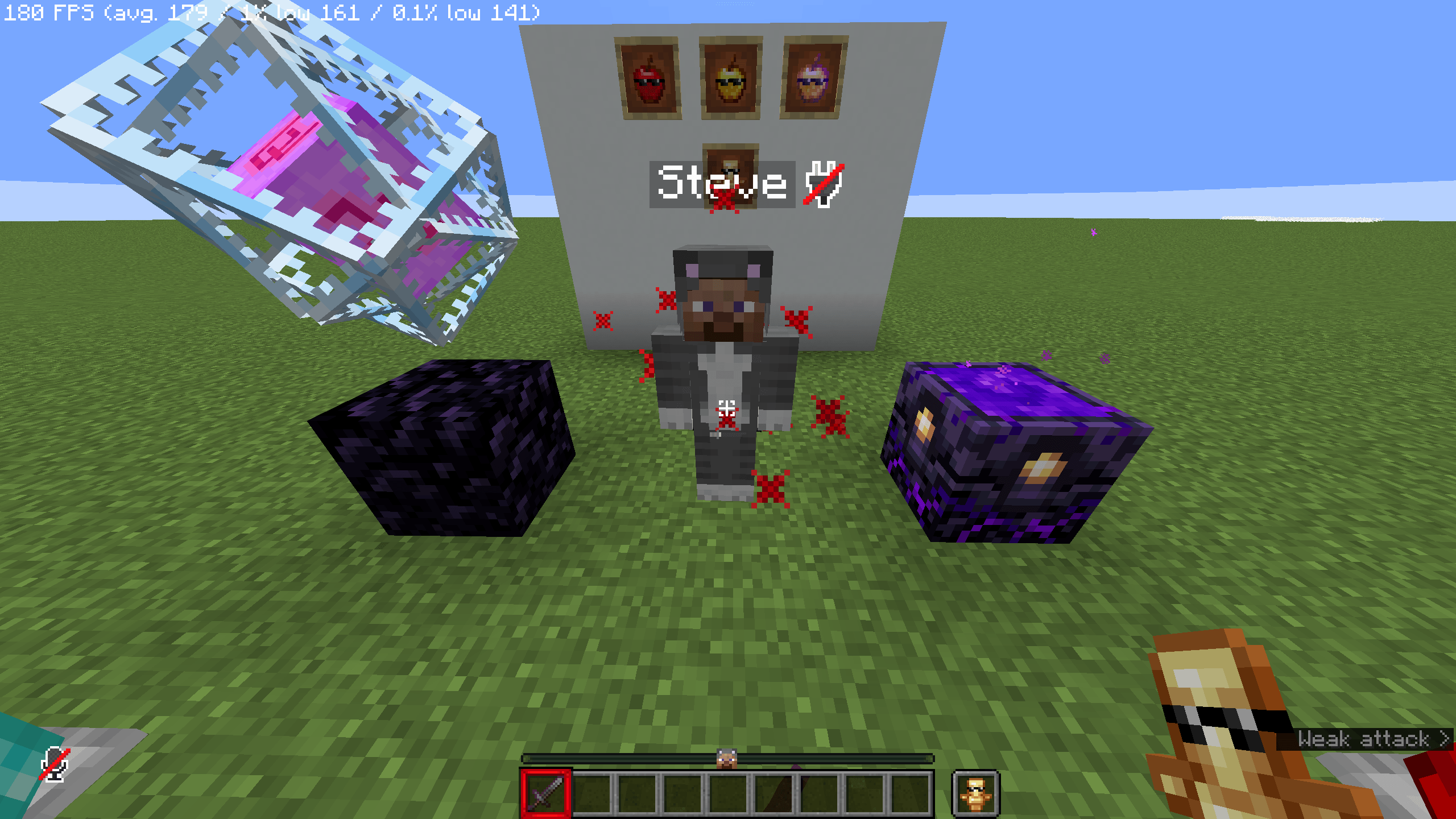
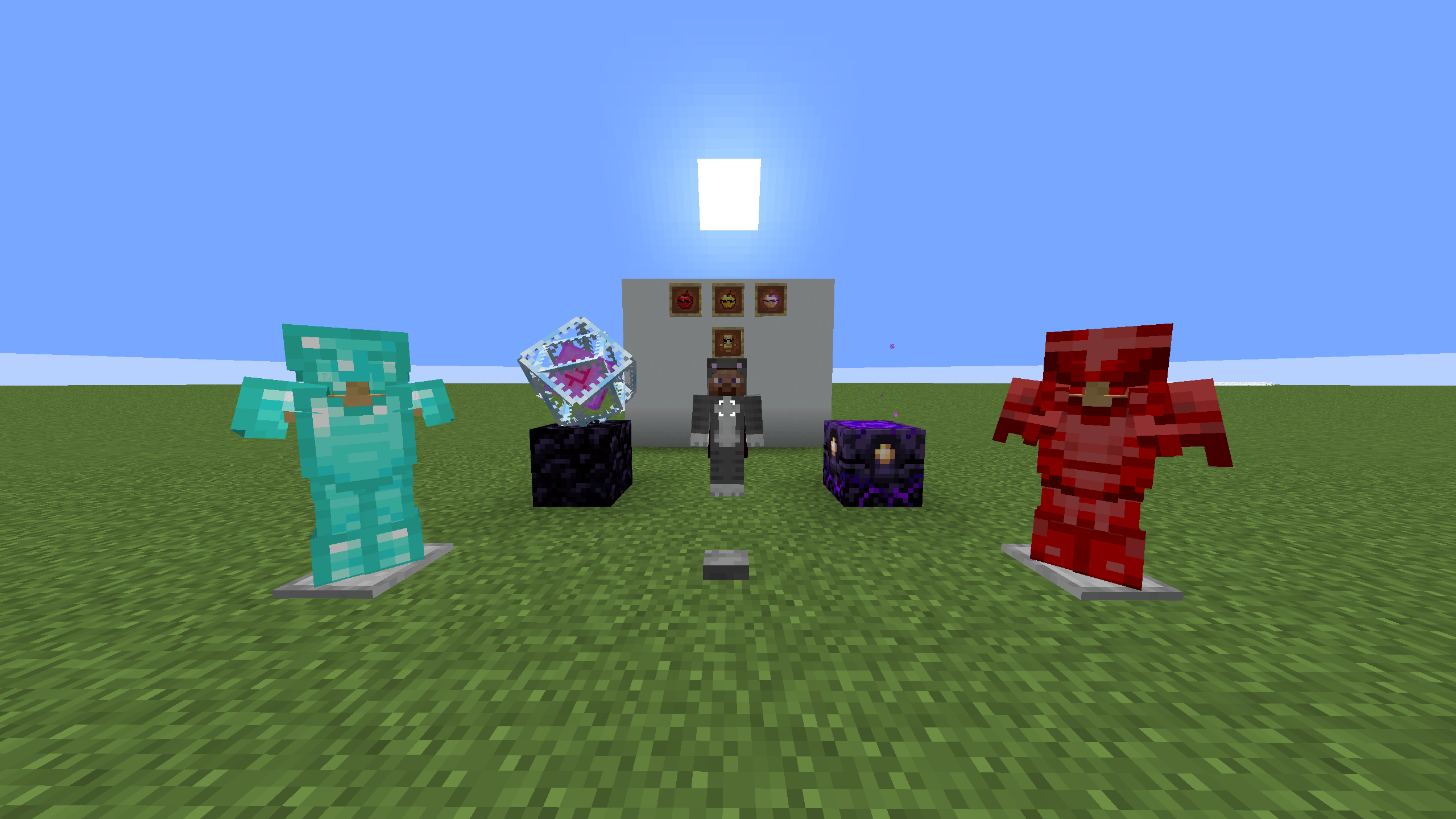
Ever wanted to see my face everywhere? I don't think so, SO HERE I AM! Welcome to ANTDAWGMC'S Shenanigans! This pack includes clean UI, animated textures, and CIT Resewn easter eggs!
by ANTDAWGMC
Download Claim this project
19 downloads
0 likes
0 followers
Updated Oct 14, 2026
0 hypes
Follow0
16x Animated Mod Support Modern Traditional
Advertisement Remove ads with Premium →

Ever wanted to see my face everywhere? I don't think so, SO HERE I AM!

Welcome to ANTDAWGMC'S Shenanigans! This resource pack includes a bunch of quality of life features along with some clean UI and fancy animations!

CIT Resewn is not needed, but recommended to utilize all the features of the resource pack.

UPCOMING SOON!

Our team currently are planning on the following for the future updates of this resource pack: Custom sounds, CIT Resewn mod support and easter eggs, and offhand holding!

Important links!

My YouTube Channel: https://www.youtube.com/@ANTDAWGMC

My Modpack: https://modrinth.com/modpack/grilled-essentials

Important Contributors: ZephyrusGaming(Nyxfall) (19) Zephyrus - YouTube

ANTDAWGMCs_Shenanigans.zip
MC 1.21.8, 1.21.5, 1.21.4, 1.21.5-Snapshot, 1.21.9-snapshot, 1.21.9, 1.21.10, 1.21.11
Release 2026-07-28 Get
ANTDAWGMCs Shenanigans.zip
MC 1.21.8, 1.21.5, 1.21.4, 1.21.5-Snapshot, 1.21.9-snapshot, 1.21.9, 1.21.10, 1.21.11
Beta 2026-07-17 Get
mxtune-1.16.5-3.0.0-rc.2
MC Client, 1.16.5, Forge, Server
Beta 2024-03-27T00:07:06.647Z Get
mxtune-1.16.5-3.0.0-rc.1
MC Client, 1.16.5, Forge, Server
Beta 2024-01-05T19:48:36.443Z Get
mxtune-1.16.5-2.0.0-beta-2023-12-08.76721460
MC Client, 1.16.5, Forge, Server
Beta 2023-12-10T14:44:12.59Z Get
mxtune-1.16.5-2.0.0-beta-2023-08-07.83313812
MC Client, 1.16.5, Forge, Server
Beta 2023-08-08T04:21:15.777Z Get

Requirements & install

How to use this resource pack in Minecraft
Resolution
16x
Minecraft
1.21.4 – 1.21.11
Install folder
.minecraft/resourcepacks

How to install resource packs

  1. Download the resource pack .zip file (do not extract it).
  2. In Minecraft open Options → Resource Packs → Open Pack Folder.
  3. Drop the .zip into the resourcepacks folder (.minecraft/resourcepacks).
  4. Move the pack to the Selected column and click Done.
Browse more: 16x resource packs 32x resource packs 64x resource packs 128x resource packs 256x resource packs 512x+ resource packs Resource Packs for 1.21.11 All resource packs
Advertisement Remove ads with Premium →

You Might Also Like