Mineuniverse
Resource Packs
Ancient Debris Rainbow Animation

Ancient Debris Rainbow Animation

RESOURCE PACK
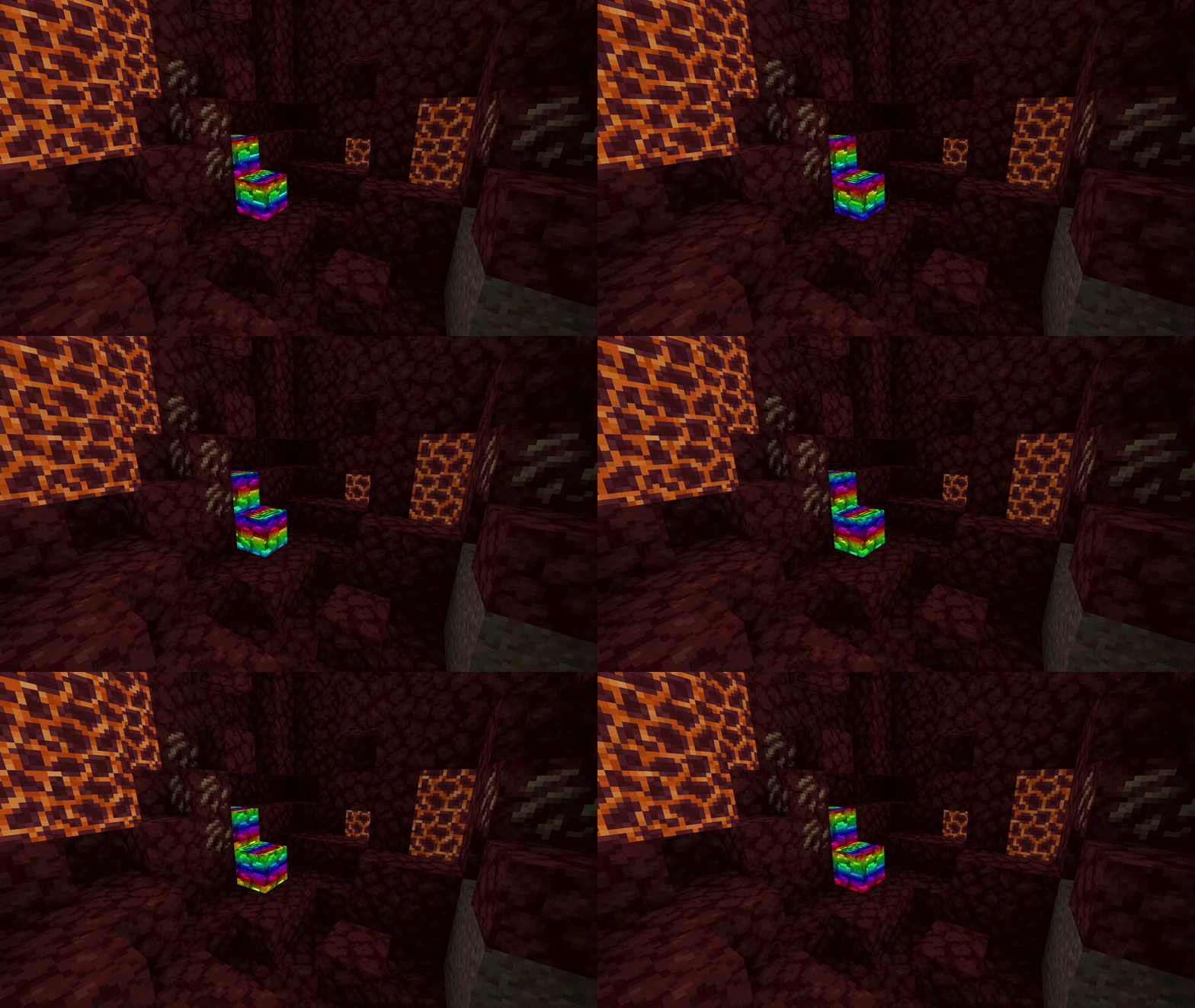
Makes Ancient Debris have an emissive animated rainbow texture
by DeftestHawk
Download Claim this project
17,244 downloads
0 likes
0 followers
Updated Oct 14, 2026
0 hypes
Follow0
16x Animated Miscellaneous
Advertisement Remove ads with Premium →

This makes Ancient Debris have an emissive animated rainbow texture

I created this to make it easier to spot Ancient debris, I found all other options didn't stand out as much as they could. So this was my attempt at making ancient debris almost impossible to miss.


Will not work without required mods listed below!


NeoForge requirements:

As of my current knowledge, NeoForge doesn't have any native mods that add support for emissive textures.

As a work around you can use the following:


Forge requirements:

Option 1 (Highly recommended)

MoreMcmeta supports 1.16.5 and higher

Option 2 (Not recommended)


Fabric requirements:

Option 1 (Highly recommended)

  • Continuity
  • Sodium - (Not needed but I highly recommend this) 
  • Indium - (Required if you're using Sodium)

Continuity is only available for 1.17.1 or higher

Continuity only supports Emissive textures on version 1.18.2 or higher

Option 2

MoreMcmeta supports 1.16.5 and higher

Option 3 (Not recommended)



My Other Resource Packs

Ancient debris rainbow animation v1.1.0
MC 1.17.1, 1.16.3, 1.19.3, 1.20.2, 1.21, 1.16.1, 1.18.1, 1.20.5, 1.17, 1.16, 1.19.4, 1.16.5, 1.21.4, 1.18.2, 1.19.2, 1.20.3, 1.20.1, 1.20, 1.20.6, 1.19.1, 1.20.4, 1.21.3, 1.21.1
Release 2024-10-14 Get
Ancient debris rainbow animation v1.0.0.zip
MC 1.17.1, 1.16.3, 1.19.3, 1.20.2, 1.21, 1.16.1, 1.18.1, 1.20.5, 1.17, 1.16, 1.19.4, 1.16.5, 1.18.2, 1.19.2, 1.20.3, 1.20.1, 1.20, 1.20.6, 1.19.1, 1.20.4, 1.18, 1.16.4, 1.16.2
Release 2024-03-20 Get

Requirements & install

How to use this resource pack in Minecraft
Resolution
16x
Minecraft
1.20.3 – 1.21.4
Install folder
.minecraft/resourcepacks

How to install resource packs

  1. Download the resource pack .zip file (do not extract it).
  2. In Minecraft open Options → Resource Packs → Open Pack Folder.
  3. Drop the .zip into the resourcepacks folder (.minecraft/resourcepacks).
  4. Move the pack to the Selected column and click Done.
Browse more: 16x resource packs 32x resource packs 64x resource packs 128x resource packs 256x resource packs 512x+ resource packs Resource Packs for 1.21.4 All resource packs

More from DeftestHawk

Advertisement Remove ads with Premium →

You Might Also Like