Mineuniverse
Resource Packs
Alacrity | Just Enough Items (JEI) Support

Alacrity | Just Enough Items (JEI) Support

RESOURCE PACK
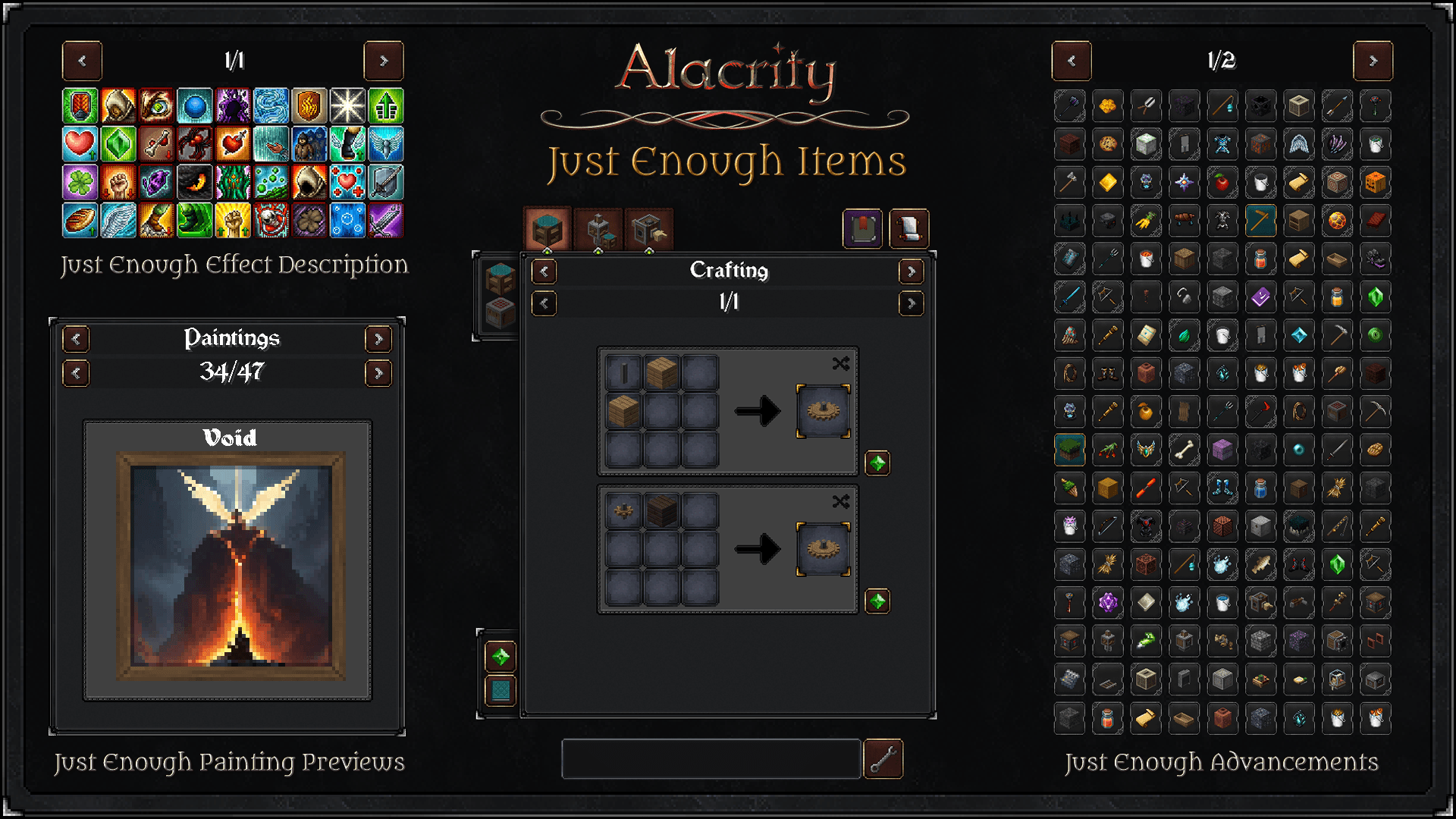
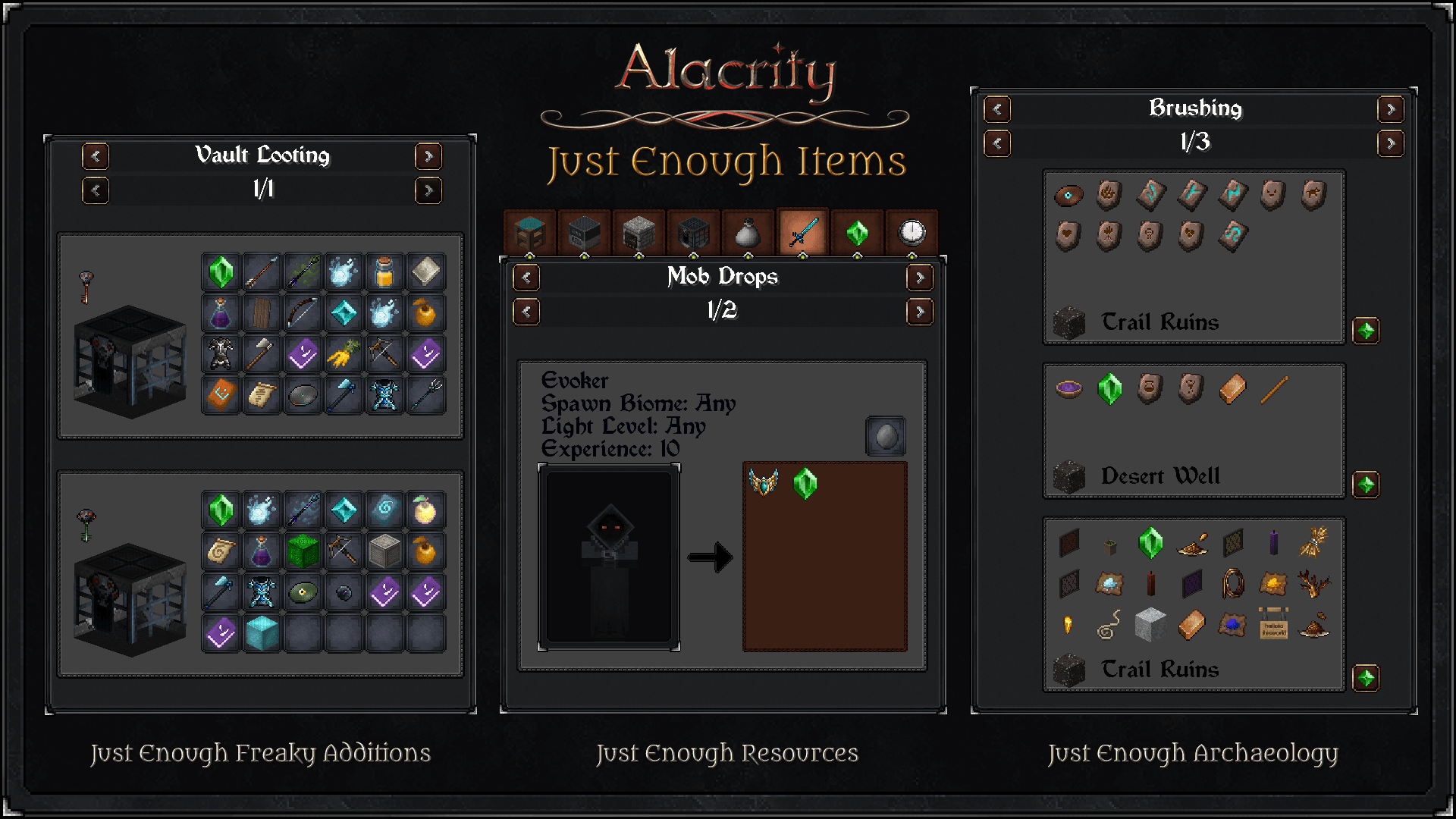
Retexture of JEI (+8 addons) in Alacrity style
by TheDatThai
Download Claim this project
Add a badge to your pageLink to Alacrity | Just Enough Items (JEI) Support from a README, website or forum post.
Preview: Badge

Badges update automatically and link to the resource pack page on MineUniverse.

6,543 downloads
0 likes
0 followers
Updated Oct 14, 2026
0 hypes
Follow0
32x Medieval Miscellaneous Mod Support
Advertisement Remove ads with Premium →

modrinth curseforge


An unofficial compatibility pack designed to align the aesthetics of Just Enough Items (JEI) mod with the Alacrity resource pack. This pack is 100% completed and fully compatible with 8 addons of JEI. I recommend using [★] as they are optimal in most cases.

Note:

  • Incompatible with Just Enough Breeding
  • Require Just Enough Items (JEI) to function.
  • Addons are optional. You should choose ones that fit your preferences. It's fine to not install any of them.
  • For the best experience, use this pack alongside Alacrity.
  • For Bug Report / Suggestion, please DM me on my Discord (@thedatthai).

Credits:

  • Satellence - Creator of Alacrity & Previous JEI 19.2.0 Support
  • mezz - Creator of Just Enough Items (JEI)
  • way2muchnoise - Creator of Just Enough Resources
  • Wachipayoxx64 - Creator of Just Enough Freaky Additions
  • MehVahdJukaar - Creator of Just Enough Effect Descriptions & Painting Previews
  • MelanX - Creator of Just Enough Advancements
  • LobsterJonn - Creator of Just Enough Archaeology
  • Cerbon - Creator of Just Enough Beacons Reforged
  • Mrbysco - Creator of Just Enough Professions
Alacrity - Just Enough Items
MC 1.16.3, 1.17.1, 1.21, 1.16.1, 1.18.1, 1.14.3, 1.15, 1.16, 1.16.5, 1.10.2, 1.19.3, 1.20.2, 1.19.4, 1.21.8, 1.8.8, 1.9.4, 1.14.4, 1.14.1, 1.12.1, 1.17, 1.12, 1.20.5, 1.21.5
Release 2026-06-08 Get

Requirements & install

How to use this resource pack in Minecraft
Resolution
32x
Minecraft
1.18.1 – 1.21.8
Install folder
.minecraft/resourcepacks

How to install resource packs

  1. Download the resource pack .zip file (do not extract it).
  2. In Minecraft open Options → Resource Packs → Open Pack Folder.
  3. Drop the .zip into the resourcepacks folder (.minecraft/resourcepacks).
  4. Move the pack to the Selected column and click Done.
Browse more: 16x resource packs 32x resource packs 64x resource packs 128x resource packs 256x resource packs 512x+ resource packs Resource Packs for 1.21.8 All resource packs

More from TheDatThai

Advertisement Remove ads with Premium →

You Might Also Like