Mineuniverse
Resource Packs
Aim Mark Infinite Pack

Aim Mark Infinite Pack

RESOURCE PACK
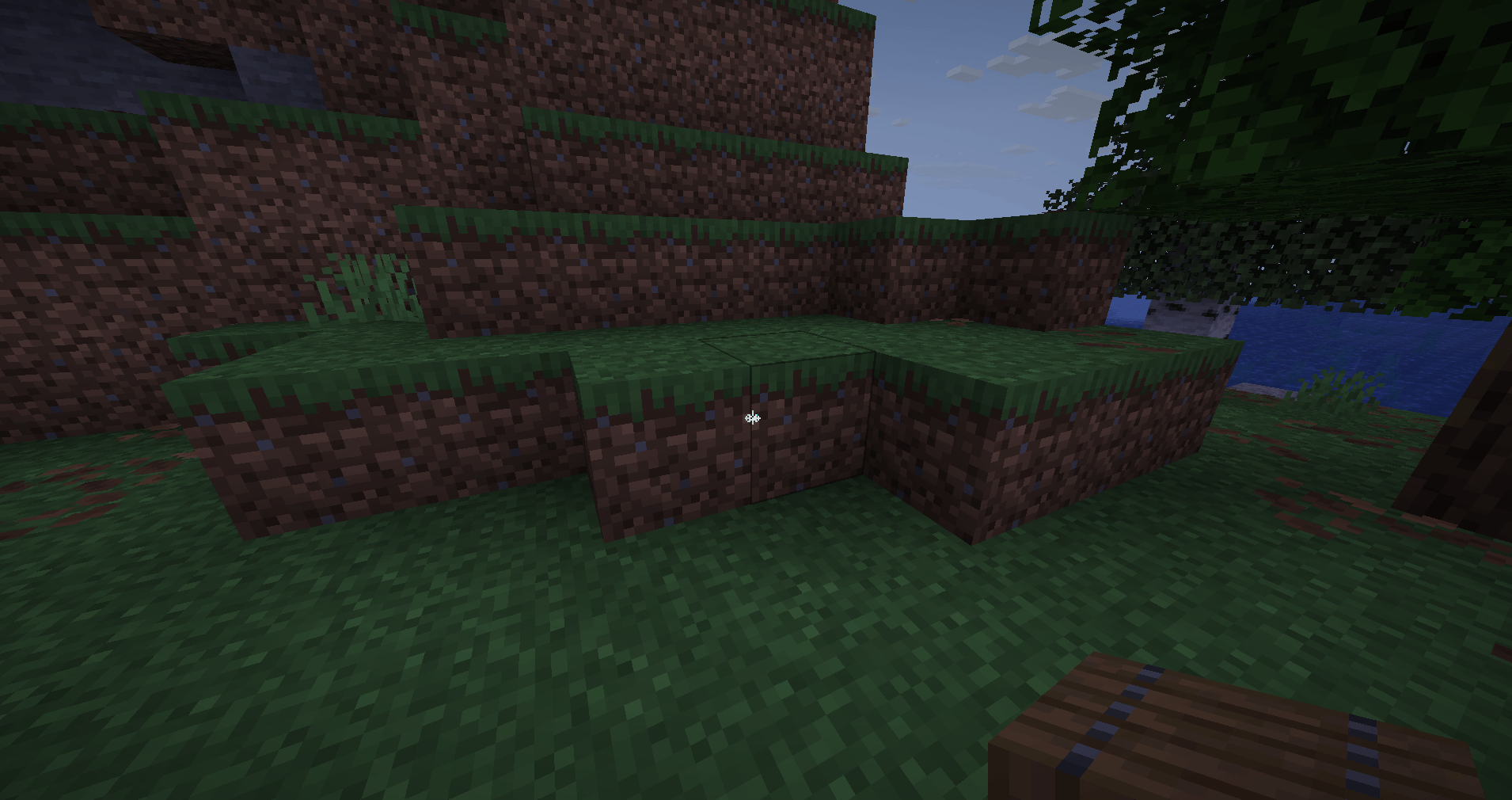
A minimalist Minecraft resource pack that adds a smooth infinite-style aim mark to block textures for a cleaner and more focused gameplay experience.
by khalilsersoub
Download Claim this project
Add a badge to your pageLink to Aim Mark Infinite Pack from a README, website or forum post.
Preview: Badge

Badges update automatically and link to the resource pack page on MineUniverse.

133 downloads
0 likes
0 followers
Updated Oct 14, 2026
0 hypes
Follow0
128x
Advertisement Remove ads with Premium →

Aim Mark Infinite Pack A minimalist Minecraft resource pack that adds a smooth infinite-style aim mark to block textures for a cleaner and more focused gameplay experience. Features Infinite-style centered aim marker Clean and minimalist visual design Vanilla-friendly appearance Lightweight and performance-friendly Smooth alignment on block textures Improves visual precision while building or aiming Perfect For PvP players Precision builders Minimalist Minecraft setups Players who enjoy clean visuals Content creators and montage videos Style This pack preserves Minecraft’s original aesthetic while adding a subtle modern targeting effect directly onto blocks. The infinite-style mark blends naturally with gameplay without making textures feel overloaded. Compatibility Compatible with most Minecraft Java Edition versions that support resource packs. Installation Download the resource pack Move the .zip file into your resourcepacks folder Open Minecraft Go to Options → Resource Packs Enable the pack and enjoy the new visual style Notes Designed for players who want a subtle visual aiming reference and a unique infinite-style texture experience without heavily modifying the vanilla look.


Dot Crosshair.zip
MC 1.16.3, 1.13.1, 1.16-Snapshot, 1.17.1, 1.21.2-Snapshot, 1.21, 1.21.6-snapshot, 1.15-Snapshot, 1.16.1, 1.18.1, 1.20.2-Snapshot, 1.20.5-Snapshot, 1.14.3, 1.15, 1.16, 1.13
Release 2026-05-19 Get

Requirements & install

How to use this resource pack in Minecraft
Resolution
128x
Minecraft
1.16.3 – 1.21.6-snapshot
Install folder
.minecraft/resourcepacks

How to install resource packs

  1. Download the resource pack .zip file (do not extract it).
  2. In Minecraft open Options → Resource Packs → Open Pack Folder.
  3. Drop the .zip into the resourcepacks folder (.minecraft/resourcepacks).
  4. Move the pack to the Selected column and click Done.

Packs from 128x upwards need more video memory: install a performance mod such as Sodium for smooth frame rates.

Browse more: 16x resource packs 32x resource packs 64x resource packs 128x resource packs 256x resource packs 512x+ resource packs Resource Packs for 1.21.6-snapshot All resource packs

More from khalilsersoub

Advertisement Remove ads with Premium →

You Might Also Like