Mineuniverse
Resource Packs
Abyssal Depths: Serpent Revamp

Abyssal Depths: Serpent Revamp

RESOURCE PACK
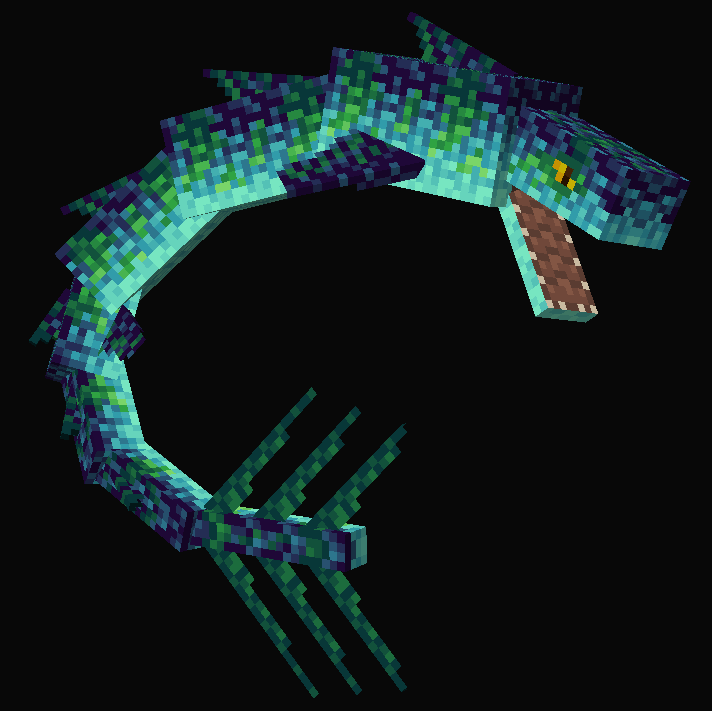
Improves the texture of the iconic Sea Serpent from Abyssal Depths
by UkanGundun
Download Claim this project
Add a badge to your pageLink to Abyssal Depths: Serpent Revamp from a README, website or forum post.
Preview: Badge

Badges update automatically and link to the resource pack page on MineUniverse.

2,729 downloads
0 likes
0 followers
Updated Oct 14, 2026
0 hypes
Follow0
16x Mod Support
Advertisement Remove ads with Premium →

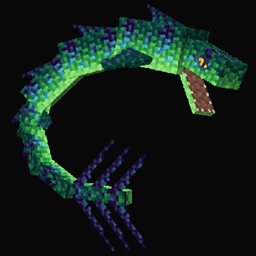
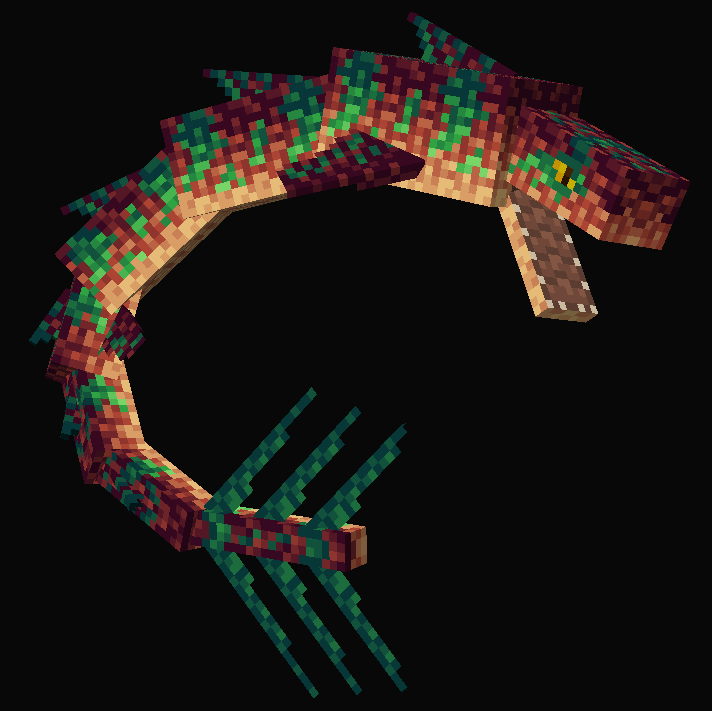
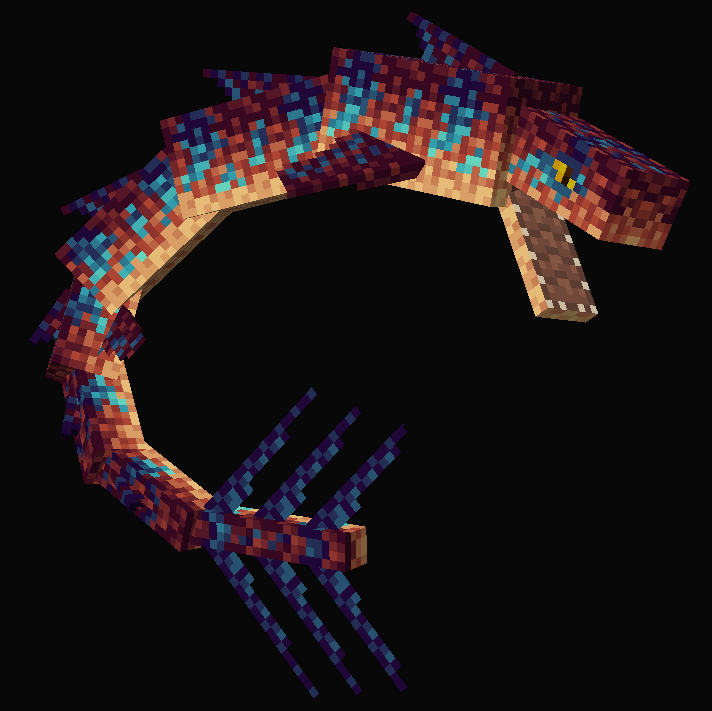
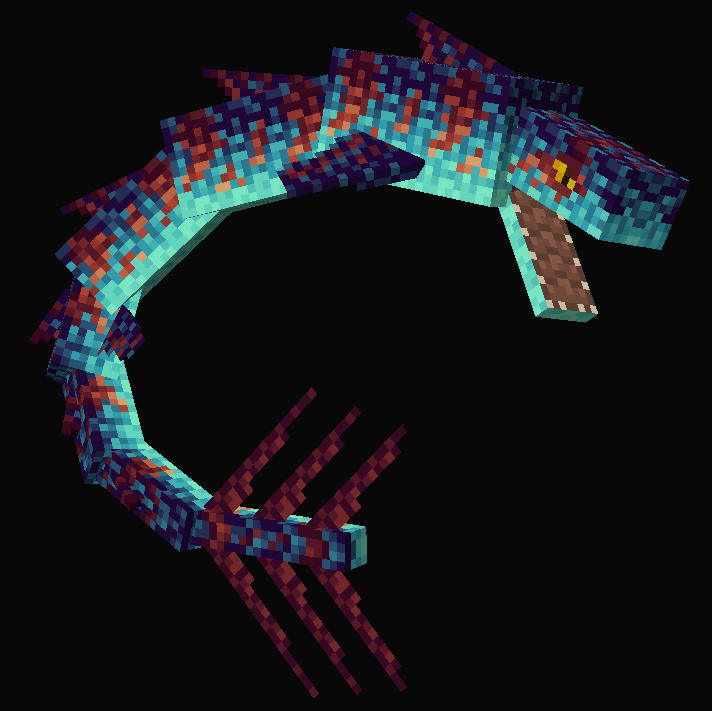
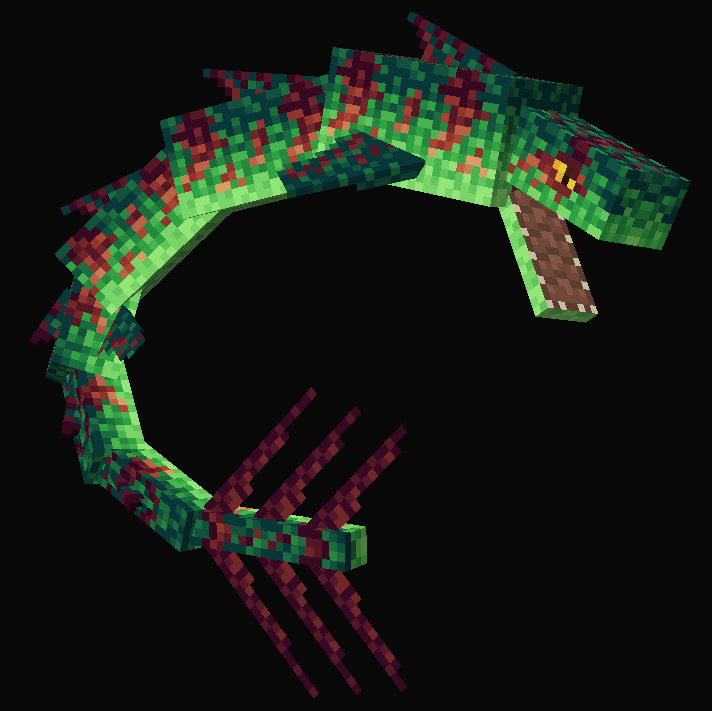
This resource pack overhauls the texture of the iconic Sea Serpent from the Abyssal Depths mod and brings it up to the quality standards of the modern modding scene. Comes with 6 different variants for you to choose from.

FAQ:

Will this work on X version?
It should work on every version Abyssal Depths is on.

Why does it say the pack is for an older version?
It's a warning Minecraft gives for resource packs that work for multiple versions. Don't worry, just ignore it, nothing is gonna explode or anything.

Can I use this with Aquatic Abyss?
No, the pack does not support the predecessor of Abyssal Depths (also what are you still doing back on 1.7.10?)

Why can't I find all 6 variants in-game?
Abyssal Depths does not support variants for the Sea Serpent so sadly you can only have one variant in game. You can, however, choose which one you want to use!

Are you a developer for Abyssal Depths?
No, Abyssal Depths is owned by Chumbanotz, I only did this resource pack for fun so don't ask me any mod-related questions.

Will you port to Fabric?
bruh

Credits:
Ukan - Artist
Dragonmatic - Original idea
Chumbanotz - Abyssal Depths owner

You can find the Abyssal Depths mod here! 

Check out my mod Wyrmroost!

Feel free to also check out a similar resource pack for Abyssal Depths by my good friend Indom: Abyssal Depths: Going Deeper

Image previews:

Green and Blue variant

Green and Blue variant

Green and Red variant

Green and Red variant

Blue and Green variant

Blue and Green variant

Blue and Red variant

Blue and Red variant

Red and Blue variant

Red and Blue variant

Red and Green variant

Red and Green variant
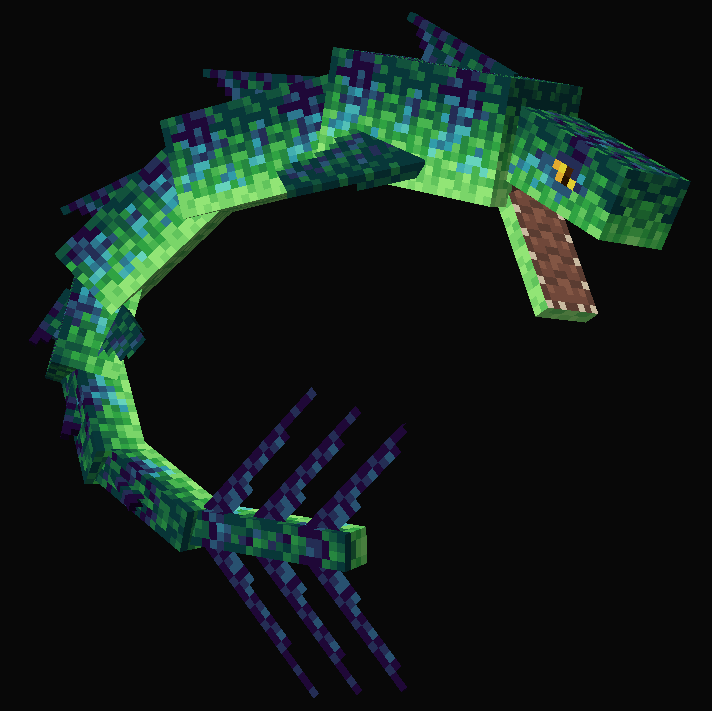
Green and Blue variant
MC 1.16.3, 1.16.5, 1.15.2, 1.16.4, 1.12.2
Release 2021-04-15 Get
Green and Red variant
MC 1.16.3, 1.16.5, 1.15.2, 1.16.4, 1.12.2
Release 2021-04-15 Get
Blue and Green variant
MC 1.16.3, 1.16.5, 1.15.2, 1.16.4, 1.12.2
Release 2021-04-15 Get
Blue and Red variant
MC 1.16.3, 1.16.5, 1.15.2, 1.16.4, 1.12.2
Release 2021-04-15 Get
Red and Blue variant
MC 1.16.3, 1.16.5, 1.15.2, 1.16.4, 1.12.2
Release 2021-04-15 Get
Red and Green variant
MC 1.16.3, 1.16.5, 1.15.2, 1.16.4, 1.12.2
Release 2021-04-15 Get

Requirements & install

How to use this resource pack in Minecraft
Resolution
16x
Minecraft
1.12.2 – 1.16.5
Install folder
.minecraft/resourcepacks

How to install resource packs

  1. Download the resource pack .zip file (do not extract it).
  2. In Minecraft open Options → Resource Packs → Open Pack Folder.
  3. Drop the .zip into the resourcepacks folder (.minecraft/resourcepacks).
  4. Move the pack to the Selected column and click Done.
Browse more: 16x resource packs 32x resource packs 64x resource packs 128x resource packs 256x resource packs 512x+ resource packs Resource Packs for 1.16.5 All resource packs
Advertisement Remove ads with Premium →

You Might Also Like