REMIXIFIED
Features
- Animated Furnaces
- Chocolate Cakes
- Clear Glass
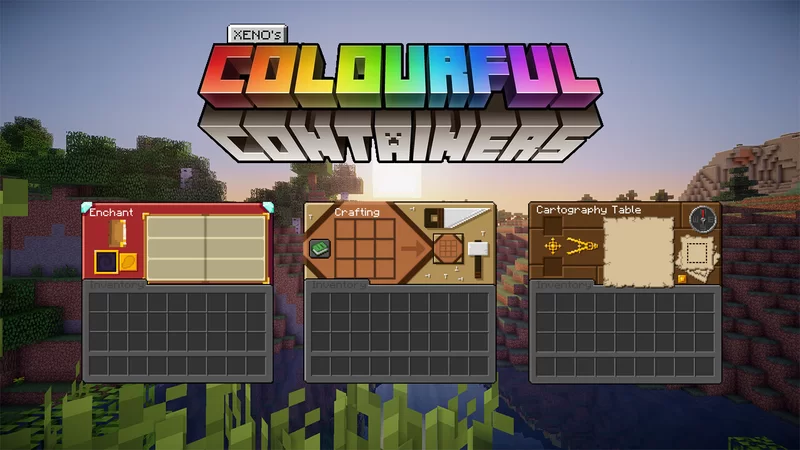
- Dark Mode
- Connected sea lanterns
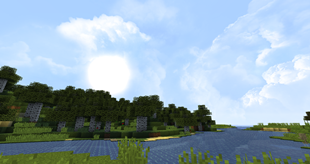
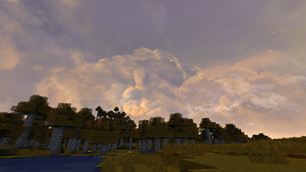
- Better sky
- Hopper arrows
- Invisible item frames
- Sticky piston better side
- Better netherite
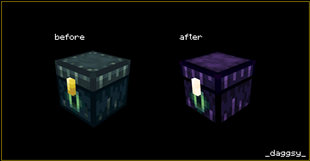
- Better ender chest
- Better beacon
- Ore outlines
- Other small features
Notes
- Rename the file to "§bRemixified §8[§f1.18§8]§0" or "§bRemixified §8[§f1.17§8]§0" (depending on which version you are using) after you download it because spaces turn into + when you download a file (The § and numbers are used to color text)
- If your game crashes as soon as you join a server or load a world then it's probably because your optifine version is old to fix this you'll have to update optifine and if you are using a custom client in which you can't change the optifine version (like salwyrr client) then open the texture pack zip file with WinRAR or 7zip, go to assets\minecraft and delete the optifine folder. This will remove the features like connected textures and cit textures but will fix your game crashing.
FAQ
How can I use the texture pack?
Simply download the latest version and wait for the download to finish once the download is finished copy the file then press Windows + R and type "%appdata%\.minecraft\resourcepacks" now paste the file in the window opened. Now you have to apply the texturepack to do so launch minecraft if you haven't already and click "Options" when the game loads now click on "Resource Packs" on the left hand side you'll see the texturepack (if you do not then scroll down) hover your mouse cursor over it and then click the arrow that appears. The texture pack should move to the right hand side, now you can click Done, the game will reload and apply the texture pack and voila! You have successfully applied the texture pack.
How do I use the wedding rings feature?
Iron ingot - Rename to "Silver ring"
Gold ingot - Rename to "Gold ring"
Diamond - Rename to "Diamond ring"
Netherite - Rename to "Netherite ring"
Credits
Note – I used some Vanilla Tweaks and Faithful addons unfortunately I don’t remember which ones I used.
Animated Furnaces by TinyDaggsy
Better Textures: CLEAN EDITION by easilytyp
Chocolate Cake by Kemiu
Clean creepers by Domi
Clear Glass with connected textures [16x] by Dnator
Colourful Containers Dark Mode GUI by BurntToast_
Connected sea lantern by Cheharka
Dramatic Skys by thebaum64
Dynamic Duo Revamp by kenoh
[BVT] Directional Hoppers by Bajosi
[BVT] Invisible Item Frames by Bajosi
[BVT] Sticky Piston Sides by Bajosi
Dark Modern GUIs 32x by The_Br00k
Faithful by Alexey Krainev
Fancy Beacon by Kemiu
GUI and Loading Screens by LordKif br
MUNO© Reverse Card by l1txsh
NicoFruit by keno
Nightrider 16x (Blue Skinni Swords) by itsDerp
Obsidian Ender Chest by TinyDaggsy
Ring Pack by Legettios_
Visible Ores by techy69
Visual Fish Buckets by SixFootBlue
Faithful Tweaks (Discontinued) –
Packs:
RedCrimson
SplashEnchanting
RedGolemFlowers
ShorterTallGrass
SidesCrimson
SidesWarped
UnobtrusiveWater
LowFire
AgedKelp
StickyPistonSides
NetherwartGrowthStage
Crop
Logo
Created using Adobe Creative Cloud Express
Fonts used: LocalBreweryFour-Regular
Colors used: 7BB2BE,F7F6E9
Icon url: https://thenounproject.com/term/turntable/2552906
Link