Mineuniverse
Resource Packs
A Minecaft Movie Mobs

A Minecaft Movie Mobs

RESOURCE PACK
Every mob in A Minecraft Movie
by Super_Jose
Download Claim this project
Add a badge to your pageLink to A Minecaft Movie Mobs from a README, website or forum post.
Preview: Badge

Badges update automatically and link to the resource pack page on MineUniverse.

5,515 downloads
0 likes
0 followers
Updated Oct 14, 2026
0 hypes
Follow0
32x Miscellaneous Modern
Advertisement Remove ads with Premium →

(REQUIRES OPTIFINE)


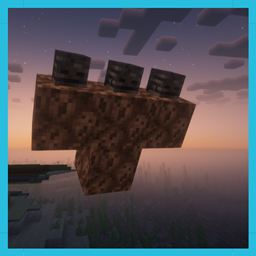
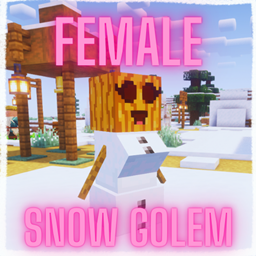
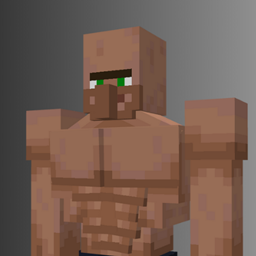
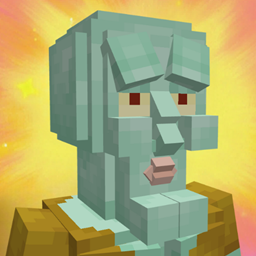
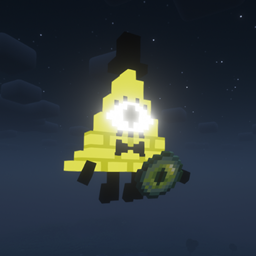
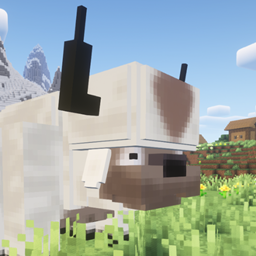
I think we can all agree that the mobs in A Minecraft Movie look a bit... weird compared to the ones in the game. But what if Minecraft’s mobs actually looked like the ones from the movie?


Well — this resource pack turns every mob from the movie into its movie version. The Bee, the Wolf, the Zombie, the CHICKEN JOCKEY — they’re all here! (Well… except for the Hoglin, ‘cause he only appeared in like 2 background scenes.)


Some mobs in the game have variants we didn’t get to see in the movie, so I did my best to replicate them in the same movie style. This pack is still a bit experimental, and I’ll probably tweak some mob textures and models in the future, as well as add new content like tools or new mobs if they show up in upcoming movies.


I had a lot of fun making these models and I hope you all enjoy my hard work! :)

Btw if you use this pack for a video please give me credit, I put a lot of work into this lol

A Minecraft Movie Mobs.zip
MC 1.20.2, 1.21, 1.20.5, 1.21.5, 1.21.4, 1.20.3, 1.20.1, 1.20, 1.20.6, 1.21.3, 1.21.1, 1.21.2
Release 2025-05-23 Get
A Minecraft Movie Mobs.zip
MC 1.21.4
Release 2025-05-10 Get
A Minecraft Movie Mobs.zip
MC 1.21.4, 1.21.3, 1.21.1, 1.21.2
Release 2025-05-07 Get
aMinecraftMovieMobs
MC 1.21, 1.21.5, 1.21.4, 1.21.3, 1.21.1, 1.21.2
Release 2025-04-25 Get

Requirements & install

How to use this resource pack in Minecraft
Resolution
32x
Minecraft
1.20.5 – 1.21.5
Install folder
.minecraft/resourcepacks

How to install resource packs

  1. Download the resource pack .zip file (do not extract it).
  2. In Minecraft open Options → Resource Packs → Open Pack Folder.
  3. Drop the .zip into the resourcepacks folder (.minecraft/resourcepacks).
  4. Move the pack to the Selected column and click Done.
Browse more: 16x resource packs 32x resource packs 64x resource packs 128x resource packs 256x resource packs 512x+ resource packs Resource Packs for 1.21.5 All resource packs

More from Super_Jose

Advertisement Remove ads with Premium →

You Might Also Like