Mineuniverse
Resource Packs
A Little Taste of Jerm | 1.12 - 1.21.10

A Little Taste of Jerm | 1.12 - 1.21.10

RESOURCE PACK
Vanilla Style Medieval Resource Pack
by JermsyBoy
Download Claim this project
Add a badge to your pageLink to A Little Taste of Jerm | 1.12 - 1.21.10 from a README, website or forum post.
Preview: Badge

Badges update automatically and link to the resource pack page on MineUniverse.

437,177 downloads
0 likes
0 followers
Updated Oct 14, 2026
0 hypes
Follow0
16x Medieval
Advertisement Remove ads with Premium →

"A Little Taste of Jerm" is my personal resource pack I have been working on for a few years now, for my singleplayer series on Youtube. It was originally inspired by BdoubleO100's resource pack, but has changed and grown a lot over the past few years. The pack is best used with Optifine, to see all the connected textures, custom sky, and custom colors; but it does work in Vanilla.


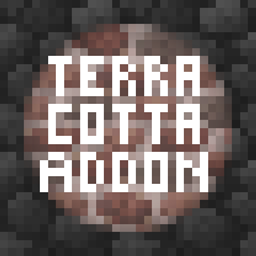
I also have an add-on I've made to replace all the Glazed TerraCotta textures with various different building blocks, which can be found here.


You may not redistribute the textures/models from this pack without my permission.

You can watch my latest update video here:

https://www.youtube.com/watch?v=s-wlslPxJ6A


The pack is also now available for Bedrock Edition (Win10, Android, IOS)

 Bedrock Edition Logo


Discord LogoPatreonTwitterYoutube

A Little Taste of Jerm V2.6-1.21.10.zip
MC 1.21.9, 1.21.10
Release 2025-11-25 Get
A Little Taste of Jerm V2.5-1.15
MC 1.15-Snapshot, 1.14.4, 1.14.1, 1.14.3, 1.15, 1.15.2, 1.14, 1.14.2, 1.14-Snapshot, 1.15.1
Release 2020-06-26 Get
A Little Taste of Jerm V2.5-1.16
MC 1.16-Snapshot, 1.16.1, 1.16
Release 2020-06-26 Get
A Little Taste of Jerm V2.4-1.14
MC 1.13.1, 1.14.4, 1.14.1, 1.14.3, 1.13, 1.14, 1.14.2, 1.13-Snapshot, 1.14-Snapshot, 1.13.2
Release 2019-10-25 Get
A Little Taste of Jerm V2.3-1.14
MC 1.13.1, 1.14.4, 1.14.1, 1.14.3, 1.13, 1.14, 1.14.2, 1.13-Snapshot, 1.14-Snapshot, 1.13.2
Release 2019-10-21 Get
A Little Taste of Jerm V2.2-1.14
MC 1.13.1, 1.14.4, 1.14.1, 1.14.3, 1.13, 1.14, 1.14.2, 1.13-Snapshot, 1.14-Snapshot, 1.13.2
Release 2019-08-05 Get
A Little Taste of Jerm v2.0-1.14+
MC 1.13.1, 1.14.1, 1.14.3, 1.13, 1.14, 1.14.2, 1.14-Snapshot, 1.13.2
Release 2019-07-02 Get
A Little Taste of Jerm v2.0-1.12.2
MC 1.9.1, 1.9.3, 1.10-Snapshot, 1.9.4, 1.9.2, 1.12.1, 1.12, 1.10.2, 1.11, 1.10, 1.10.1, 1.9-Snapshot, 1.11.1, 1.11.2, 1.9, 1.11-Snapshot, 1.12.2, 1.12-Snapshot
Release 2019-07-02 Get
A Little Taste of Jerm 1.9.3-1.13
MC 1.13.1, 1.13, 1.13-Snapshot, 1.14-Snapshot, 1.13.2
Release 2019-02-03 Get
A Little Taste of Jerm 1.9.2-1.13
MC 1.13.1, 1.13, 1.13-Snapshot, 1.14-Snapshot, 1.13.2
Release 2019-01-22 Get
A Little Taste of Jerm 1.9.1-1.13
MC 1.13.1, 1.13, 1.13-Snapshot, 1.14-Snapshot, 1.13.2
Release 2019-01-03 Get
A Little Taste of Jerm 1.9-1.13
MC 1.13.1, 1.13, 1.13-Snapshot, 1.14-Snapshot, 1.13.2
Release 2018-12-22 Get
A Little Taste of Jerm 1.8.1-1.13
MC 1.13.1, 1.13, 1.13-Snapshot, 1.14-Snapshot, 1.13.2
Release 2018-10-30 Get
A Little Taste of Jerm 1.8-1.13
MC 1.13.1, 1.13, 1.13-Snapshot, 1.14-Snapshot, 1.13.2
Release 2018-10-28 Get
A Little Taste of Jerm 1.7-1.13
MC 1.13
Release 2018-08-29 Get
A Little Taste of Jerm 1.6-1.13
MC 1.13-Snapshot
Release 2018-07-31 Get
A Little Taste of Jerm 1.5-1.13
MC 1.13-Snapshot
Release 2018-07-24 Get
A Little Taste of Jerm 1.4-1.13
MC 1.13-Snapshot
Release 2018-07-03 Get
A Little Taste of Jerm 1.3-1.13
MC 1.13-Snapshot
Release 2018-06-21 Get
A Little Taste of Jerm 1.2-1.13
MC 1.13-Snapshot
Release 2018-06-03 Get
A Little Taste of Jerm 1.2-1.12.2
MC 1.12.2
Release 2018-06-03 Get
A Little Taste of Jerm 1.1-1.13
MC 1.13-Snapshot
Release 2018-05-11 Get
A Little Taste of Jerm 1.1-1.12.2
MC 1.12.2
Release 2018-05-11 Get
A Little Taste of Jerm 1.0-1.13
MC 1.13-Snapshot
Release 2018-04-28 Get
A Little Taste of Jerm 1.0-1.12.2
MC 1.12.2
Release 2018-04-28 Get

Requirements & install

How to use this resource pack in Minecraft
Resolution
16x
Minecraft
1.15 – 1.21.10
Install folder
.minecraft/resourcepacks

How to install resource packs

  1. Download the resource pack .zip file (do not extract it).
  2. In Minecraft open Options → Resource Packs → Open Pack Folder.
  3. Drop the .zip into the resourcepacks folder (.minecraft/resourcepacks).
  4. Move the pack to the Selected column and click Done.
Browse more: 16x resource packs 32x resource packs 64x resource packs 128x resource packs 256x resource packs 512x+ resource packs Resource Packs for 1.21.10 All resource packs

More from JermsyBoy

Advertisement Remove ads with Premium →

You Might Also Like