Mineuniverse
Resource Packs
A Better GUI Addon 2

A Better GUI Addon 2

RESOURCE PACK
An extention to the gui texture pack A Better GUI 2, but for mods !
by AstronoCraft
Download Claim this project
1,344 downloads
0 likes
Updated Oct 14, 2026
0 hypes
16x Miscellaneous Mod Support Traditional
Advertisement Remove ads with Premium →


▶️Please check the original pack: A Better GUI 2 

▶️NEW: Please check the pack for FTB!: A Better FTB


▶️Please check this other texture pack, which was a source of inspiration for some textures: Colorful GUI
▶️And thank you too un_roman for the logo :D

Please give me feedback, I need it :)
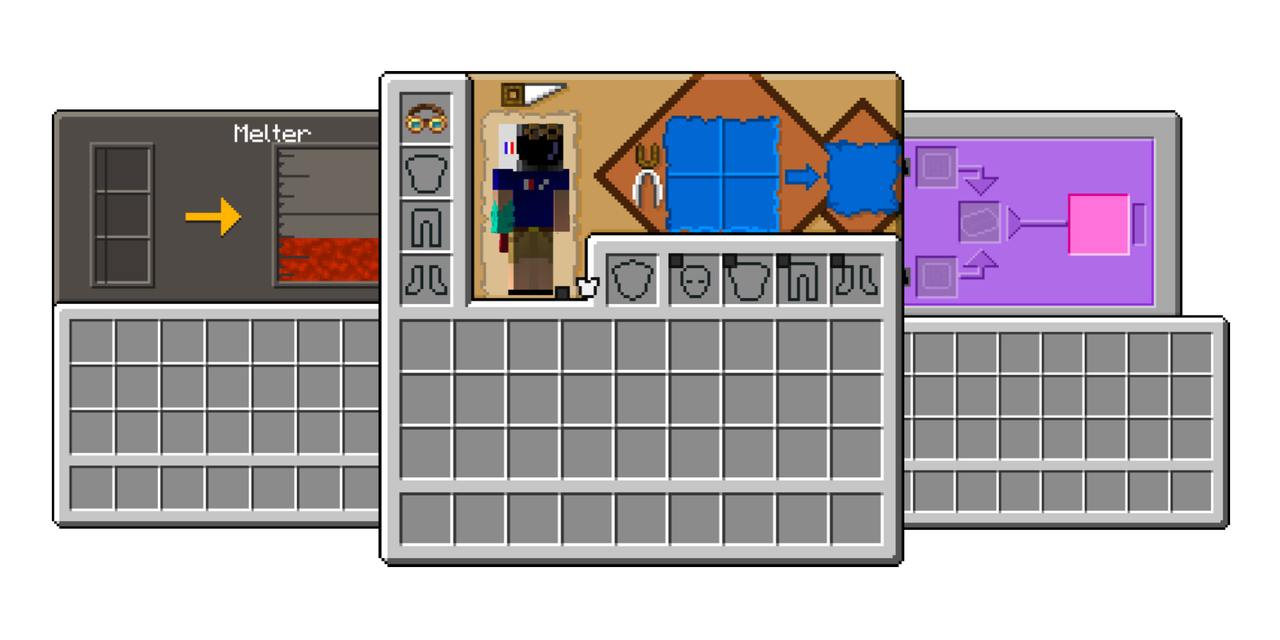

Also, you HAVE to be in English (US), otherwise some textures won't work...


The Pack is compatible with these mods 🔨(Bold are VERY popular mods):

(If you want a texture pack for FTB, check this pack: A Better FTB)

  • AppleSkin
  • Applied Energisticks 2
  • Better Advancements
  • Chisel
  • Chisel & bits
  • Cold & Sweat
  • Computer Craft (tiny modifications)
  • Corpse
  • Cosmetic Armor Reworked
  • Crating Tweaks (tiny modifications)
  • Create (JEI Only)
  • Draconic Evolution
  • Farmer Delight
  • Forbidden Arcanus (WIP)
  • Hexerei
  • Inventory HUD
  • JEI
  • JER
  • Minecolonies
  • Quark (tiny modifications)
  • Storage Drawers
  • Tinker's Construct
  • Thermal Series
  • Tough as Nail
  • Toughness bar


A Better GUI Addon 2 - V1.0.1
MC 1.16-Snapshot, 1.17.1, 1.16.3, 1.15-Snapshot, 1.16.1, 1.18.1, 1.17, 1.15, 1.16, 1.16.5, 1.15.2, 1.17-Snapshot, 1.18, 1.16.4, 1.18-Snapshot, 1.16.2, 1.15.1
Release 2022-01-05 Get
A Better GUI Addon 2.zip
MC 1.17.1, 1.16.3, 1.16.1, 1.17, 1.16, 1.16.5, 1.16.4, 1.16.2
Release 2022-01-04 Get

Requirements & install

How to use this resource pack in Minecraft
Resolution
16x
Minecraft
1.16.4 – 1.18.1
Install folder
.minecraft/resourcepacks

How to install resource packs

  1. Download the resource pack .zip file (do not extract it).
  2. In Minecraft open Options → Resource Packs → Open Pack Folder.
  3. Drop the .zip into the resourcepacks folder (.minecraft/resourcepacks).
  4. Move the pack to the Selected column and click Done.
Browse more: 16x resource packs 32x resource packs 64x resource packs 128x resource packs 256x resource packs 512x+ resource packs Resource Packs for 1.18.1 All resource packs

More from AstronoCraft

Advertisement Remove ads with Premium →

You Might Also Like