Mineuniverse
Plugins
TabChannels

TabChannels

PLUGIN
Splits the chat into channels. You can switch between the channels just by clicking.
by TuxCoding
Download Claim this project
1,954 downloads
0 likes
Updated Oct 14, 2026
0 hypes
Chat Related Fun General
Advertisement Remove ads with Premium →

channel switch

Description

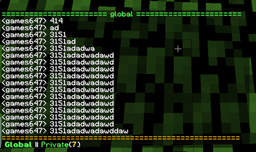
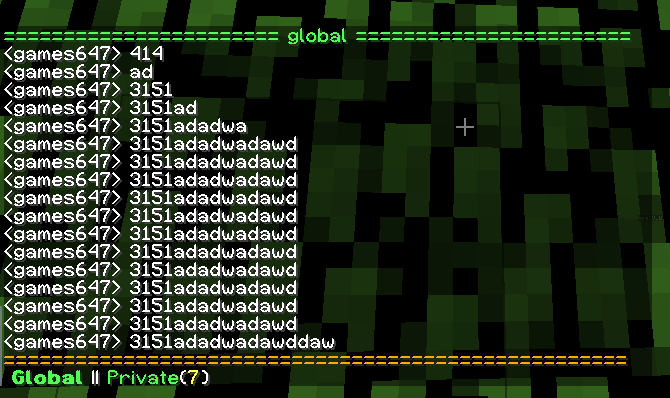
Inspired by the Sponge community. This is a new idea of using the chat. The chat is splitted into channels. You can switch the channels easily by just clicking on the channel name at the bottom of the chat window. You can still receive chat messages. If a new message was sent and you are in a different channel you get notification and could see the number of unread messages next to the channel name.

Moreover you don't need to invoke a special command in order to write in a channel. If you switch to channel, you can start writing your message. The message will be sent to your current viewing channel.

Features
  • Private chats
  • A global channel
  • Chat history for newly joining players
  • Easy to use. Just click at the bottom on the channel name
  • Displays unread messages as a number next to the channel name

unread messages

Commands
  • /switch <channel> - Switches between channels
  • /private <playername> - Starts a private chat
Permissions
  • tabchannels.command.private - Starts a private chat
  • tabchannels.command.switch - Switches between channels
Source code
 

You don't have to decompile the plugin. You can find there the source code with comments and building utilities.
TabChannels is open source and hosted on GitHub; feel free to fork, star, or contribute by making pull requests and opening issues.


https://github.com/TuxCoding/TabChannels

channel view

TabChannels v0.3
MC 1.8
Release 2015-12-23 Get
TabChannels v0.2
MC 1.7.2, 1.7.4, 1.8.1
Release 2015-12-19 Get
TabChannels v0.1-Beta
MC 1.7.2, 1.7.4, 1.8.1
Beta 2015-12-18 Get

More from TuxCoding

Advertisement Remove ads with Premium →

You Might Also Like