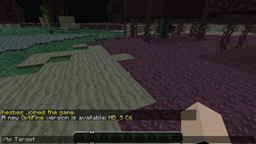
RocketTeleport is a fun way of teleporting players around your server. When a player clicks a button or steps on a pressure plate assigned as a RocketTeleport LaunchPad they will be propelled into the air with a explosive force. Right as they reach the apex of their ascent, they are teleported to their destination.
UUID Notice
All RocketTeleport versions are 100% UUID Compliant. RocketTeleport does not now nor ever has used player names or UUID.
Rocket Launch Pads allow you to set a button or pressure plate to be used as a teleporter. There are 3 types of Launch Pads.
| Command | Effect |
| /rt soft | Begins creation of a soft landing launch pad |
| /rt hard | Begins creation of a hard landing launch pad |
| /rt random 100 | Begins creation of a random launch pad with a 100 square radius |
| /rt land | Creates the landing zone for a pending launch pad |
| /rt cancel | Cancels any pending launch pad creation |
| /rt villager14 | Allow users to show a complete distaste for our laws. |
Rocket Warps allow you to define a location and rocket directly to it by use of a command. This feature overrides Essentials commands. If that is not desired you must use the overridden-commands key in the Essentials config.yml to tell Essentials to take back control.
| Command | Effect |
| /warp [name] | Warps you to a pre-set location. |
| /delwarp <name> | Removes a warp location by warp name. |
| /setwarp <name> | Defines a new warp location. |
RocketTeleport requires a clear sky above the trigger location. If any non-air block exists between the player and the sky then RocketTeleport will skip the rocket portion of the teleport and send the player to the landing zone immediately.
| Permission | Effect | Default |
| rocketteleport.command | Allows access to the rocketteleport command. | op |
| rocketteleport.<CommandName> | Allows access to the specified command or subcommand. | op |
| rocketteleport.admin.notifyupdate | Notifies players when an update to RocketTeleport is available. | op |
With RocketTeleport v1.3 you have the option of utilizing integration with the plugin Flags. Flags allows you to change RocketTeleport's behavior based on the area a player is in (or more accurately, the area the player is clicking in). This means you can allow your players to create their own rockets, without giving them uncontrolled access to create them anywhere. Click here for more information on use with the Flags plugin.
In config.yml located in the plugins data folder you can set the exclusions list and the number of retries for random RocketTeleports. The exclusions list determines the block material types that RocketTeleport will not send a player to when using the Random rocket type. The exclusions must be exactly as appears in the Material Enumeration (no spaces, use underscores).
The retries determines the number of attempts that RocketTeleport will try to find a suitable location while following the exclusion list. If no suitable location is found, the teleport is abandoned.
Note: Due to the way Bukkit retrieves the highest block, it will always be AIR on FLAT worlds. This entry should be removed for that case.
  Retries: 500
  Exclusions:
    - LAVA
    - STATIONARY_LAVA
    - WATER
    - STATIONARY_WATER
You can customize the sound that plays when a rocket is activated. The sound type must be exactly as appears in the Sound Enumeration (no spaces, use underscores). Any non-valid value for sound type will disable sounds.
  Sound:
    Type: EXPLODE
    Volume: 20
    Pitch: 0
RocketTeleport can automatically check for updates and even download and install them for you. To check or download Check must be set to true. If download is false, the console and all players with the rocketteleport.admin.notifyupdate permission will be notified when an update is available. If download is set to true, the update will be downloaded to a temporary location and installed automatically the next time the server reloads. While the download has not been installed, permitted players will receive notification that the update is ready.
The ServerModsAPIKey is currently optional, however if you wish to provide it you can locate it here. Please to not share this key with anyone. RocketTeleport will upload it directly to BukkitDev and no author of RocketTeleport will be allowed to see it.
  Update:
    Check: true
    Download: false
    ServerModsAPIKey: null
This option is provided to disable reporting to MCStats. For more information please consult the FAQ.
  Metrics:
    Enabled: true
%2526business%253dalshain01%2540suddenlink.net%2526bn%253dPP-DonationsBF%253abtn_donateCC_LG.gif%253aNonHosted%2526cancel_return%253dhttp%253a%252f%252fdev.bukkit.org%252fbukkit-plugins%252frocketteleport%252f%2526lc%253dUS%2526item_name%253dRocketTeleport%2b(from%2bBukkit.org)%2526cmd%253d_donations%2526rm%253d1%2526no_shipping%253d1%2526currency_code%253dUSD)

RocketTeleport reports non-identifying information about your server to MCStats.org. For more information on what is reported and how to disabled it if you would like to, please view the FAQ. To view the full set of data, click the graph below.

In order to provide more centralized and effective means of feedback and support for my growing list of plugins, a new Discussion Forum has been created. You don't even need a new account to use it! This forum is exclusively for plugins by Alshain01 and discussion of their use and development. For other concerns, please consult the Bukkit Forums.