Version: 1.90.4 | CB 1.7.2
Quote from lenis0012:NoLagg has not been updated since 1.7.10, for more info, check BKCommonLib
NoLagg is made out of multiple completely separate components which you can enable and disable freely. Together they offer:
When first installing NoLagg, open up config.yml and disable components you do not need. This is very important, as some components may conflict with other plugins you use, or may not function on the type of demand you have. If you get a warning message [Severe] followed up with a stack trace in the log, this has to do with the main thread not having responded within 10 seconds. The warning is NOT an error and is no bug, and not a bug related to NoLagg. To disable this feature, disable 'threadlocknotifier' in the config.yml. This feature is mainly intended to notify you what plugin is causing the server to freeze, may it ever happen. It is used to debug plugins in general, as they may get stuck for whatever reason. If NoLagg DOES show up in there, it is a bug you should report.
NoLagg consists of multiple components you can individually enable and disable. Reasons for not publishing it as a separate jar file for every component can be read here. Please don't ask to separate the components, I will just link you to here.
Not all components are needed when you use the Spigot server. The ItemStacker, ItemBuffer, Spawn Limiter, Thread Checker and Thread Lock Notifier components are not needed, since Spigot has it's own implementations to deal with that. If you still wish to use one of these components, you can, but it's best to disable the Spigot alternative then.
The other components (such as TNT, Chunks, Lighting, Common, etc.) are not implemented in Spigot (yet?) and offer additional functionality.
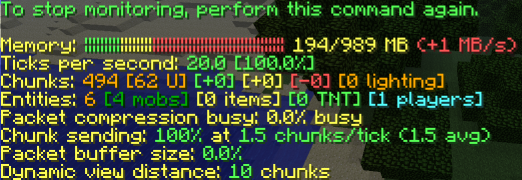
Since people keep asking about this, I went ahead and compared the two plugins. I am not going to discuss which is better in functionality, I'm just going to state which features overlap and which do not. Both plugins offer a TNT-lag solving solution, feel free to choose which solution you like better. (the solutions are different) Both plugins also offer a way to change when and how chunks are saved, NoLagg adds to this that you can configure when the server writes data to disk. PTweaks offers a way of showing used memory, NoLagg Monitor too with a bit more information. Again, preference. Chunk Persistence is something PTweaks offers and NoLagg does not. Reason I excluded it from NoLagg is that the implementation used up more processing power than that it solved (I did have this for a while). If you want to give it a try, PTweaks is your answer. Monster Limiter is incorporated in NoLagg as well but then for all entities, and more options. ChunkEdits is a tricky one: NoLagg chunks does something similar, with the difference being that it also changes at what rate chunks are sent, which is the main feature NoLagg chunks offers. In addition, the ability to increase the amount of threads running to process chunk packets and the re-using of packet raw data offers some benefits PTweaks does not offer.
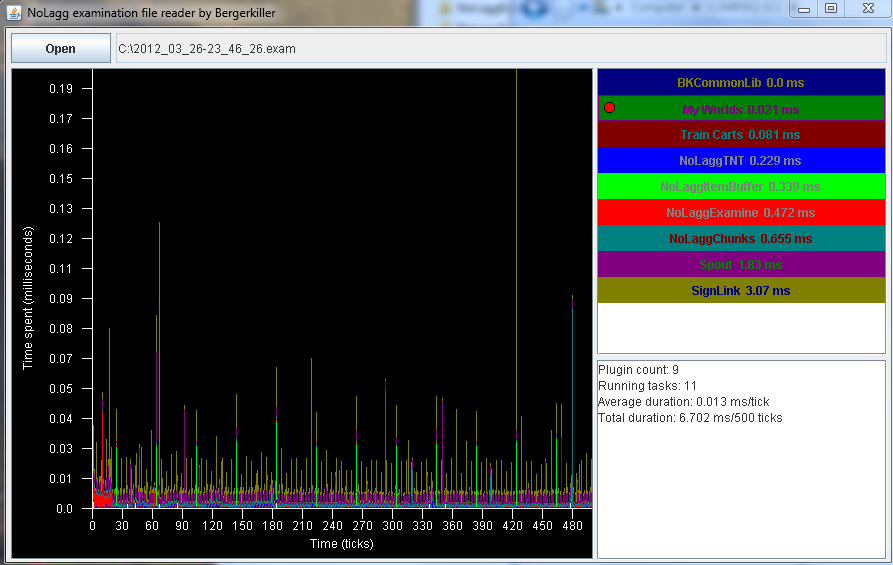
Then there are a lot of other features NoLagg has and PTweaks does not, such as examining server tick rate, item stacker, item buffer, fixing lighting, cleaning up server memory, resending chunks, removing entities on command and others (see description).
In short: Both plugins offer some overlapping features, and you need to pay close attention to the configuration of PTweaks and NoLagg and disable things that conflict. Having two TNT explosion altering plugins is going to have strange results, for example. Compare the functionality, decide, and enable in NoLagg what you do not want in PTweaks, and vice versa.
The examine component inserts various hooks into the server to gather measurements. Specifically, you will find that the following lines show up now and then. These hook classes do absolutely nothing when not examining and can not be the cause for any issues, unless the stack trace ends there (first line after the exception shows this stack trace)
Here is a video by BlueDevonMovies (lenis0012):
This plugin sends server count statistics to MCStats.org. You can (globally) opt out in the PluginMetrics/config.yml file.

Click here to Download development builds of this Plugin