Hello together!
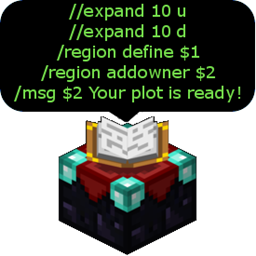
This is a plugin that executes many commands with one simple command that can be configured. You can add parameters and define shortcuts like /t can execute /time.
Uses Metrics for sending completly anonomous data to http://mcstats.org for usage tracking. See mcstats.org and GitHub for more info.
Installation:
- Copy MultiCommand.jar in /plugins/
- Restart/reload server
Configuration/Usage:
- Creating a new command list:
- Type /muco create <name>
- Then add your commands with /muco add <name> <command>
- Important:
- Type your first command for executation first.
- Don't forget the /. If you execute the command list via console, the slash will be removed automatically
- Now type /muco <name> and the commands will be executed one after one.
Executing commands:
- Type /muco <name> - Requires MultiCommand.use.<name>
List all lists of commands:
- Type /muco list - Requires MultiCommand.list
List all commands in a list:
- Type /muco show <name> - Requires MultiCommand.show.<name>
Remove a command from a list of commands:
- Type /muco remove <name> <command with /> - Requires MultiCommand.remove.<name>
Delete a list of commands:
- Type /muco delete <name> - Requires MultiCommand.delete.<name>
Reload the config:
- Type /muco reload - Requires MultiCommand.reload
Parameters and variables:
One simple example:
- Type /muco create exampleList - Requires MultiCommand.create.exampleList
- Then: /muco add exampleList /time set $1
- Maybe: /muco add exampleList /say $1 $2
- Executation: /muco exampleList testVariable1 testVariable2
You can add $1, $2, $3, $4, $5 as variables for default. If you change the value for 'maxvariables' in the config.yml, you can define more than 5 variables.
Optional parameters:
You can define parameters as optional. Have a look at the following examples:
- /muco add exampleList /command $1 [$2]
- $1 is required, $2 is optional
- /muco add exampleList /command [$1] [$2]
- /muco add exampleList /command $1 [$2] $3 This doesn't work!
- This doesn't work. It will print out an error.
- /muco add exampleList /command $1 [$3] $2
- $1 and $2 are required, $3 is optional
- If you want to execute this you have to type:
- /muco exampleList $1 $2 [$3]
I hope this understandable.
Predefined variables:
- $playername : The name of the player that executes the command
- $playerworld : The current world of the player that executes the command
- $serveronlineplayers : Players, as a number, that are online
- $servermaxplayers: Slots of the server
Delays:
- You can add delays to commands in a list
- Just put "[time in seconds]" in front of a command (without "")
- Example:
- /muco create testlist
- /muco add testlist /say 3
- /muco add testlist [1]/say 2
- /muco add testlist [1]/say 1
- /muco add testlist [1]/stop
- The output will be a countdown from 3 to 1 and after it the server will stop
Executing commands as console:
- You can explicitly executing a command as console
- Just put "[$c]" in front of the command (in front of the delay, too) and the command will be executed as console
- Examples:
- [$c]/say I'm the console.
- [$c][2]/say I'm the console and I knew this message 2 secs before you saw it.
Disabling commands:
You can prevent commands from being execute outside of mucos. But you can use it for disabling commands in general, too.
- Disable a command: /muco disable disable <command with slash> - Requires MultiCommand.disable.disable
- Reenable a command: /muco disable enable <command with slash> - Requires MultiCommand.disable.enable
- List all disabled commands: /muco disable list - Requires MultiCommand.disable.list
If you disable /say the commands /say hey, /say omg etc. will be disabled, too.
If you disable /say hey the command /say hey you, /say hey all etc. will be disabled, too, but not /say hi.
The players with the permission MultiCommand.ignoreDisabledCommands will not be effected by disabled commands.
Allright? ;)
Shortcuts:
Now supported on console :)
- Open the config.yml in /plugins/MultiCommand
- Edit the properties in Shortcuts
- One Example:
Shortcuts:
    t: time
    kill: ban
- If you now type /t set 13000, the command /time set 13000 will be executed
- That means everything you type after /t will be added behind /time
- Note: This can override existing commands!
- Permissions will be checked by the plugin that provides the command!
Other Permissions:
- All Permissions: MultiCommand.all
- Create all: MultiCommand.create.all
- Delete all: MultiCommand.delete.all
- Show all: MultiCommand.show.all
- All major permission systems supported
Please consider donating using the following link:

Source:
GitHub