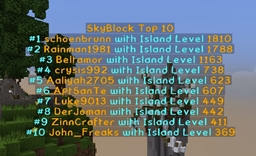
mmoInfo provides an Info bar at the top of the screen. The bar is split into three sections: left, center and right. This bar automatically pushes any other mmoMinecraft HUD display down so they don't overlap.
There is an event based API for creating new "tokens" to be replaced with widgets. Each token can have an icon (10x10), and any Spout Widget (even a Container). You can also have plain text in the bar.
The mmoMinecraft suite is a collection of plugins that together attempt to create a more mmorpg-like experience in Minecraft.
#mmoInfo Configuration
# Separate the sections with a tilde (~). All tokens are within curly brackets. Tokens can (optionally) have arguments (up to the specific token)
tokenlines: 1
info: '{name}~mmoMinecraft~{compass}{coords}'
info2: '{name}~Row2~{compass}{coords}'
info3: '{name}~Row3~{compass}{coords}'
info4: '{name}~Row4~{compass}{coords}'
HideDefaultHealthBar: false
HideDefaultExpBar: false
HideDefaultHungerBar: false
HideDefaultArmorBar: false
HideDefaultArmorBar: false
HideDefaultOxygenBar: false
As you increase the number on "tokenlines" above 1, use the corresponding additional lines such as info2, info3, info4 to designate the tokens for that specified row. Max Lines is currently 4.