
Knapsacks are backpacks on steroids for MineCraft. Injected with a ton of options for both players and server owners, Knapsacks should prove to be a valuable asset to any MineCraft server.
Knapsacks allow players to craft & give themselves and other players additional inventory slots. Knapsacks is packed with options for the player as well as for server owners and operators. Among those are the infamous Auto-Filling. Auto filling allows player to control what items get stored in their Knapsacks and when. Depending on how Knapsacks is configured, players will be able to keep items organized in Knapsacks Auto-Fills. Players have,for the most part, complete control on when items are filled to a Knapsack both before and after their inventory is full!
Another under-rated feature is the Knapsack expiry system. This system was built with the server owners in mind to stop the abuse of Knapsacks (crafting excessive packs, giving, dropping, etc..). Optionally, server owners can set limits on how many of a specific size Knapsack each player can have at any given point as well as an overall setting of all Knapsack sizes a player has.
Knapsacks is exactly what the name states, a Backpack on steroids! Jammed with many, many more options and more still coming
NEWS FLASH:
Always update to the latest for all bug fixes and latest Auto-Fill and other enhancements!
If your using plugin managers like plugman, etc.. DO NOT UNLOAD and LOAD Knapsacks using these plugins. You will have nothing but errors and exceptions due to database connections and event compiling priorities. You MUST restart your server when updating!
If you are running less than 1.0.28 Update now. Enhancements, Bugs and New Features Added!
Spigot/Bukkit 1.8.x: Bukkit/Spigot - Knapsacks-v1.0.28-Bukkit_Spigot_1_8_x
Bukkit/Spigot 1.7.10: Bukkit/Spigot - Knapsacks-v1.0.28-Bukkit_Spigot_1_7_10
Completely Configurable
| 6 Different Steroids (9-54 slots - more coming) | Inventory Auto-Filling (1.0.12+) | |
| Right-Click Sack while in Inv. GUI to Open another Sack!! | Right Click Normally to Open! | |
| Give Sacks a default name | Control volume and pitch levels | |
| Claim a found Knapsack | Craft any size | |
| Keep Knapsacks when you Die | Custom Messaging | |
| Global Black Listing | Sack Level Black Listing | |
| Rename Using Anvils | Rename using commands | |
| Clear a Knapsack with simple command | Clear and drop whats in a Knapsack at your feet | |
| Share Knapsacks | Knapsack Thieving (not 100%) | |
| Enable each Size Knapsack | Use Knapsacks stored any where!! | |
| Global World Exclusions | Sack Level World Exclusions | |
| Stash Knapsacks inside each other | Limits for each Sack | |
| Upgrade Knapsacks | Place Limits on How Many at each Sack Level | |
| Recipes for each Sack | Menu is Permission Based - keeps it short | |
| Sizing for each Sack | Knapsack Expiry System, player and system to control abuse and lack of use | |
| Weight for each Sack | Built-in filtering system for naming | |
| Restricted Hot-Bar Swapping | Restricted Creative Use | |
| Forbidden Monster Egg Spawning | Configurable Stashing Containers | |
| Knapsack Recovery | Supports Minecraft Name Changes | |
| SQL controlled databases | Configurable "command" for performing player cleanup of expired sacks | |
| There is more..... | Interface Knapsacks with Signs, Blocks etc.. to Buy, Sell, or just to use a chest directly; known as "Knapsack Interface" (1.0.20+) |
Installation & Configuration
Download the Knapsacks jar file.
Drop it in your plugins folder on your server.
Re-start your server.
Download your config that is automatically created at start up and Edit with your specific server settings for Knapsacks -or- just use the defaults and give it a go!!
Upload the editted config.yml back to your server and restart your server or use " /ks reload " from the console
I have compiled a bunch of questions with answers into it's own page rather than clutter this page. So if you have questions, please direct yourself to: Frequentl Asked Questions Page. If your question is not answered then please post a comment in the FAQ page and it will be answered as well as updated into the FAQ page!
The configuration for Knapsacks is pretty straight forwards. However due to the size of the config, I am only listing the components of the config on this page. Please see Installation & Configuration for complete configuration, broken down into the components.
The configuration is broken down into 6 Sections(click link above/below for config)
Plugin:
Config: (many things to config in here)
Sounds: (you make the choice!)
Notification Services (1.0.12+)
PlayerFeeds:
Knapsacks (sacks):
Installation & Configuration
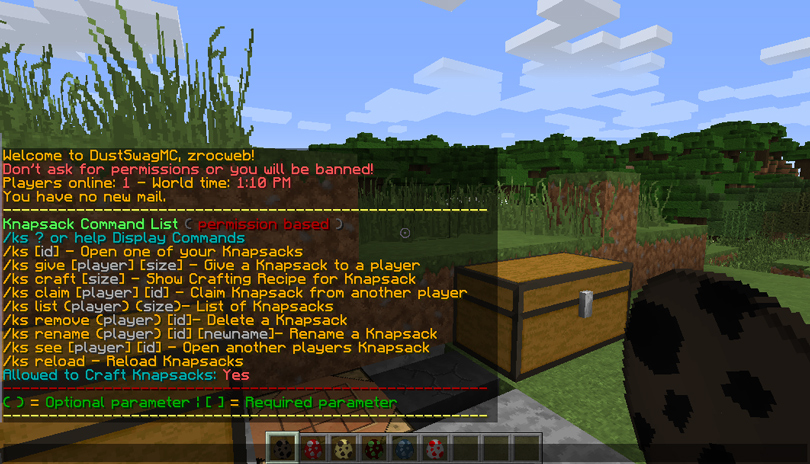
Please see the Knapsacks Commands for a complete listing of all that Knapsack offers. In addition, the command page details the prerequisite or general permission node required for that command. However, each command Knapsack has may have additional functionality outside of the basic command which requires more permissions nodes.
For a complete listing of all permissions nodes and Pre-built Knapsack Permission Groups, visit the Permissions Page
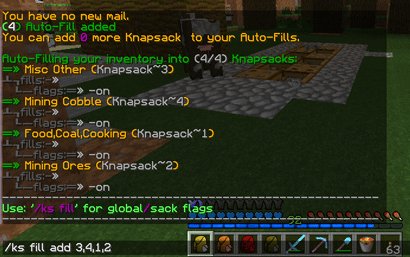
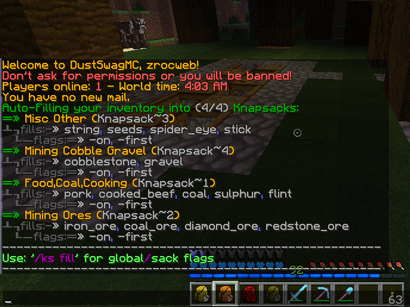
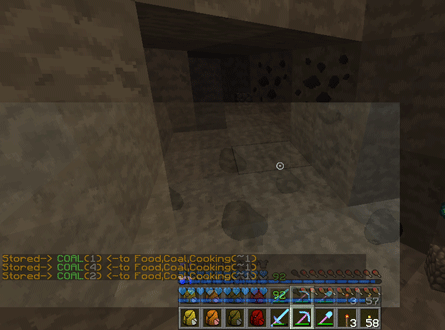
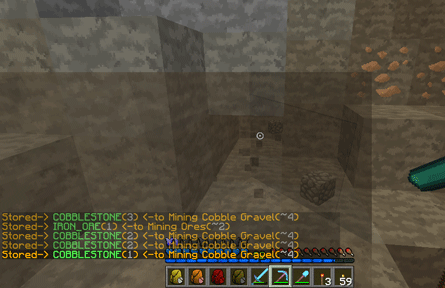
Auto Filling 101 details all the functionality behind Knapsack Auto-Filling as well as a complete list of commands and permissions for Auto Filling.
Expiry System 101 details all the functionality behind Knapsack the Knapsack Expiry System for both Players and the Server. Also on this page is the complete list of commands and permissions for Knapsack Expiry System.
Knapsack Interface 101 details all the functionality behind Linking Knapsacks for server and player shops, player private uses with chest, signs, etc... as well as a complete list of commands and permissions for Knapsack Interface.
Knapsack Stashing 101 details all the functionality behind Knapsack Stashing as well as a complete list of commands and permissions for Knapsack Stashing.
Here is a complete reference chart with each respective Knapsack for the Monster Eggs durability/typeId.
Monser Egg to Knapsack Cross Reference Chart
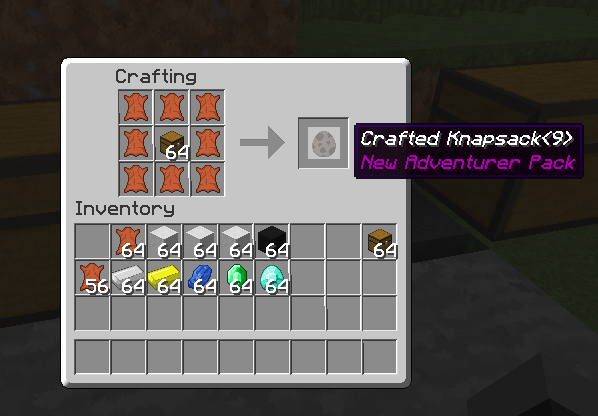
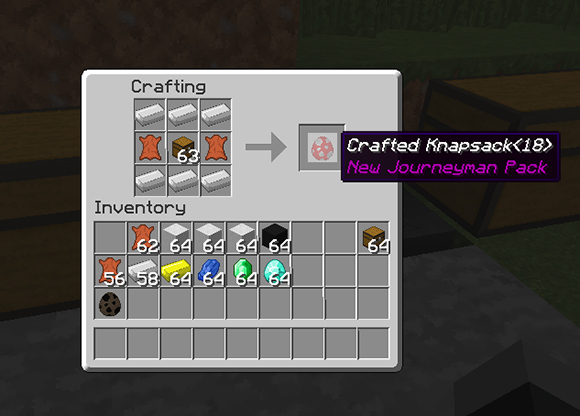
These are completely configurable but by request, I've added this section as a quick reference! Images shown are are all the defaults that come configured when you first install Knapsacks. All default crafting recipes are located in 'images' tab of the site.
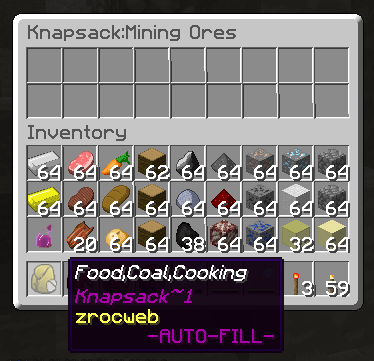
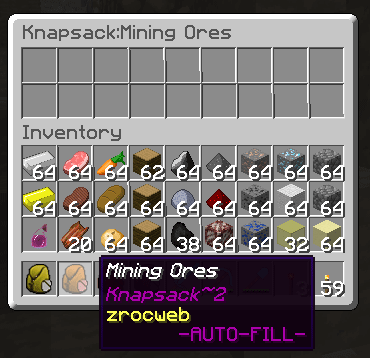
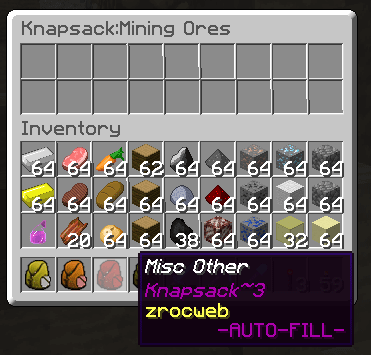
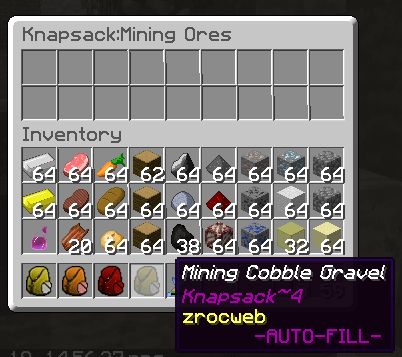
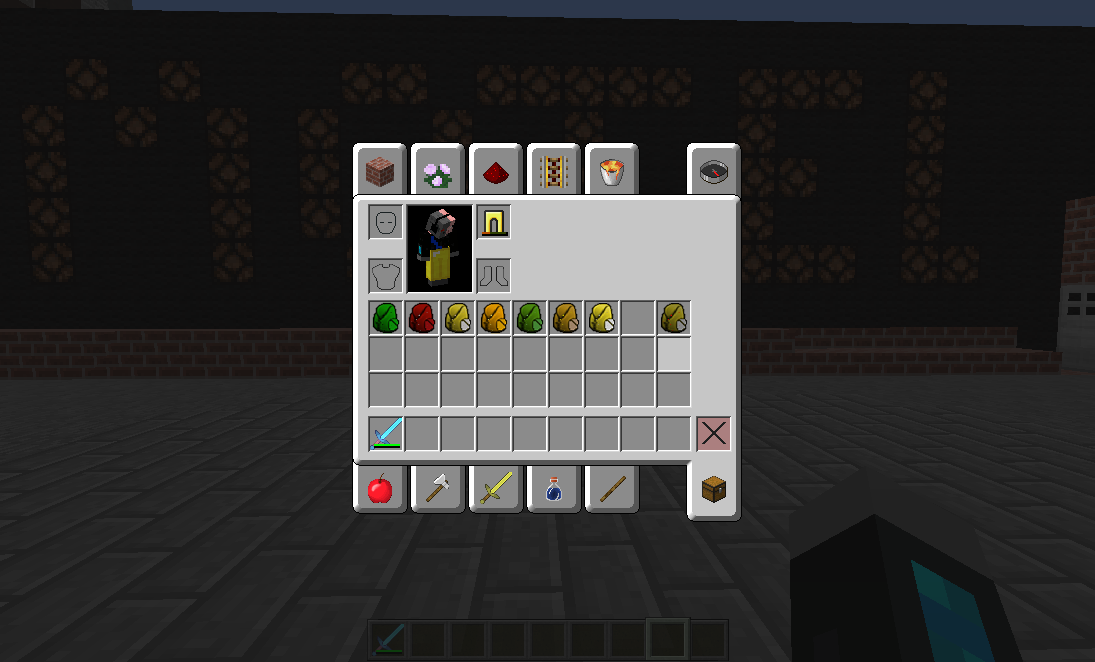
The screen shots show most of the features in Knapsacks for this release. Will continue to add more and update as the features change...
Take a look at some screen shots!
If you come across any bugs or issues or if you have any suggestions? Submit Issues and/or Suggestions Here
Want to add the realism of the Plug-in to your GUI. Download one or all of the resource packs available now.
| Knapsack Resource Packs
Versions 1.0.16d and below require Vault (1.4.x)
Versions 1.0.17 and above require either Vault 1.4.x or Vault 1.5.x depending on the MC API (bukkit or spigot/bukkit) you are using.
If you come across any bugs or issues or if you have any suggestions? Submit Issues and/or Suggestions Here
Care to help keep Knapsacks alive! I could use a new coffee maker!!





&business=zroc@comcast.net&bn=PP-DonationsBF:btn_donateCC_LG.gif:NonHosted&cancel_return=http://dev.bukkit.org/bukkit-plugins/knapsacks_backpacks/&lc=US&item_name=Knapsack+(backpack)+(from+Bukkit.org)&cmd=_donations&rm=1&no_shipping=1¤cy_code=USD)