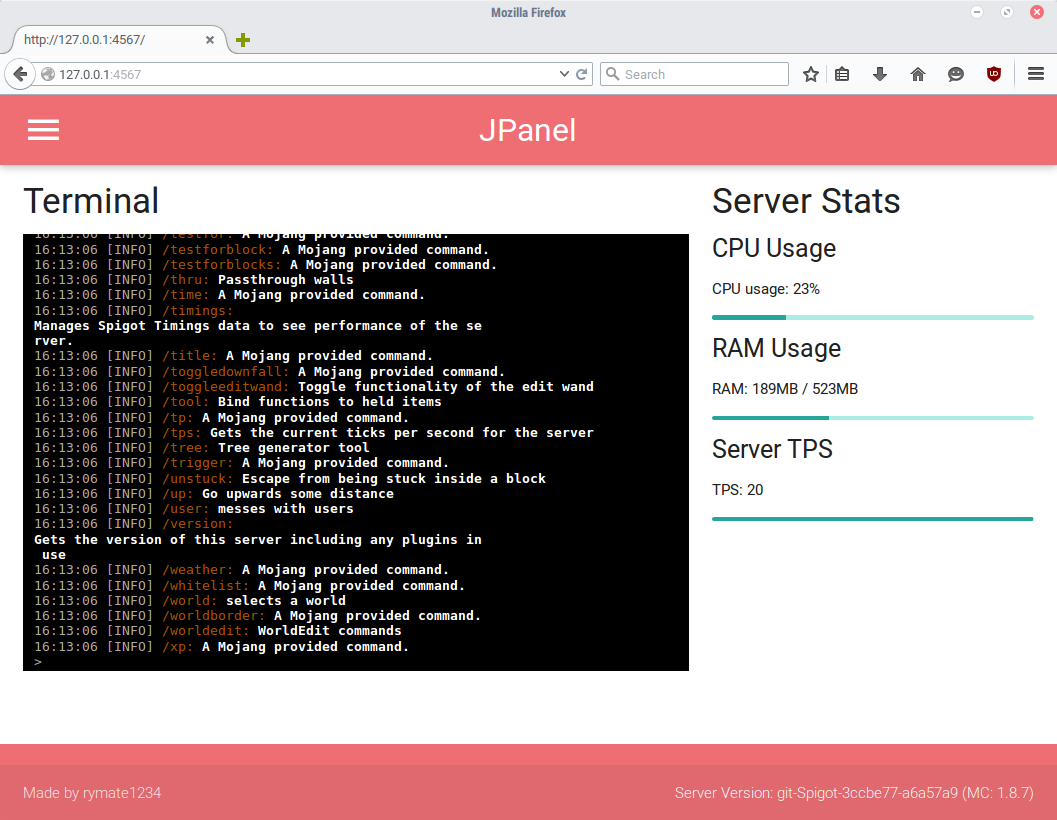
JPanel is a plugin based control panel for your minecraft server. It is viewable within a web browser, and does not require running any external web servers, or knowledge of PHP or databases. This plugin is in beta, and has a number of key features, including:
THIS PLUGIN REQUIRES JAVA 8. ALSO BE AWARE IT'S STILL IN BUGS, AND THERE MIGHT BE BUGS OR INCOMPLETE FEATURES.
Since this plugin doesn't require anything else other than the Bukkit server, installation is extremely easy
As of JPanel Beta 5, you can now add pages to the panel. For more information, please see the guide.
All commands can only be executed through the console, either via JPanel or a standard minecraft console.
In the latest beta (Beta 6) I've added standalone https support! This requires some configuration.
First, you'll need to put a keystore file in the JPanel folder. You can either attempt to generate one using these instructions or download a premade keystore file from here. The pre-made keystore has an unsigned certificate that'll get you going with security warnings in most browsers, so isn't recommended unless you can't use an actual certificate.
Stop the server, and enter the name of the keystore file (with file extension) under keystore-name and the password for the keystore file under keystore-password in the JPanel config.yml. If you're using the premade keystore, use the password 'password' (ultra secure).
Restart the server, then access the panel normally except with https.
HTTPS should now be working!
These are modified through the config file. Once modified, restart the server.
I'm developing a series of apps that you can use to access the panel. Currently, there is an app for windows 10.
All source code is avaliable on github, check it out!