A fully configurable plugin that allows you to get paid for breaking, placing, killing, fishing, and crafting, and more. Class based professions, gain experience as you perform your job.
UUID support
Mysql/SqLite data base systems
Locale files
Daily quests
Signs command support
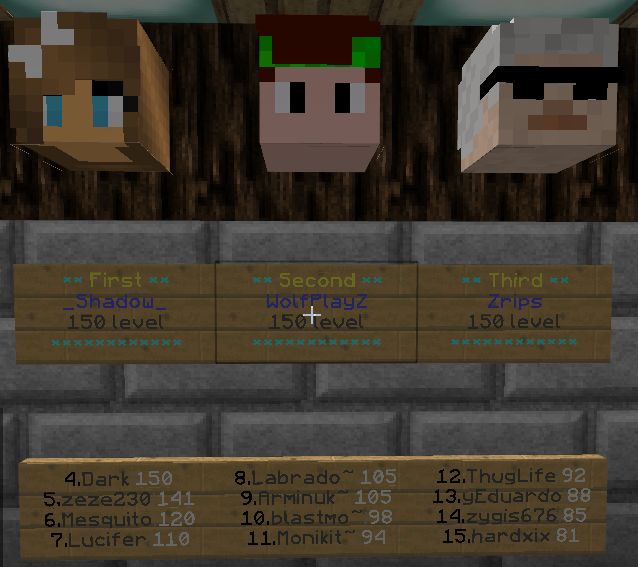
Signs top list support
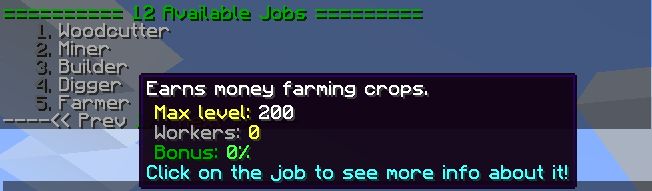
GUI for job info or joining them
Crowdin locale management
Create your own custom jobs and choose what they get paid for and how much.
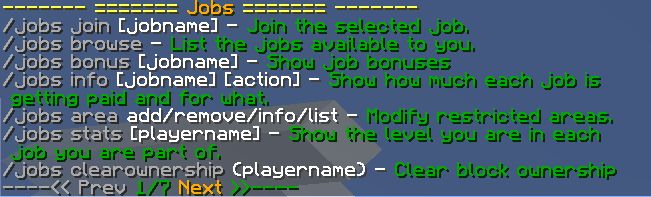
Signs works in same way as simple commands. Put into first line [Jobs] and rest of lines can be filled up with all possible jobs plugin commands. You can even put admin commands and don't be afraid that some one will use them, as all commands will be performed in same way as user regularly enter them in chat. Just keep in mind that first line always [jobs] and res of them can be filled up with any commands you can imagine, you can put even couple command variables in one line if its fits. For ex:
[jobs]
join
miner
[jobs]
join miner
[jobs]
info
miner
[jobs]
info miner break
[jobs]
stats
Zrips
[jobs]
toggle
[jobs]
boost
miner
2
To create top list of sign create sign with text:
[jobs]
toplist
miner
1
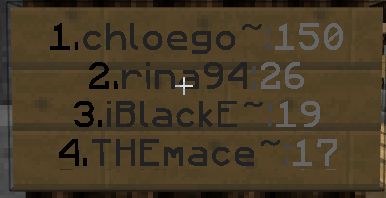
This will create sign with 4 entries from 1 to 4 place, like this:
To create special sign which one can be customized in locale file, write like this:
[jobs]
toplist
miner
1s
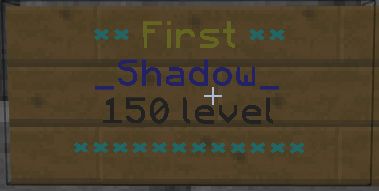
This will create sign for first place in miner job and it will look like this:
You can place head on top of sign and it will update with that place player head texture. With everything set up properly you can get result like this:
To have global top list use gtoplist and skip job name
[jobs]
gtoplist
1
Most important permissions are: jobs.use and jobs.world.[worldname] they will be added automatically in most cases, if not, then you will need to add them for each player or in their permission group.
List<JobProgression> jobs = Jobs.getPlayerManager().getJobsPlayer(player).getJobProgression();
for (JobProgression OneJob : jobs) {
// Do your stuff here
}
Or this if player is offline:
List<JobProgression> jobs = Jobs.getPlayerManager().getJobsPlayerOffline(player).getJobProgression();
for (JobProgression OneJob : jobs) {
// Do your stuff here
}
To get job list:
Jobs.getJobs();
By default plugin comes with Full EN and partial LT/DE/CS/FR/RU translation files. If you want to translate file to your own language, just change in generalConfig file from locale-language: en to your desired language. After server reload you can freely edit your locale file.