ItemStayPut v1.0.8
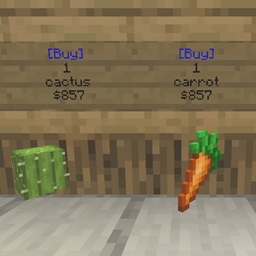
Floating items that stay put and can't be picked up. Awesome for shops.
(For Spigot/Paper/Bukkit 1.13.3 to 1.19.3 - for details see version support, below)
(From the maker of SignBoard – "Write on signs to your heart's content!")
Are you tired of shops that use the inventory GUI, and want a more natural, immersive feel for your shops?
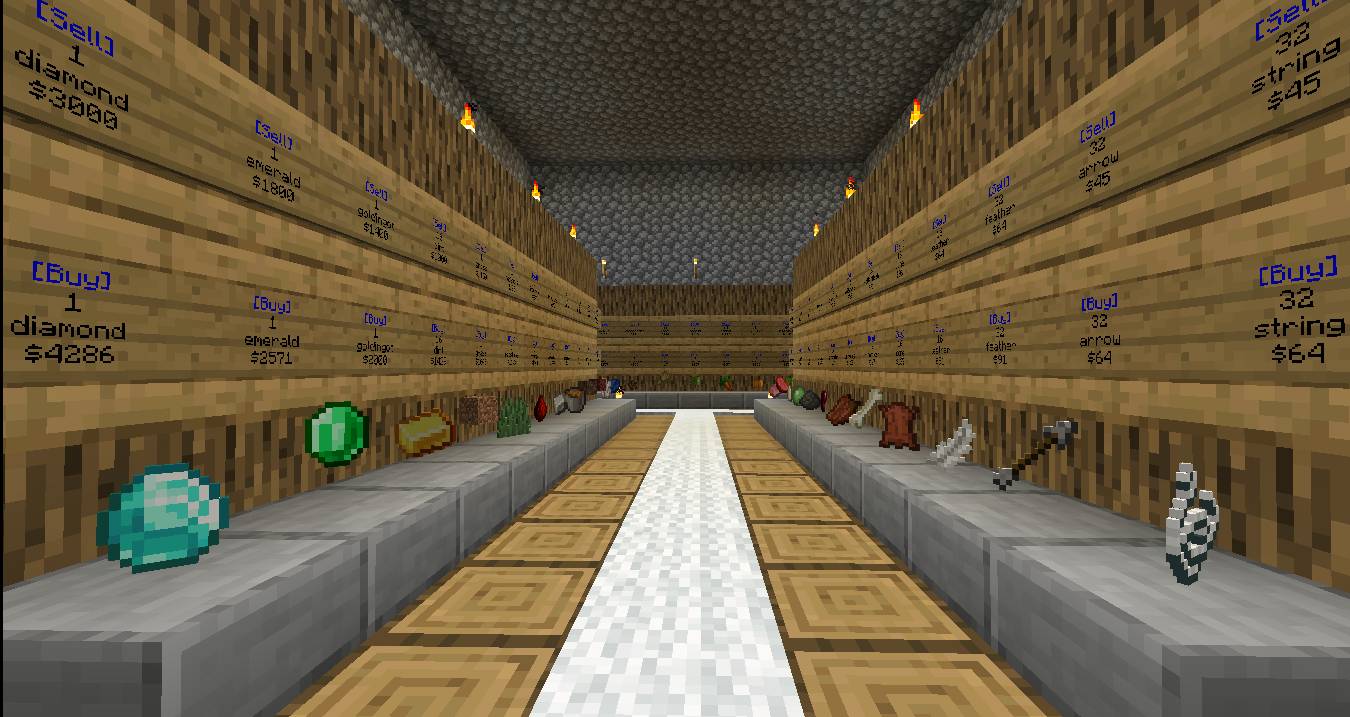
ItemStayPut lets you put down floating items that can't be picked up up by players or mobs. Used in conjunction with EssentialsX shop signs, ItemStayPut is the best option for creating shops that your players will enjoy as part of an immersive experience!
ItemStayPut is a full rewrite of the classic ItemStay plugin by adventurec, which in turn was a variation of the original ItemDisplay concept by _ForgeUser8949532 back in 2012. (This is the history as far as I could determine; if you feel more credits are deserved for the concept, let me know!)
Version support
ItemStayPut v1.0.7 supports all Bukkit/Spigot/Paper versions from 1.13.3 to 1.19.3.
Installation
Just drop the jar in your plugins folder and restart the server.
Basic usage
Hold an item in your main hand, look at the spot where you want to drop it, and issue the command /isp drop.
Multi-language support
ItemStayPut supports different languages for its interface (menus and messages). This allows users to choose their own language preference and use the plugin in that language. Right now it has options for English (US), Portuguese (BR), and Spanish (CO), but you can translate the locale file into other languages – just make sure to share with us, and we'll include them in future releases of ItemStayPut!
ClearLagg and other lag remover plugins
Lag removers really like to delete loose items left scattered around the worlds, and they're right to do so. Unfortunately, this will cause the ItemStayPut items to respawn every time it happens. Except:
If you're using another lag remover that has an API, let us know and we'll try to integrate it with ItemStayPut as well!
Commands
Root Command Aliases
The standard root command for ItemStayPut is /isp. Since other plugins may also use /isp, ItemStayPut supports four command aliases: /ist, /item, /itemstay, /itemstayput.
The active_aliases parameter in config.yml controls which ones are actually used. For example, the following configuration line would make ItemStayPut accept all 5 root commands:
active_aliases: isp, ist, item, itemstay, itemstayput
By default, only three options are active (isp, item, itemstayput), but you can mix and match as needed to ensure compatibility with other plugins in your server. The first option on the list will be the one featured on all of ItemStayPut 's help texts (usually "/isp").
Player commands
Player locale commands
Admin commands
Admin locale commands
Auto updates
By default, ItemStayPut will automatically download and install new updates when you restart or reload the server.
You can control this feature by changing the updates: option in config.yml.
Valid values for updates: are:
An update check message will always be shown on the console.
After an update, OPs receive a one-time message telling them about the new version. They can check version history with the command /sb version <nbr>.
Auto config.yml updates
No need to update your preferred settings in config.yml !!
When a new version is downloaded and installed, ItemStayPut will update the config.yml file preserving your custom settings automatically.
Settings in config.yml
The following are the default settings in config.yml:
#-----:-------------------------------------------------------------------------------------------------------------------------
# ItemStayPut config.yml
# If auto update is active for ItemStayPut, the config.yml file will be automatically updated as well
# When config.yml is updated, all changes you made to the VALUES of the settings will be PRESERVED and copied over to the new config.yml
# ... however, any changes you made to the COMMENTS in this file will be overwritten by the default comment.
# The original config.yml will be renamed config.bak
#-----:-------------------------------------------------------------------------------------------------------------------------
# Auto updates:
# Possible values for updates:
# auto (downloads and installs new versions automatically);
# check (only checks if a new version is available);
# off (turns off updates completely).
updates: auto
# Config.yml version - if this is lower than the actual ItemStayPut version (use /isp version), it means you probably should do a manual merge of config.new and config.yml.
# If updates=auto and this version is lower than the actual ItemStayPut version, it will trigger an automatic config.yml update on the next server restart.
version: 1.0.7
# players_use_locales - allows every player to choose their own interface language by activating the commands /isp locales list, /isp locales set, /isp locales clear
# Even if players_use_locales is false, ItemStayPut will always use the default locale file. Locale files are in the Locales folder, and must follow the same name pattern (e.g isplocale_enus.yml)
players_use_locales: true
default_locale: enUS
# Toggle the use of color on ItemStayPut console messages:
msg_color_onconsole: true
# Toggle the one-time message shown to OPs in-game when an update is installed.
msg_ingame_update_OP: true
# View distance:
# How close (in blocks) you have to be to be able to place an item on a block
view_distance: 5
# Command aliases:
# ItemStayPut can respond to any of these four root commands: /isp /item /ist /itemstayput
# The active_aliases parameter controls which ones are actually used.
# For example, the following configuration would make ItemStayPut accept all 4 root commands: active_aliases: isp item ist itemstayput
# By default, only three options are active, but you can mix and match as needed to ensure compatibility with other plugins in your server.
# The first option on the list will be the one featured on all of ItemStayPut's help texts (usually "/isp").
# Don't try to add other aliases options; ItemStayPut only accepts these five.
active_aliases: isp item itemstayput
# Logging:
# Set to true to enable logging of ItemStayPut's startup process (only during server start).
# The major steps that take place during startup are timed and written to log.yml. The log is cleared at each server restart.
log_on: false
# Keeping backups:
# By default, ItemStayPut keeps a copy of all its configuration files every time a new ItemStayPut version is installed.
# It also keeps an updated copy of the "last OK" configuration files, so that if you manually damage any of the files, you'll have a fallback and be able to copy the "last OK" file back.
# To disable this feature, set "keep_backups" to false.
keep_backups: true
Permissions
By default, ItemStayPut allows every user to use the place, list, delete, remove, locale, and credits commands, and also allows every admin to use the import, respawn, reload and version commands.
To change permissions, use a permissions manager (like PermissionsEX or LuckPerms). Even if given the itemstayput.admin permission, a user must be OP to use the reload and version commands.
The default permissions are as follows:
Next steps
* None at this point. I will entertain requests...
Donations
No pressure :-)

Stats Disclosure
This plugin utilizes a plugin metrics system, which means that the following information is collected and sent to bstats.org:
Go into /plugins/bStats/config.yml to disable stat collecting if you wish.