Badges update automatically and link to the plugin page on MineUniverse.

Works in Minecraft 1.12!
This is a world generator that creates empty/void worlds.
I created this plugin because we needed a reliable and easy way to create empty worlds on my network (mainly for minigames), and none of the plugins I found satisfied me.
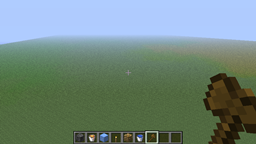
This plugin's main purpose is to create worlds. However, to make building easier, it also has an option in its config that is enabled by default. If it is enabled, worlds will have a circle of bedrock at 0, 64, 0 (location and circle radius can be changed from config) and the player will spawn on top of it. This is so that you can easily start building in the empty world. You can disable this option from the config.
Single World Servers: At the root/main directory of your server, edit your bukkit.yml and add this to the end:
worlds:
  <worldname>:
    generator: EmptyWorldGenerator
Note: <worldname> will probably be "world" (without quotes) if you haven't changed it.
Note: Delete the old world first.
Note: To make sure no structures are generated, set generate-structures in the server.properties to false.
Note: If you want the void darkness and particles to start at around Y=0 instead of Y=64, set the level-type in the server.properties to FLAT.
Servers with Multiverse: When creating the world, use this command:
/mv create <worldname> normal -g EmptyWorldGenerator
Note: If you want the void darkness and particles to start at around Y=0 instead of Y=64, add "-t FLAT" (without quotes) to the end of the command.
Servers with Multiworld: When creating the world, use this command:
/mw create <worldname> plugin:EmptyWorldGenerator
Servers with My Worlds: When creating the world, use this command:
/world create <worldname>:EmptyWorldGenerator
Note: If you want the void darkness and particles to start at around Y=0 instead of Y=64, use the command "/world create <worldname>/flat:EmptyWorldGenerator" (without quotes) instead.
None for this plugin. If you want to change who can create worlds, you do that with your world management plugin (Multiverse, Multiworld, My Worlds, etc.)
None.
None that I know of. If you find one, submit a ticket.
The point of this plugin is for it to be basic and lightweight, but I am open to suggestions. If you want a feature added, submit a ticket.
//up <number of blocks up>
//pyramid <block type> <number>
//cyl <block type> <number>
//sphere <block type> <number>
EmtpyWorldGenerator automatically collects some very basic information from your server so that I can see how EmtpyWorldGenerator is used. If you want to disable this, you can opt out at any time by going to the "PluginMetrics" folder in your plugins folder, opening the config and setting "opt-out" to true.