Badges update automatically and link to the plugin page on MineUniverse.
Wiki https://github.com/elBukkit/EffectLib/wiki
Support on Discord: https://discord.gg/fWJ3W3kMjG
Forum (Outdated): http://forums.bukkit.org/threads/effectlib-manage-your-effects-the-nice-way.259879/
THIS PLUGIN HAS NO USE FOR SERVER-OWNERS
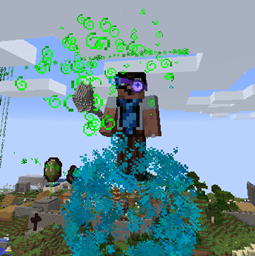
This library is a possibility for developers to out-source their effect-managment. This library comes with a handy collection of customizable effects, but you can easily add your own effects and manage them in the library.
EffectManager em = new EffectManager(plugin);
Effect effect = new BleedEffect(em); effect.setEntity(target); effect.start();
em.dispose();
This demo creates a bleed-effect when a player joins. After 15 seconds, the effect runs out and the callback is called, that kills the player and sends them a message.
1 2 3 4 5 6 7 8 9 10 11 12 13 14 15 16 17 18 19 20 21 22 23 24 25 26 27 28 29 30 31 32 33 34 35 36 37 38 39 40 41 42 43 44 45 46 47 48 49 50 51 52 |
package com.yourdomain.yourplugin; import org.bukkit.Bukkit; import org.bukkit.event.EventHandler; import org.bukkit.event.HandlerList; import org.bukkit.event.Listener; import org.bukkit.event.player.PlayerJoinEvent; import org.bukkit.plugin.java.JavaPlugin; import de.slikey.effectlib.EffectManager; import de.slikey.effectlib.effect.BleedEffect; public class EffectLibTest extends JavaPlugin implements Listener { private EffectManager effectManager; @Override public void onEnable() { Bukkit.getPluginManager().registerEvents(this, this); // Initialize a new EffectManager effectManager = new EffectManager(this); } @Override public void onDisable() { // Dispose of the EffectManager effectManager.dispose(); HandlerList.unregisterAll((Listener) this); } @EventHandler public void onPlayerJoin(final PlayerJoinEvent event) { // Create the Effect and attach it to the Player BleedEffect bleedEffect = new BleedEffect(effectManager); bleedEffect.setEntity(event.getPlayer()); // Add a callback to the effect bleedEffect.callback = new Runnable() { @Override public void run() { event.getPlayer().sendMessage("You bled out.."); event.getPlayer().setHealth(0d); } }; // Bleeding takes 15 seconds // period * iterations = time of effect bleedEffect.iterations = 15 * 20; bleedEffect.start(); } } |
All effects can attach to a Location (setLocation) or an Entity (setEntity). Some Effects (like LineEffect) can work with two locations- use setTargetEntity and setTarget to control the "second point".
You can cancel all running effects of an EffectManager by cancel(boolean callback).
There is also a Configuration-driven interface you may use, EffectManager.start.
You may pass in the Effect class as a String, and additional parameters as a ConfigurationSection. This can be a fully-qualified path (for custom externally-defined Effects) or a simple class name for the builtin classes. For example:
summon:
 class: VortexEffect
 iterations: 4
 particle: smoke
 helixes: 16
 circles: 7
 grow: 0.1
 radius: 1
And then to use it, something like this:
ConfigurationSection effectConfig = getConfig().getConfigurationSection("summon");
String clasName = effectConfig.getString("class");
effectManager.start(className, effectConfig, player);
There are several different versions of the start() method as of 3.4, the longest one would look like this:
effectManager.start(className, effectConfig, player.getLocation(), player, null, null, null);
The latter three parameters are optional, the two "target" parameters used only in certain FX. The last line can be used for the TextEffect to have parameterizable text messages- for instance, if you wish to insert the Player's name in a Configuration-drive text message.
All effects have the ability to be changed. Let the effect repeat, increase duration or change period of iterations.
Any Effect will work when attached to a static location, or to an Entity. If both are provided, it will attach at the target Location, but move relative to that along with the entity (great for tagging hit locations, or attaching to an Entity's head or other body part specifically!)
Get the source on GitHub!