Bring encouraging Scripture to everyone on your Minecraft server.
Bible Verse is a Paper server plugin that delivers a Bible verse after players join. Each player can choose how often verses appear, disable them completely, or manage everything through an in-game settings GUI.
Install the plugin once on the Paper server. Regular players do not need to install anything.
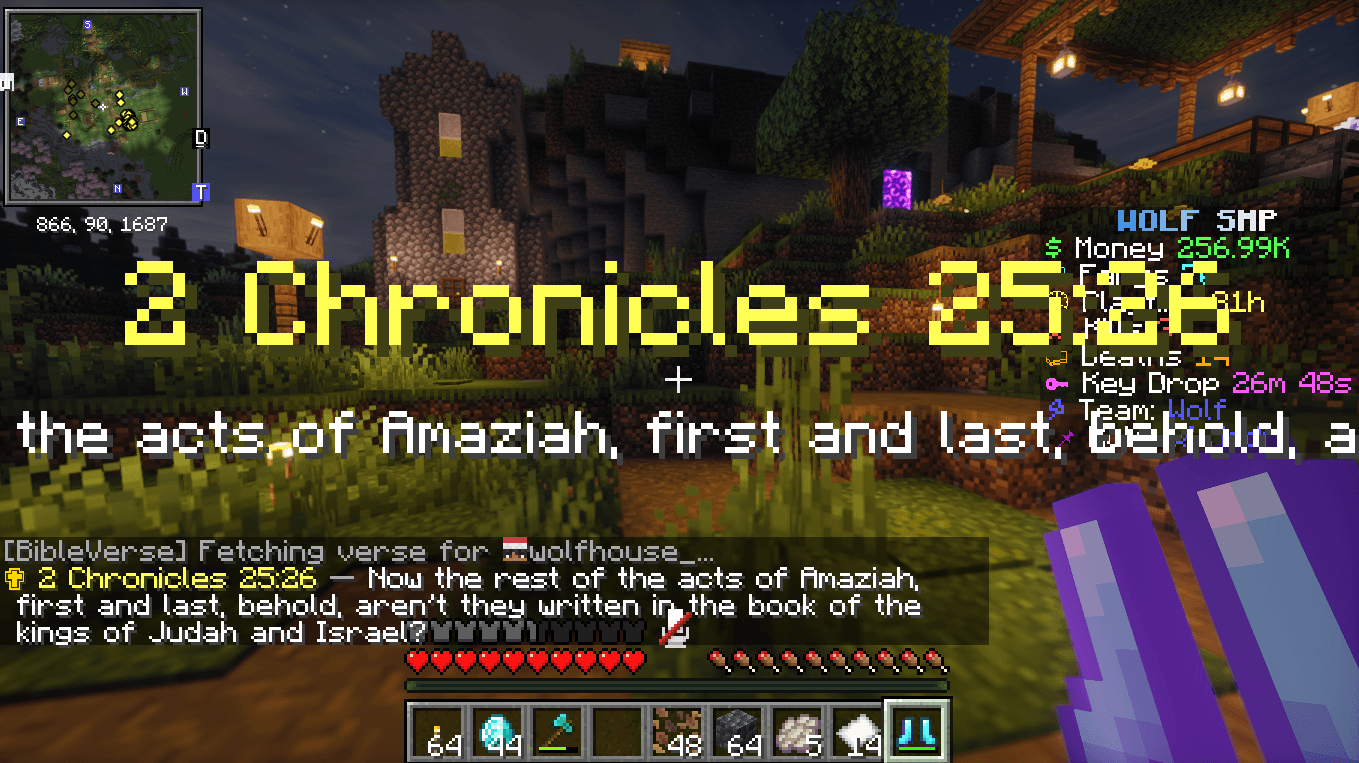
When a player's cooldown is ready, the plugin waits five seconds by default and displays:
The default frequency is every 12 hours, but every player can choose their own schedule.
If someone disconnects or disables verses during the login delay, the pending verse is cancelled.
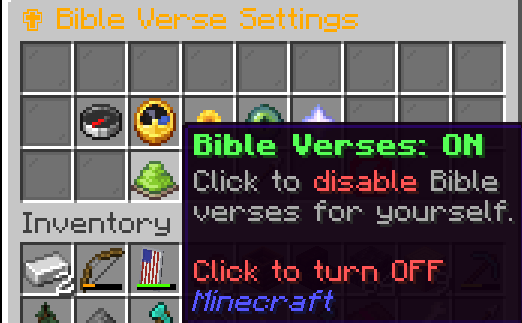
Players can open the settings menu with /bibleverse gui.
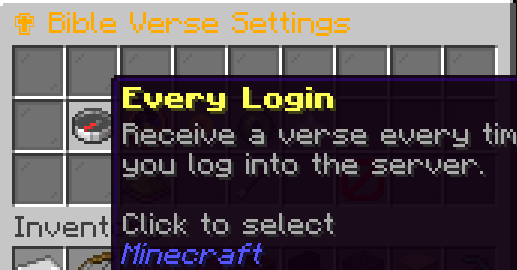
The GUI includes:
The player's currently selected frequency is highlighted.
| Command | Description |
|---|---|
/bibleverse |
Shows the available commands. |
/bibleverse gui |
Opens the Bible Verse settings GUI. |
/bibleverse toggle |
Toggles personal verses ON or OFF. |
/bibleverse enable |
Enables personal verse delivery. |
/bibleverse disable |
Disables personal verse delivery. |
/bibleverse frequency every_login |
Delivers a verse after every login. |
/bibleverse frequency 6h |
Sets a six-hour cooldown. |
/bibleverse frequency 12h |
Sets a twelve-hour cooldown. |
/bibleverse frequency 24h |
Sets a daily cooldown. |
/bibleverse frequency weekly |
Sets a weekly cooldown. |
| Command | Description |
|---|---|
/bibleverse toggle <player> |
Toggles verses for an online player. |
/bibleverse enable <player> |
Enables verses for an online player. |
/bibleverse disable <player> |
Disables verses for an online player. |
/bibleverse frequency <player> <tier> |
Changes an online player's frequency. |
/bibleverse preview [player] |
Displays a verse without resetting the cooldown. |
/bibleverse status [player] |
Shows enabled state, frequency, elapsed time, and cooldown readiness. |
/bibleverse reload |
Reloads the configuration and local verses. |
/bibleverse gui <player> |
Opens the GUI for an online player when run from console. |
Valid frequency tiers:
every_login6h12h24hweekly| Permission | Default | Description |
|---|---|---|
bibleverse.use |
Everyone | Access to the base command and GUI. |
bibleverse.toggle |
Everyone | Change personal ON/OFF state. |
bibleverse.frequency |
Everyone | Change personal frequency. |
bibleverse.admin |
Operators | Manage players, preview verses, view status, and reload the plugin. |
plugins folder.config.yml or verses.yml if desired./bibleverse reload or restart after making changes.Do not place the Paper plugin in a Fabric client's mods folder. The Fabric edition is a separate download.
26.226.225Server owners can configure:
Player preferences are stored by UUID in plugins/BibleVersePlugin/playerdata.yml.
Editable offline verses are stored in plugins/BibleVersePlugin/verses.yml.
The plugin tries verse sources in this order:
verses.ymlIf an online source fails, times out, or returns an invalid response, the plugin automatically tries the next source.
Online requests run asynchronously so verse retrieval does not block the main server thread.
The optional Bible Verse Local Fabric mod provides local verses in singleplayer and on servers without this plugin:
View the Bible Verse Local Fabric mod
When a player with the compatible Fabric mod joins this Paper server:
The Fabric mod is optional. Players using an ordinary Minecraft client still receive Paper-delivered verses normally.
Primary and offline verses use the public-domain World English Bible (WEB).
The secondary source uses the NET Bible and displays NET beside the verse. NET Bible copyright and permissions information is available at netbible.com/copyright.
Give your players a calm moment of Scripture while keeping delivery under both player and server control.