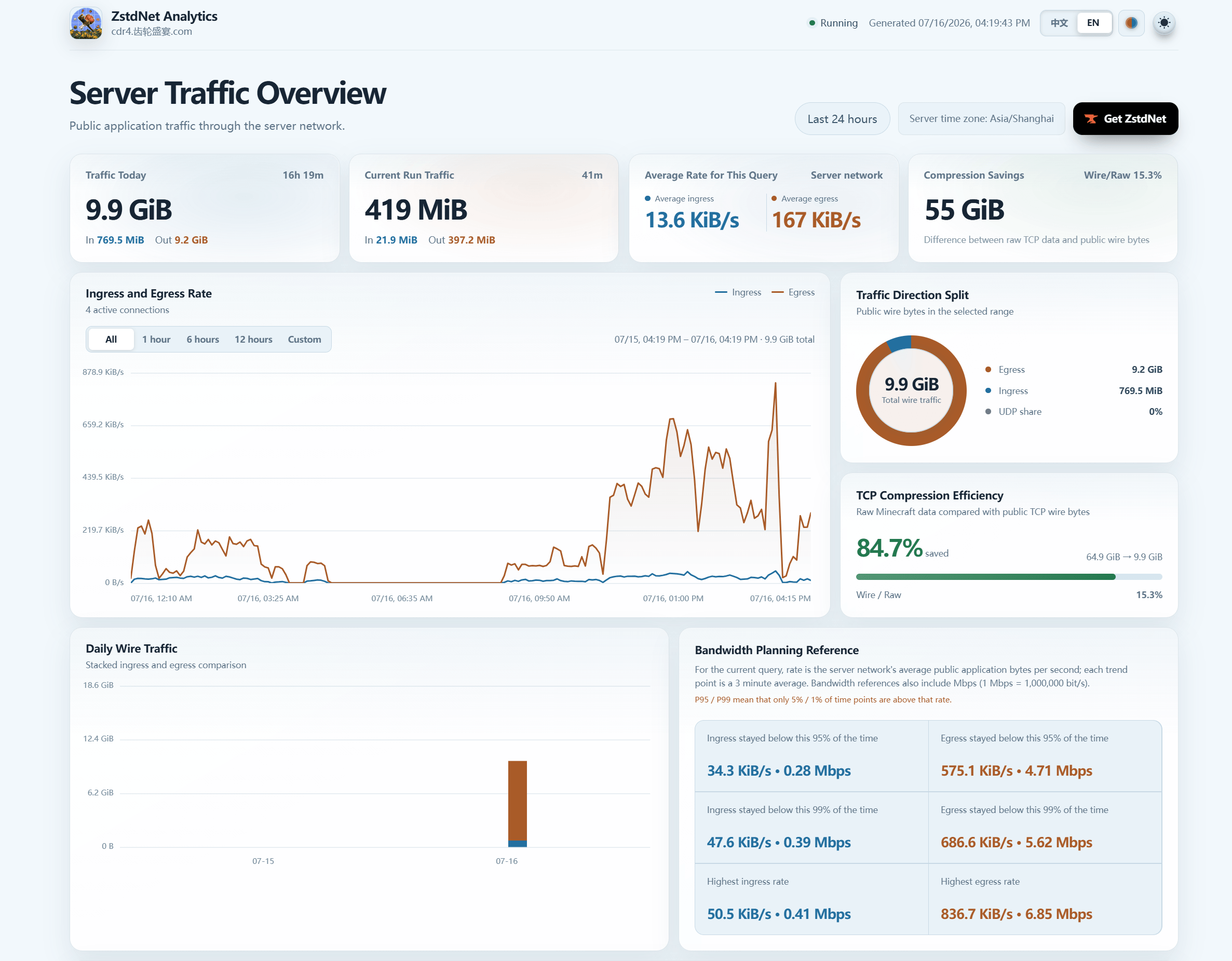
ZstdNet is a Minecraft Java Edition mod that uses ZSTD to compress relayed traffic between clients and servers. It is designed to reduce public bandwidth usage in high-repetition modded traffic, especially for large Create-based modpacks, FRP/NAT traversal setups, tunnel forwarding, and singleplayer LAN hosts who want to share a more bandwidth-efficient external entry point.
ZstdNet handles forwarding and compression. If you still want premium account verification while keeping the backend offline, you can pair the setup with a mod such as TrueUUID[ https://www.curseforge.com/minecraft/mc-mods/trueuuid ]
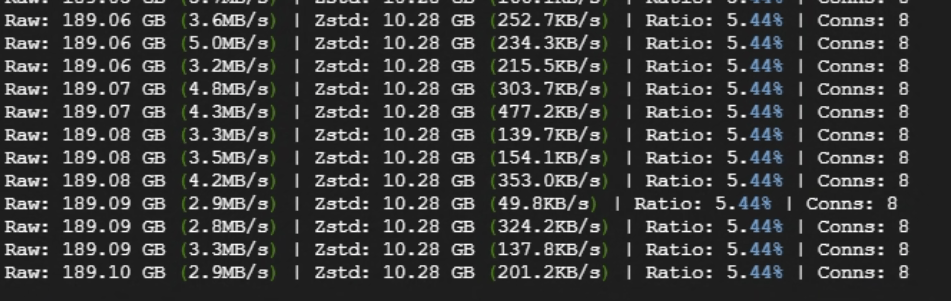
The main purpose of this mod is to reduce public bandwidth usage caused by highly repetitive packet traffic. In large modpacks, compression gains can be significant. Example server-side stats from a real Create-based environment:
Raw: 189.06 GB (3.6MB/s) | Zstd: 10.28 GB (252.7KB/s) | Ratio: 5.44% | Conns: 8
Raw: 189.06 GB (5.0MB/s) | Zstd: 10.28 GB (234.3KB/s) | Ratio: 5.44% | Conns: 8
Raw: 189.06 GB (3.2MB/s) | Zstd: 10.28 GB (215.5KB/s) | Ratio: 5.44% | Conns: 8
Raw: 189.07 GB (4.8MB/s) | Zstd: 10.28 GB (303.7KB/s) | Ratio: 5.44% | Conns: 8
The lower the ratio, the less traffic is actually transmitted after compression.
This repository currently provides builds for:
Recommended installation depends on how you use it:
Installing it on both client and server is recommended for the smoothest experience.
With the recommended dedicated-server setup, keep:
auto_takeover=trueIn this mode, players usually keep using the same public address and port they already know, for example:
play.example.com:25565
1.2.3.4:25565
ZstdNet automatically takes over the public server port from server.properties, moves the backend Minecraft server to another local port, and forwards compressed traffic internally. Players do not need to learn a second port just for ZstdNet.
Only when auto_takeover=false is used in manual mode do players need to connect to the configured listen port.
On first launch, ZstdNet generates:
config/zstdnet-server.propertiesThe recommended default is:
enabled=true
auto_takeover=true
With this setup:
listen and target usually do not need to be manually planned.If you use FRP, HAProxy, NAT traversal, or any other forwarding layer, make sure the public entry forwards to the ZstdNet listen port. Do not forward directly to the backend vanilla game port, or compression will be bypassed.
For same-port UDP mods such as Sable / Create Aeronautics, make sure the forwarding layer forwards both TCP and UDP on the same public port.
For dedicated server proxy-style setups, the backend Minecraft server should run with:
online-mode=falseZstdNet handles forwarding and compression. If you still want premium account verification while keeping the backend offline, you can pair the setup with a mod such as TrueUUID.
When opening a singleplayer world to LAN, ZstdNet adds a Zstd port field to the Open to LAN screen and keeps the normal game port field compatible with vanilla or supported advanced LAN screens.
Recommended usage:
The active settings are stored in:
config/zstdnet-server.propertiesand support hot reload.
If friends are joining from outside your local network, give them this address:
Your public IP or domain:actual Zstd port shown in chatExamples:
mc.example.com:35565
203.0.113.10:35565
If another LAN mod fully replaces the Open to LAN screen and the Zstd field is not visible, use:
/zstdport showto view the current ports. Use:
/zstdport zstd <port>only when you need to pin a fixed public or tunnel port.
Used to check or toggle the HUD:
/zstdhud
/zstdhud on
/zstdhud off
/zstdhud toggleUsed to view or change ports in singleplayer / LAN hosting scenarios:
/zstdport show
/zstdport game 25565
/zstdport zstd 35565
/zstdport voice 25565
/zstdport zstdvoice 24455
Notes:
/zstdport is a client-side command.show displays the current effective config.game changes the preferred backend game port.zstd changes the preferred Zstd listen port.voice changes voice_chat_target, the backend voice port.zstdvoice changes voice_chat_listen, the public voice entry.config/zstdnet-server.properties directly.After enabling the HUD, you can view:
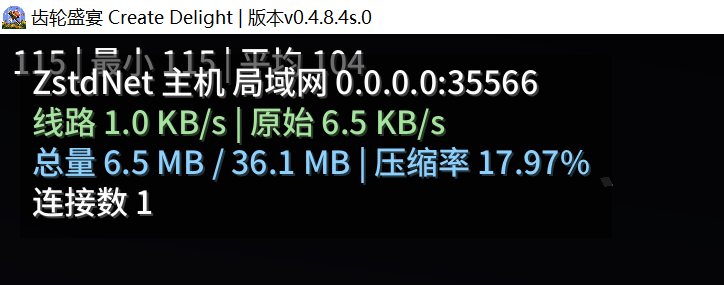
The HUD is the easiest way to confirm whether the connection is actually using ZstdNet.
Simple Voice Chat audio is not compressed by ZstdNet. ZstdNet forwards UDP voice packets as raw passthrough.
voice_chat_listen explicitly when needed.voice_chat_target can usually stay blank and will default to the local voice port.Check these first:
auto_takeover=true, players should keep using the usual public port from server.properties.auto_takeover=false, make sure players are using the configured listen port.listen port.enabled=true is set in config/zstdnet-server.properties.listen and target are not reversed in manual mode.Not necessarily. Some traffic does not compress well, or may already be encrypted, which reduces the benefit.
Possibly. ZstdNet is designed to be compatible with vanilla and common LAN screen patterns, but UI-heavy menu rewrites can still require command fallback through /zstdport show or /zstdport zstd <port>.
config/zstdnet-client.tomlconfig/zstdnet-server.propertieszstdnet-server.properties is auto-maintained. When ports are changed by commands or auto takeover, the file is rewritten with the built-in commented template.
Important server options:
enabled: enable or disable ZstdNet service.auto_takeover: automatically use server-port from server.properties as the public entry on dedicated servers.listen: Zstd compressed entry address and port in manual mode.target: backend Minecraft server address and port in manual mode.level: compression strength, range 1-22.voice_chat_passthrough: enable raw UDP passthrough for voice chat.voice_chat_listen: optional public UDP entry for voice chat.voice_chat_target: optional backend UDP target for voice chat.Client config:
[general]
level = 3
level controls the client-to-server Zstd compression level. Higher levels may compress better but use more CPU. A value around 3-5 is usually a good balance.
MIT License