Paint your Minecraft world the way you want it — before you create it, or after.
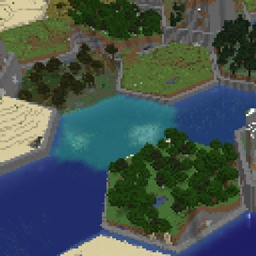
World Painter gives you a map of the entire 60,000,000 × 60,000,000 block world where every pixel is one block. Scroll, zoom, and paint biomes, terrain height, surface blocks, water and lava. Then switch to 3D and fly through the real world to paint and sculpt caves, overhangs and floating islands. When you create the world (or load it again), Minecraft generates your design as real terrain, and in a world you're already playing, painted chunks regenerate in real time while you paint.
Brush, eraser, height sculpt, smooth, fill, rectangle, color picker, selection, stamp and 3D sculpt. Brush size and shape are adjustable, and everything has undo and redo.
Paint in a world you're playing and watch it change. With Live changes on (the default):
Builds inside painted chunks are replaced by what your design generates there.
The gear button in the top bar opens the settings, where you can turn Live changes on or off. With it off, the painter works the classic way: changes stay in the design until you press Save, and land that already exists regenerates after Save & Reload (with a backup).
The painter's interface follows your game's GUI scale: every scale setting in Minecraft gives the same size in World Painter, so buttons and text always match the rest of your game.
Each dimension has its own design, and one click switches between them. In game, the painter opens on the dimension you're standing in.
| Dimension | What you can paint |
|---|---|
| Overworld | Biomes, height, surface blocks, water and lava, structures, 3D sculpting |
| Nether | Biomes, structures, 3D sculpting (caverns, pillars, floating islands) |
| End | Biomes, surface blocks, structures, 3D sculpting (floating islands in the void) |
Press F5 in the painter to switch from the map to the real world in 3D. Fly around with a free camera and paint right on the terrain:
Shape the world in 3D, not just from above:
In the 3D view, sculpting changes the world instantly. When the land regenerates, it gets grass, trees and ores like any other terrain.
Edit structures right in your world, with a camera that feels like a 3D program such as Blender:
Press K in game while looking at a structure, or open it from the painter's map.
| Where | How |
|---|---|
| Create World screen | World Painter button |
| Singleplayer world list | Select a world, then World Painter |
| In game | Press O to paint (F5 for 3D), K for the structure editor |
In an existing world, the areas you paint are regenerated with your design: right away with live changes on, or on the next load with them off (after making a backup of the affected region files).
World Painter is also available for Beta 1.7.3 with Babric, adapted to Beta's biomes and its 128-block-high world. It works with or without StationAPI. It has the map, the 3D world view, live changes and a 3D structure editor where you can edit chest items and spawner mobs. Beta's structures are dungeons and lakes: place them anywhere, or find dungeons hidden underground with the editor's Find a dungeon nearby and See in the dark.
| Mod Loader | Available Versions | Upcoming Versions |
|---|---|---|
| Fabric | 26.3 | 1.21.11 |
| NeoForge | 26.3 | 1.21.1 |
| Forge | 26.3 | 1.20.1 |
| Babric | b1.7.3 | X |
Disclaimer: This mod is an independent fan creation and is not affiliated with, authorized, or endorsed by WorldPainter.