Ever leveled up a villager just to discover that their higher-level trades are completely useless? Villager Trade Preview takes the guesswork out of villager trading by letting you see exactly which trades a villager will unlock at higher profession levels.
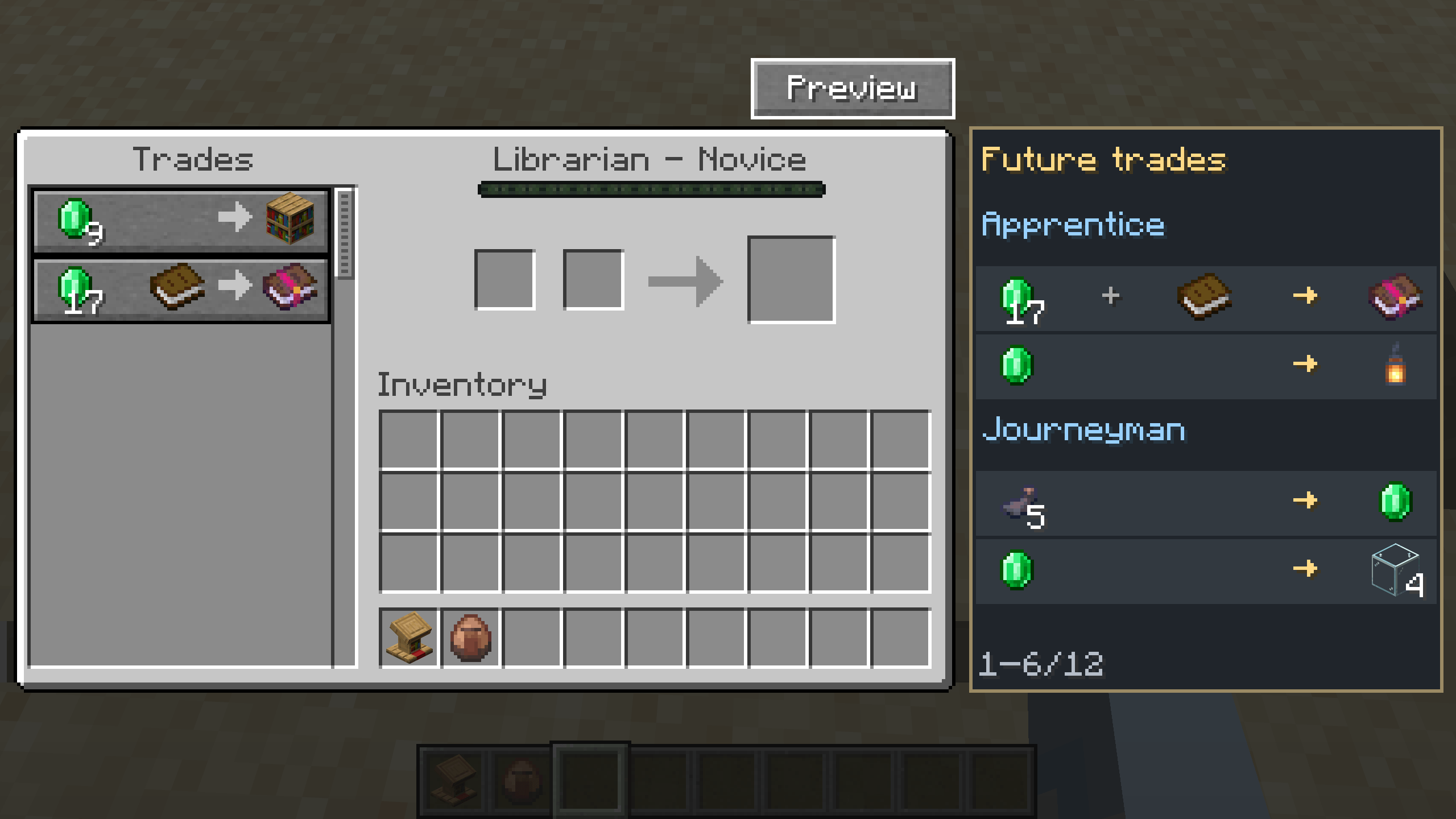
Future trades are displayed directly in the vanilla trading interface, making it easy to spot valuable offers at a glance. Whether you're building the perfect trading hall, searching for specific enchantments, or simply avoiding disappointing villagers, Villager Trade Preview makes the entire process faster, easier, and more convenient.
But that's not all! The mod also includes several optional quality-of-life features to make villager trading even better:
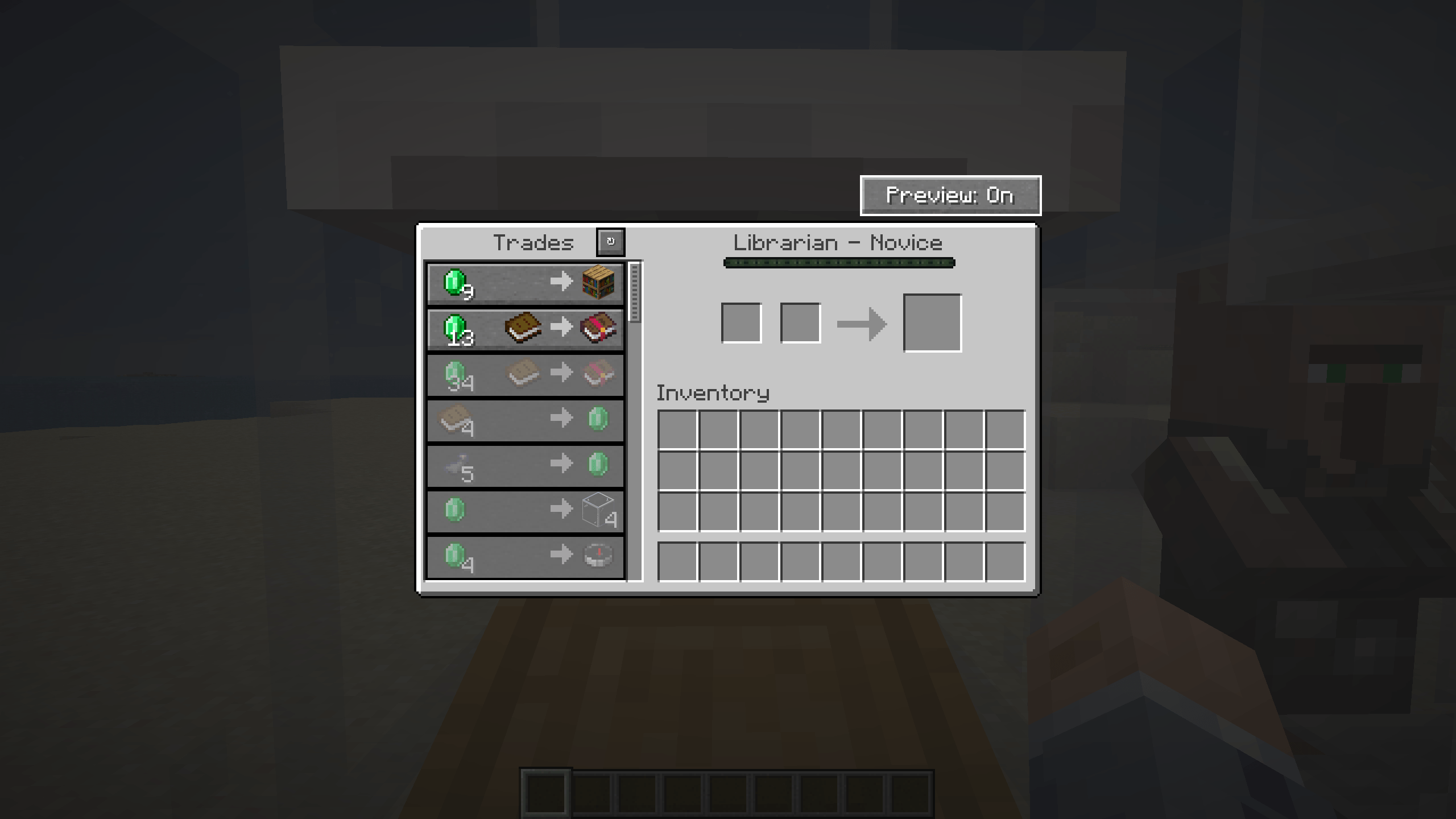
/tradepreview find command to quickly locate villagers offering the enchanted books you're looking for.Trade preview: When opening a trading GUI with a villager, a "Preview" button will be shown on top. Click it, to enable or disable the trade preview. You can choose between the preview rendering below the trades or next to the trade GUI by using /tradepreview side left or /tradepreview side right. You may need to scroll down to see the future trades.
Automatic trading: The default hotkey is Left-Shift + T. Select a trade from the selection and press Left-Shift and T together. The mod will then process that trade very fast as long as you have sufficient items in your inventory. To stop, simply exit the trading GUI.
Trade rerolling: You can press the button ontop of the trades or use the hotkey (Default: R) to reroll the trades that a villager is offering. This only works if the villager hasn't been traded with.
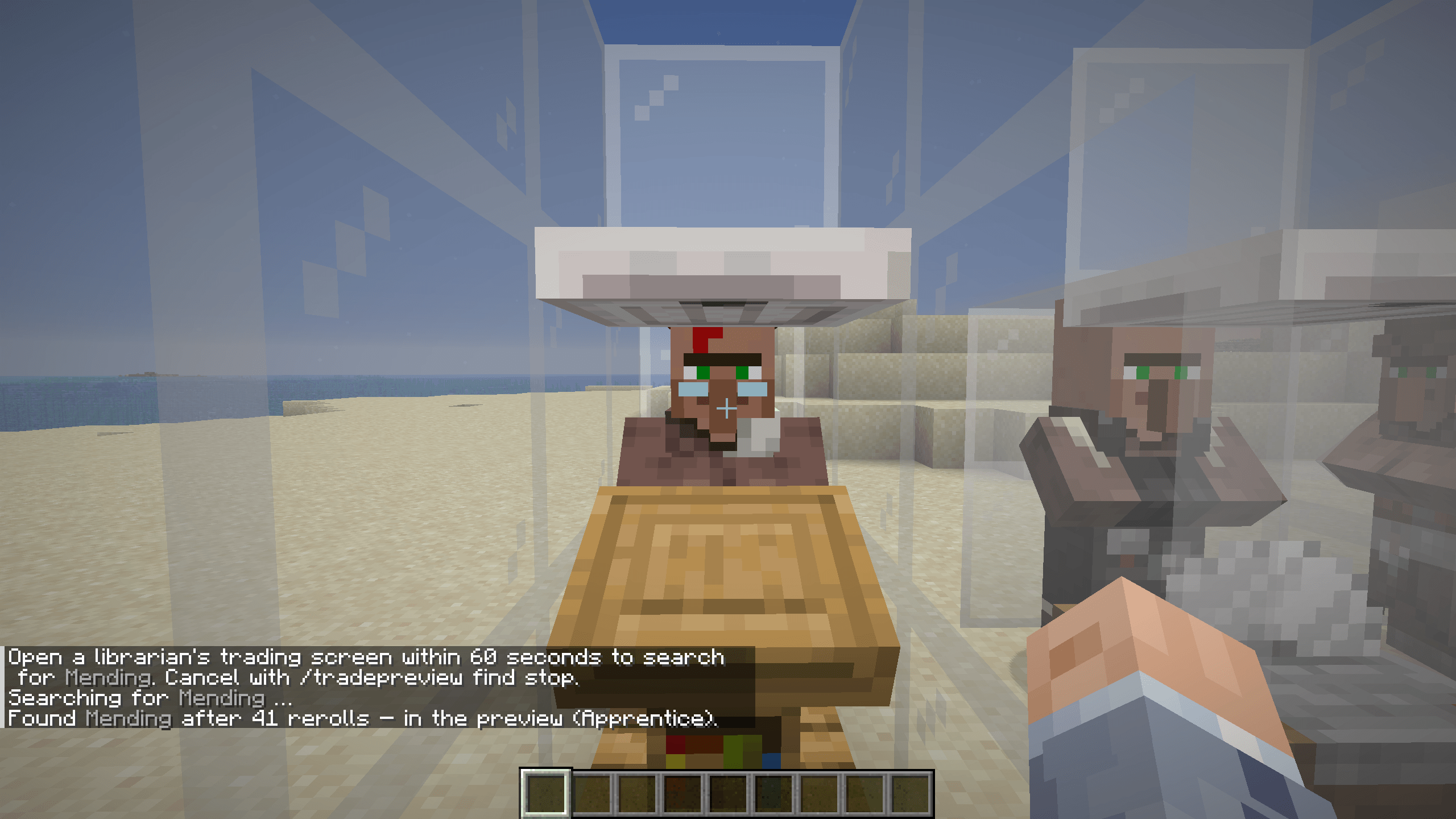
/tradepreview find: Use the command /tradepreview find [name of enchantment] [enchantment level] to start the process. After you've entered the command, you have 60 seconds to open a villager trading gui. The mod will then reroll the trades until it finds a trade for the requested enchanted book.
You can either configure the mod by using Mod Menu or by typing /tradepreview config. This will bring up the config menu, where you can select various options.
| Option | Possible selection | Explanation |
|---|---|---|
| TradeView enabled | ON / OFF | Enable or disable the trade preview and the "Preview" button completely |
| Preview position | In trade list / besides trades | Show the locked trades directly under the unlocked trades or besides the trading GUI |
| Auto trade | Hotkey | Set the Hotkey for auto trading |
| Unlimited trades | ON / OFF | Enable or disable unlimited trades |
| Update check | ON / OFF | Enable or disable automatic update checking once per session |
| Trade reroll button | ON / OFF | Turn on or off the trade reroll button |
The Fabric version requires Fabric API
Needs to be installed on the server and the client to work in multiplayer