This mod locks your view to a specific direction and can be adjusted to only lock up and down or left and right. The view can also be locked to the closest x and y axes using a key.
Usage:
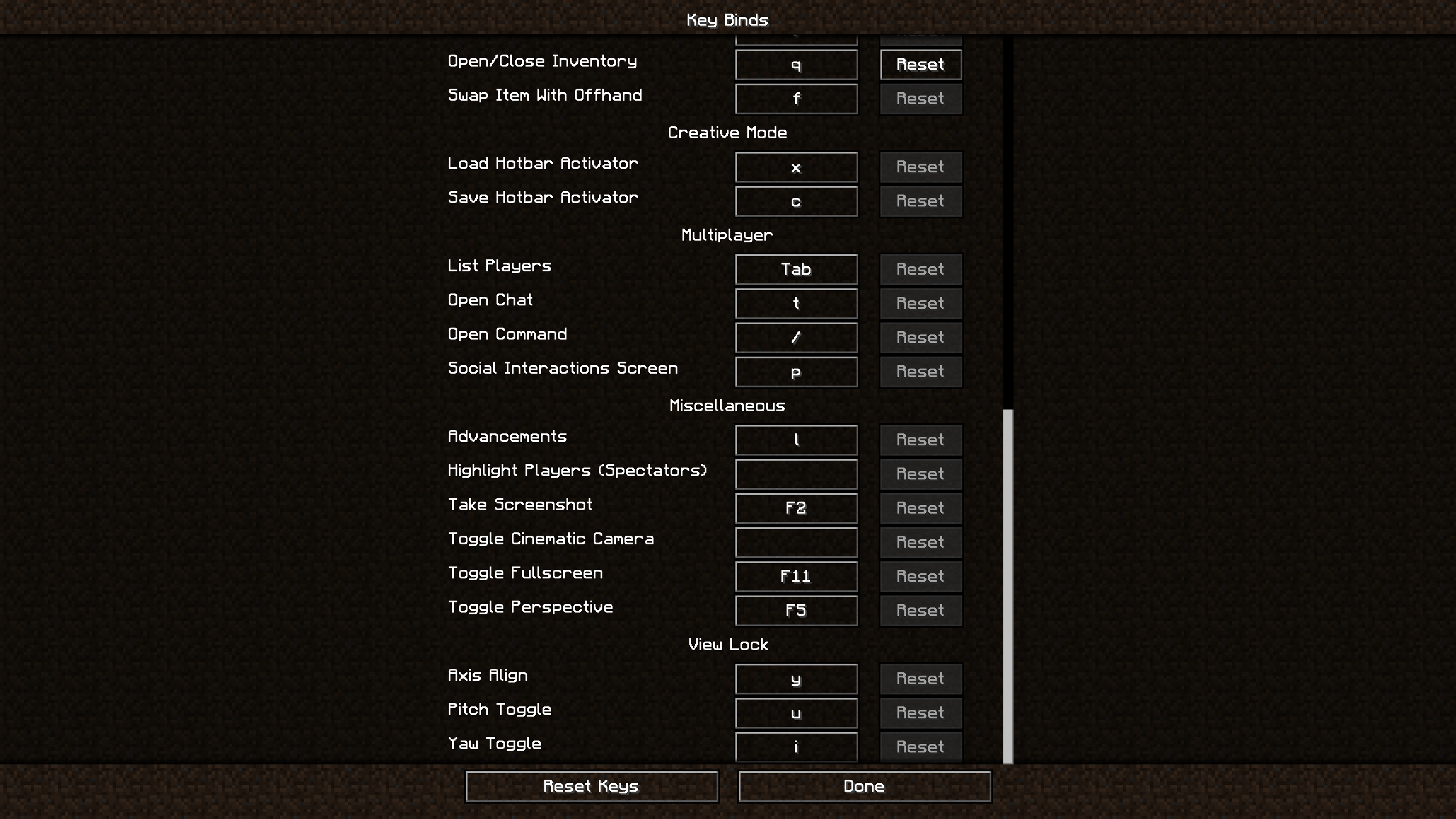
Align your view to whichever x and y axis you would like and press Y. This will lock your view to those axes. To unlock/lock your up and down movement, press U. To unlock/lock your left and right movement, press I. Alternatively, just press U or I to unlock/lock your left and right or up and down movement.
Examples:
Controls:
Y: Toggle locks the view to the closest x and y axes
U: Toggles locking on up and down view movement (x axis)
I: Toggles locking on left and right view movement (y axis)
Commands:
/vl <pitch: RelativeAngle> [yaw: RelativeAngle] - Precisely (and relatively) position your view to a specific pitch and yaw.
/vl block <location: vec3> [track] - Lock (and optionally track) your view to a specific block (with relative positioning).
/vl block view [track] - Lock (and optionally track) your view to the block in your crosshair.
/vl unlock - Unlock your view without losing your state.
/vl relock - Relock your view without losing your state.
Requirements:
Installation:
For client side: Download the jar and place it in "../.minecraft/mods"
(Note: this mod is client-side only and should work on all servers)