Thanks to MapAtlases for the original idea & project structure!

🌍 Features
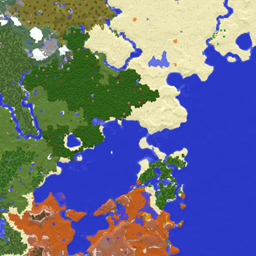
Atlas is a new item that can be crafted with a slimeball / honey bottle, a map / empty map and a book. It will render a minimap when open in the inventory or hotbar!
- You can add more maps with more sticky material, or for free using a cartography table.
- You can also merge and clone atlases on the cartography table.
- You can remove maps with shears at the cartography table.
Other than that, atlases will work exactly like normal maps do.
🧭 DYNAMIC COMPASS
Embed Removed: https://www.youtube-nocookie.com/embed/i2xWKrnvUBg
- The Minimap HUD now requires a Compass somewhere in your inventory (excluding containers like bundles) to rotate with the player. This replaces the old config by giving a diegetic option!
- The cardinals also depend on the presence of a compass.
- These changes pair really well with Serilum's GUI Compass. :)
📕 OPEN/CLOSE MECHANIC:
Embed Removed: https://www.youtube-nocookie.com/embed/eOa6cWIgEy8
- Replacing the "Lock" mechanic, Atlases will now change texture when you shift+right click!
- When open, they will show the Minimap HUD, when closed the HUD will be hidden. This again gives a diegetic way to configure what you see from this mod :)
🗺️ CARTOGRAPHY TABLE OVERHAUL
Embed Removed: https://www.youtube-nocookie.com/embed/rewsMCKJLYw
- Shift-clicking Atlases, Maps, Paper and even Shears now works correctly on the cartography table. This allows to use it more efficiently!
- Improvement on the shears menu as well.
- For consistency and balance, adding maps to your atlas without the cartography table requires one sticky item (Slimeball or Honey Bottle) per Map. Meaning you can "only" put 4 maps at a time on a crafting table, at a minor cost.
📍 EXTRAS
- Cardinals UI do not render in the Nether, to match vanilla compass behaviour.
- Changed the colour of the north cardinal to red to hint compass use.
- Added compatibility with Fancy World Animations.
- Improved texture for the Atlas Minimap HUD!
- Maps in your atlas now update when you open the atlas rather than at a given amount of ticks.
📖 About

An Atlas can be crafted by combining a:
- Filled Map (the source map)
- Book
- And something sticky (Slimeball or Honey Bottle by default)
The source map determines the Atlas' scale. Who knew this whole time, all you had to do to get a mini-map was slap a map onto a book?

- You can put both Filled Maps and Empty Maps with an Atlas in a crafting inventory to insert either Map type into the Atlas.
- A Cartography Table can be used to add Filled Maps and Empty Maps as well.
- Filled Maps which are added must be of same Scale.
- There's a maximum of 512 Maps in each Atlas (configurable/togglable).
- You can use your Atlas and Shears in the Crafting Grid to remove Maps from the Atlas.

- When the Atlas is active (on your hot-bar or off-hand by default), it will render your current-position Map on the HUD if a such Map exists inside the Atlas.
- Filled Maps inside the Atlas will continue updating your location & world-state.
- Empty Maps are consumed when you enter an un-mapped region to generate a new Map of the corresponding Scale.
- If the player is in Creative, un-mapped regions will generate new Maps even if there's no Empty Maps in the Atlas.
- If specified, the requirement for having Empty Maps to create new regions can be disabled.
- Atlases do work inter-dimensionally. They create new Maps in new Dimensions as you'd expect.
- The mini-map supports the ability to display your current X, Y, & Z coordinates as well as your current Biome
- Optional Trinkets support:
- When Trinkets is installed, there will be a new Slot for an Atlas
- The Atlas will continue to function as normal inside the Trinkets slot

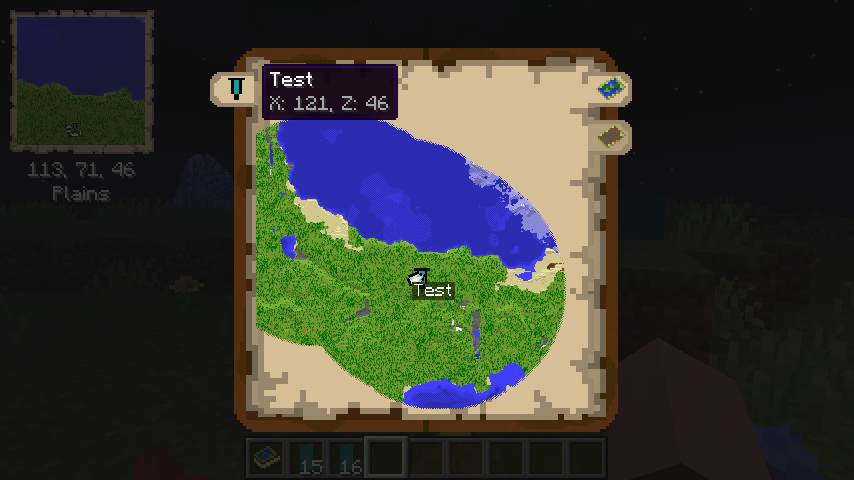
- The Atlas has a world map view as well. To access this, right-click the Atlas or press "m" while the Atlas is on your hot-bar.
- The world map has selectable tabs for each Dimension you've explored and created Map entries for.
- It also has selectable tabs for each Banner you've added in each Dimension. Clicking these will snap the center of your view to the map containing the Banner.
- The world map will display the active X & Z coordinates of the point your mouse is hovering over.
- The Atlas world view has zoom support & scales by odd numbers 1x1, 3x3, 5x5, 7x7, etc using your mouse scroll wheel.
- The Atlas world view has full pan support as well, using your mouse to drag the world map.
- Atlases also support right-clicking Banners to add "waypoints", which display in both the mini-map & world-view map.

- Atlases can be merged with a Cartography Table - simply put an Atlas in the top & bottom slots and the Atlases will combine their mapped regions with one-another!
- Atlases support Lecterns - Show off your world by putting an Atlas in a Lectern!
- Simply right click a Lectern while holding an Atlas to display the Lectern
- The Atlas will appear visually different depending on the Dimension its displayed in - there's a unique texture for the Overworld, Nether, End and "Other".
📸 Media
Crafting an Atlas


Maps inside the Atlas will render if the Atlas is on your hot-bar

Adding more Maps to an Atlas

Current Map is rendered when you move locations

Custom Tooltip

World Map View


Merging 2 Atlases

Mass adding Empty Maps to Atlas

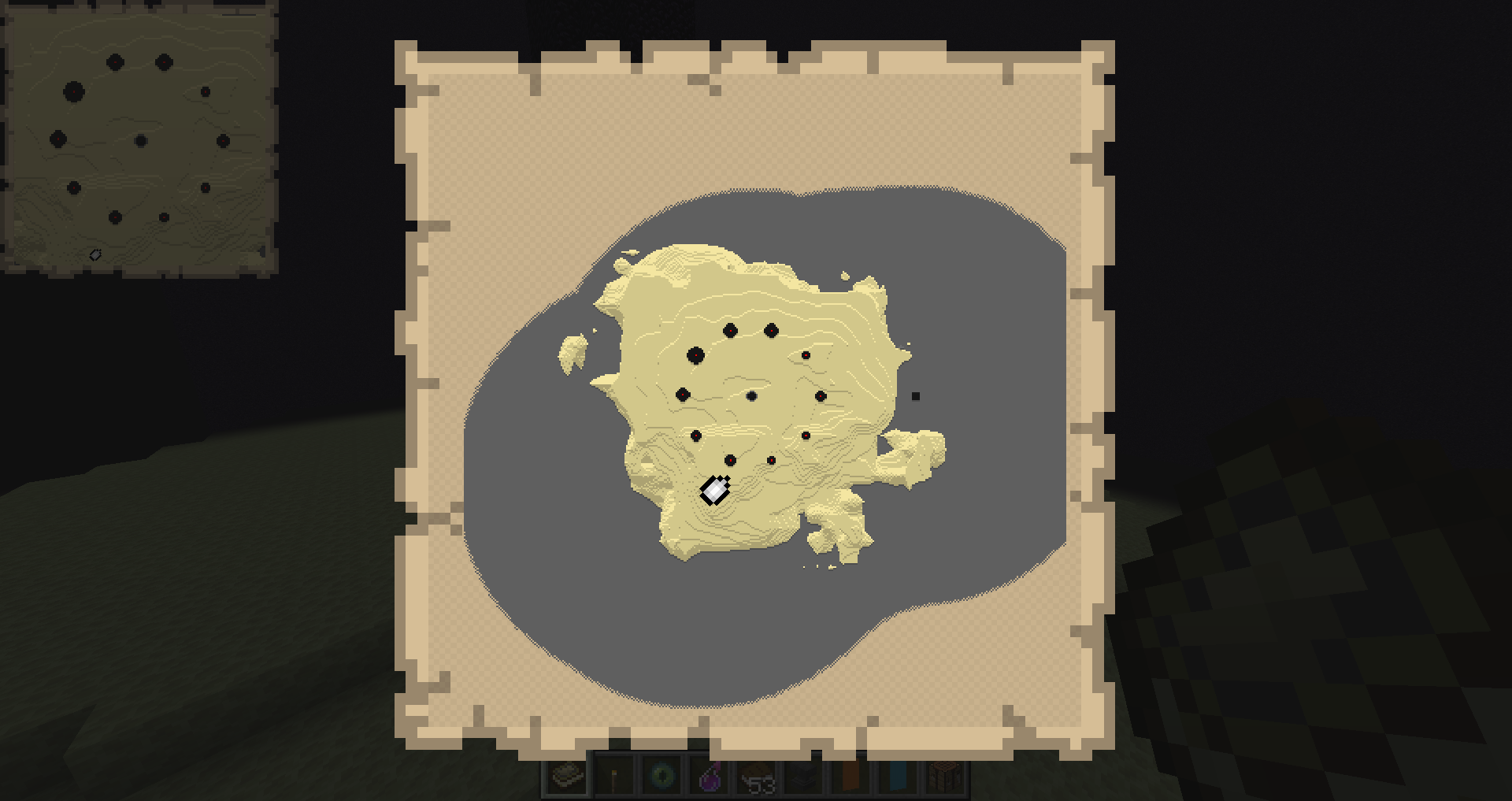
End Atlas Mini-Map

End Atlas World-Map
New as of 2.2.0