Mineuniverse
Mods
True Hopper

True Hopper

MOD
Simple tweak to the vanilla hopper, staying true to vanilla.
by Cynbrosa_
Download Claim this project
23 downloads
0 likes
Updated Oct 14, 2026
0 hypes
Energy, Fluid, and Item Transport Redstone Storage Utility & QoL
Advertisement Remove ads with Premium →
  • 1.21 Crafter-style slot locking, single-block 5-item filtering, and bulk top-off.
  • Clean, vanilla-native logistics without redstone spaghetti.

Features

  • 20 Items/Second Throughput (Hopper Minecart Parity):
    • Built with a 1-tick transfer engine to match hopper minecart transfer speeds.
  • 1.21 Crafter-Style Slot Locking:
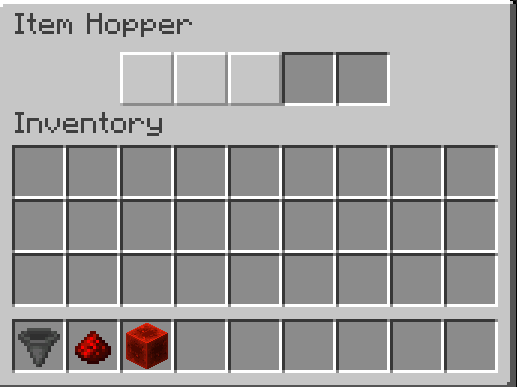
    • Click any empty slot with an empty hand to seal it. Prevents unwanted items from ever entering or clogging your line.
  • Filtering:
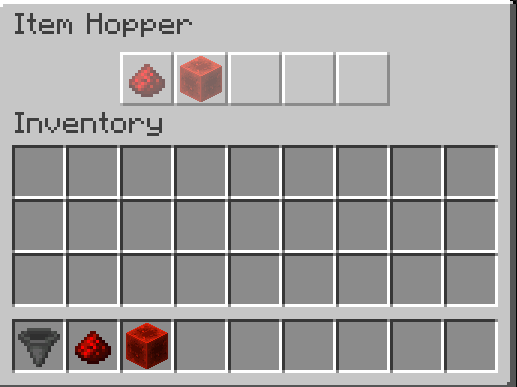
    • Click a locked slot while holding an item to assign a ghost filter. Preserves the item on your cursor.
  • Single-Block 5-Item Sorter:
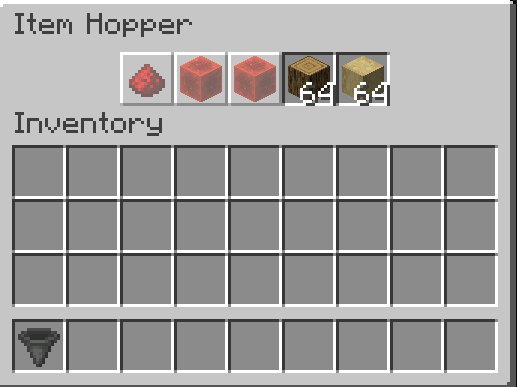
    • Filter up to 5 distinct items in a single hopper block.
  • Bulk Pull Top-Off:
    • Pulling items into the hopper tops off matching stacks instantly to match hopper minecart speeds.
  • Full Redstone Parity:
    • Full vanilla redstone and comparator support with zero changes or quirks.
  • Round-Robin:
    • Cycles slot-by-slot to keep transfers balanced and vanilla-friendly:
    • Transfer speed naturally scales up the more slots you dedicate to an item (up to 20 items/s across all 5 slots).
    • Single slots or mixed sorting lines retain a slower, controlled rate.

Interaction Guide & Controls

Action Interaction Result
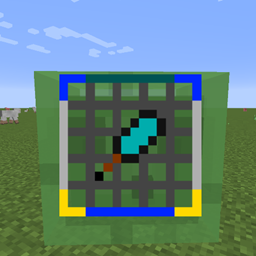
Seal / Disable Slot Left-Click empty slot with empty hand Toggles slot lock (renders Crafter red cross grid). Blocks all item intake.
Clear Lock / Filter Left-Click locked/filtered slot with empty hand Unlocks slot and clears assigned filter back to standard open slot.
Assign Ghost Filter Left-Click locked slot while holding an item Locks slot to that item type (40% ghost overlay). Keeps cursor item intact.
Deposit / Retrieve Normal Click / Shift-Click with matching item Transfers items into or out of open/filtered slots exactly like vanilla.

How to Install

  1. Install NeoForge for Minecraft 1.21.1 (recommended: 21.1.250+).
  2. Drop truehopper-1.0.0.jar into your .minecraft/mods folder.
  3. Launch the game.

Modpacks & Permissions

You are completely free to include True Hopper in any modpack on CurseForge and Modrinth.

truehopper-1.0.0.jar
MC Client, 1.21.1, NeoForge, Server
Release 2026-09-18 Get

More from Cynbrosa_

Advertisement Remove ads with Premium →

You Might Also Like