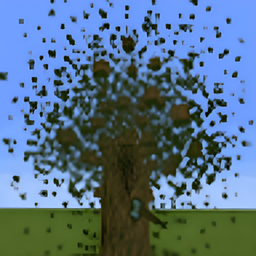
Break a single log, and TreeChopper will detect the rest of the tree and chop it down for you.
Unlike TreeHarvester, TreeChopper does not drop items from the leaves when a tree is chopped. This means you get the logs without immediately filling your inventory with piles of sticks and extra saplings.
TreeChopper checks connected logs and surrounding leaves to determine whether the block you broke is part of a natural tree.
By default, you can simply walk up to a tree and break one of its logs with an axe. TreeChopper will handle the rest.
It also keeps track of logs placed by players, helping prevent wooden builds from being accidentally chopped down.
After a valid tree is removed, TreeChopper can automatically determine the matching sapling and replant it at the base of the tree.
TreeChopper includes several configuration options so you can choose exactly how you want it to behave.
You can configure:
- Require Axe - Choose whether TreeChopper requires an axe.
- Require Sneaking - Choose whether you must sneak to activate TreeChopper.
- Axe Durability Mode - Choose between losing 1 durability per tree or 1 durability per log.
- Automatic Replanting - Enable or disable automatic sapling replanting.
- Allowed Axes - Individually enable or disable Wooden, Stone, Iron, Golden, Diamond, and Netherite Axes.
- Developer Debug - If you find a bug, you can enable this and then when the bug happens again the mod sends that bug to your Latest.txt log and then if you want you can DM Me it on Discord and ill try to fix the bug.
Forge / NeoForge:
TreeChopper's configuration can be accessed through the normal Minecraft Mods menu.
Open:
Mods - TreeChopper - Config
Changes can be made directly through the in-game configuration screen.
Fabric:
Fabric does not include its own built-in mod configuration menu, so TreeChopper supports [Mod Menu](https://modrinth.com/mod/modmenu/versions) as an optional dependency.
If Mod Menu is installed, you can access TreeChopper's configuration directly from the Mod Menu interface.
Mod Menu is completely optional. TreeChopper will still work without it. Only will mean if you want to change configurations, you will have to do it through the Config and TreeChopper.toml
TreeChopper supports many modded trees automatically as long as the mod uses Minecraft's proper log and leaf tags.
This includes support for world-generation mods such as:
Terralith
Biomes O' Plenty
Other properly tagged modded trees
Because different mods can create trees in very different ways, compatibility with every custom tree cannot be guaranteed. And likely not added, since when Other mod developers use custom Tree tagging, it makes it very difficult to make a mod work with it. Therefor the only gaurenteed/confirmed mods to work with TreeChopper are Terralith And Biomes O' Plenty.