Mineuniverse
Resource Packs
Translate RU (Русификатор)

Translate RU (Русификатор)

RESOURCE PACK
A complete Russian localization patch for popular Minecraft mods
by nnotbadd
Download Claim this project
987 downloads
0 likes
Updated Oct 14, 2026
0 hypes
Data Packs Miscellaneous Mod Support
Advertisement Remove ads with Premium →

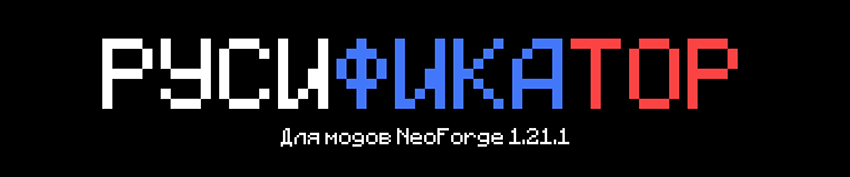
This resource pack contains translations (as much as possible) for several mods. The translation was tested on NeoForge 1.21.1.

List of supported mods:

  1. Immersive Engineering (including the manual, all tools, and blocks)
  2. Backpacked (fully translated)
  3. Bosses'Rise (fully translated)
  4. Domum Ornamentum (adapted translation, as much as possible)
  5. Double Slabs (fully translated)
  6. Mighty Mail (fully translated)
  7. More Relics (fully translated)
  8. Multi-Piston (fully translated)
  9. Remnant Bosses (fully translated)
  10. Structurize (partially translated)
  11. Tyz's Skills (partially translated)
  12. Minecolonies (AI voice acting, not including Town Talks mod)
  13. Regions Unexplored (fully translated)


Этот ресурс-пак содержит перевод (насколько это было возможно) для нескольких модов. Перевод тестировался на версии 1.21.1 NeoForge.

Список поддерживаемых модов:

  1. Immersive Engineering (включая перевод руководства, всех инструментов и блоков)
  2. Backpacked (полный перевод)
  3. Bosses'Rise (полный перевод)
  4. Domum Ornamentum (адаптированный перевод, насколько это возможно)
  5. Double Slabs (полный перевод)
  6. Mighty Mail (полный перевод)
  7. More Relics (полный перевод)
  8. Multi-Piston (полный перевод)
  9. Remnant Bosses (полный перевод)
  10. Structurize (частичный перевод)
  11. Tyz's Skills (частичный перевод)
  12. Minecolonies (нейросетевая озвучка, не включая мод Town Talks)
  13. Regions Unexplored (полный перевод)
Translate RU v.1.1
MC 1.21.1
Release 2025-09-06 Get

Requirements & install

How to use this resource pack in Minecraft
Resolution
Not specified
Minecraft
1.21.1
Install folder
.minecraft/resourcepacks

How to install resource packs

  1. Download the resource pack .zip file (do not extract it).
  2. In Minecraft open Options → Resource Packs → Open Pack Folder.
  3. Drop the .zip into the resourcepacks folder (.minecraft/resourcepacks).
  4. Move the pack to the Selected column and click Done.
Browse more: 16x resource packs 32x resource packs 64x resource packs 128x resource packs 256x resource packs 512x+ resource packs Resource Packs for 1.21.1 All resource packs
Advertisement Remove ads with Premium →

You Might Also Like





