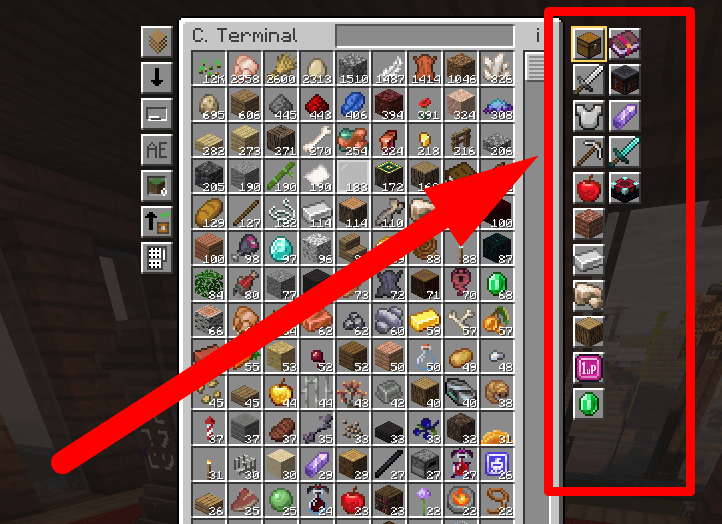
A client side addon for Tom's Simple Storage Mod that adds category buttons to the Storage Terminal and the Crafting Terminal. One click filters your stored items by type, so you don't have to type anything in the search bar.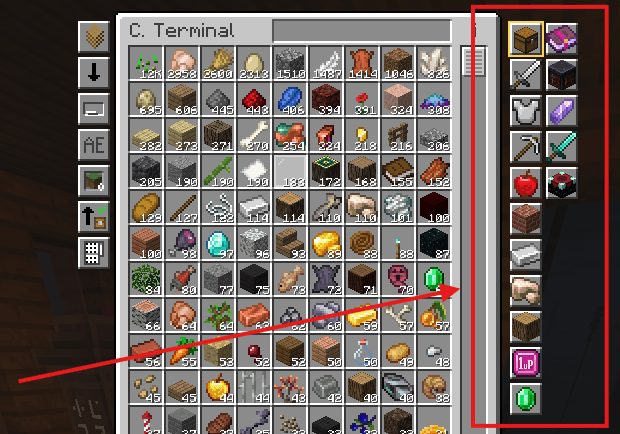
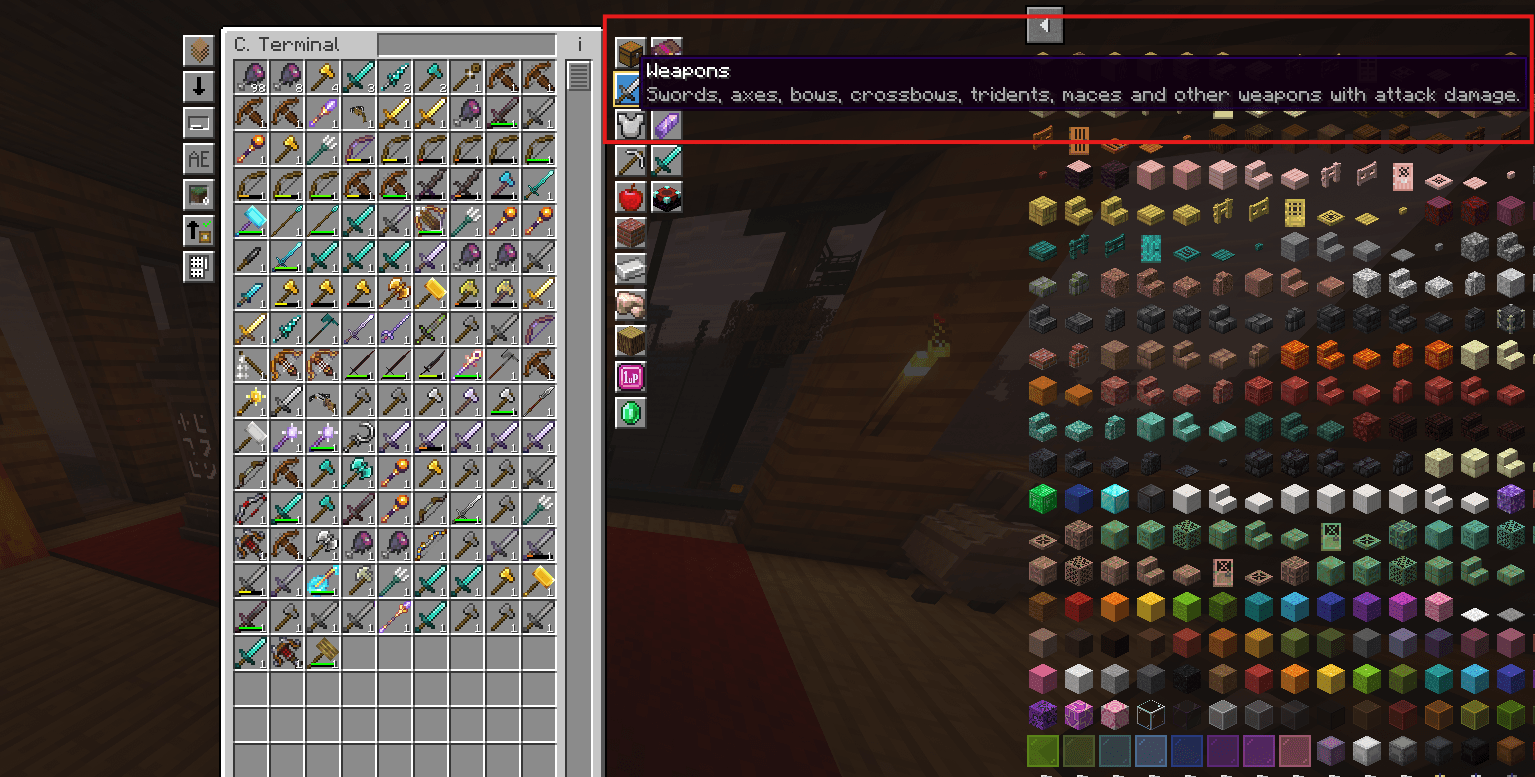
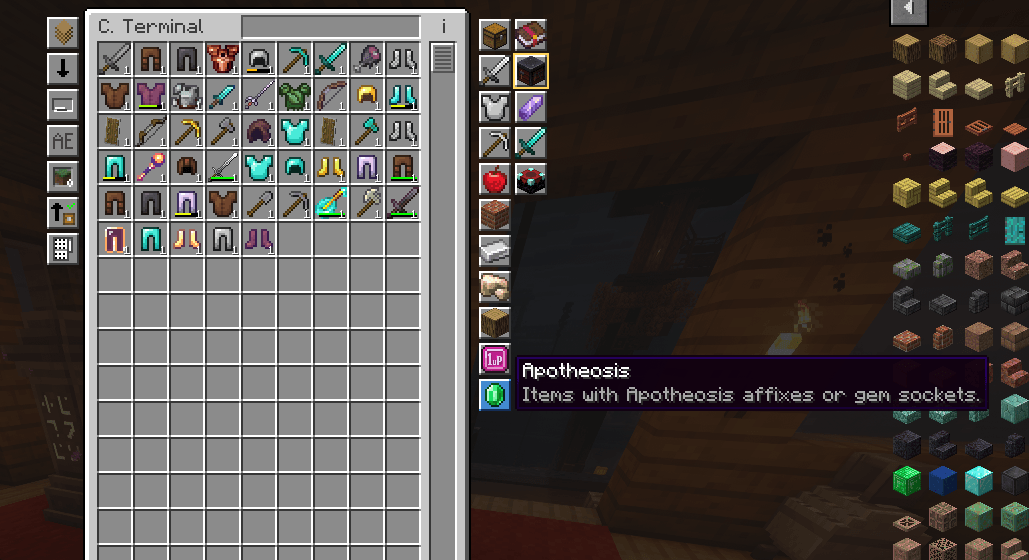
The buttons sit on the right side of the terminal, in a column. Hover over a button to see its name and description.
| Button | Shows |
|---|---|
| All | Every item (no category filter) |
| Weapons | Swords, axes, bows, crossbows, tridents, maces and other weapons with attack damage |
| Armor | Helmets, chestplates, leggings, boots and shields |
| Tools | Pickaxes, shovels, hoes, shears, fishing rods and similar tools |
| Food | Edible and drinkable food |
| Blocks | Items that place a block in the world |
| Materials | Ingots, gems, dusts, plates and other resources, plus items that don't fall into any other category |
| Ores | Ore blocks and raw ores |
| Wood | Logs and planks |
| Accessories | Items that Curios accepts in an accessory slot (necklaces, rings, belts and more, from any mod) |
| Apotheosis | Equipment with Apotheosis affixes or gem sockets |
When Apotheosis is installed, a second column appears next to it with sub-filters:
An item can appear in more than one category. A diamond axe, for example, appears in both Weapons and Tools.
The filter works together with the text search. For example, with Weapons selected and diamond in the search bar, only weapons matching "diamond" are shown. The text you typed stays when you switch categories.
The addon only changes how the item list is displayed. It doesn't move, remove or duplicate items, doesn't change quantities, and doesn't touch affixes, gems or enchantments. Storage works exactly as before.
| Mod | Version | Required |
|---|---|---|
| Minecraft | 1.21.1 | Yes |
| NeoForge | 21.1.235 or newer | Yes |
| Tom's Simple Storage Mod | 2.4.2 or newer | Yes |
| Apotheosis | 8.9.0 or newer | No (enables the Apotheosis sub-filters) |
| Apothic Enchanting | 1.6.2 or newer | No (enables the Enchanting sub-filter) |
| Curios | 9.5.1 or newer | No (enables the Accessories category) |
The addon is client side only: it doesn't need to be installed on the server.