Terrain Diffusion MC for AMD GPUs on Linux through ROCm/MIGraphX.
All core Terrain Diffusion Minecraft integration work comes from the original project and its contributors:
This fork exists to document and package an AMD/Linux-oriented bring-up. Upstream authors deserve the credit for the original mod, model integration, and most of the codebase.
This fork adds and documents:
migraphxlinux-amd build variantIt does not replace upstream. If you want the original project and its normal release stream, use the upstream repository.
26.04 LTS7.0.0-27-genericgfx1100)7.2.021.0.111.21.121.1.2381.23.2 build with MIGraphX Execution ProviderThe Minecraft runtime log confirms Terrain Diffusion (MIGraphX) during 256x256
region generation. The project build targets NeoForge 21.1.229; the tested
NeoForge 21.1.238 runtime is compatible with that target.
| Build | Supports | Setup required |
|---|---|---|
| Linux AMD | Linux + AMD GPU + ROCm/MIGraphX | Custom MIGraphX-enabled ONNX Runtime natives |
| Windows | Windows with DirectML-capable GPU | None beyond the bundled DirectML runtime |
| CUDA | Linux/Windows with NVIDIA GPU | CUDA + cuDNN |
| CPU | Any machine | None, but very slow |
For AMD on Linux, use the linux-amd jar from this fork's releases, not the CPU jar and not the upstream release artifacts.
Memory requirements vary with world scale and chunk generation pressure. On the tested machine:
1.5-2 GB12 GBlinux-amd jar in your Minecraft mods/ folder.config/terrain-diffusion-mc.properties.inference.device=gpu
inference.provider=migraphx
inference.native_path=/absolute/path/to/onnxruntime-migraphx-native-directory
That directory contained:
libonnxruntime.solibonnxruntime4j_jni.solibonnxruntime_providers_migraphx.solibonnxruntime_providers_shared.soThe mod config file is config/terrain-diffusion-mc.properties.
Relevant inference settings in this fork:
# "cpu", "gpu", or "auto"
inference.device=gpu

# "auto", "migraphx", "rocm", "cuda", or "directml"
inference.provider=migraphx

# Optional path to custom ONNX Runtime native libraries
inference.native_path=

# Offload inactive models between stages
inference.offload_models=true

# Validate existing model files
validate_model=true

# Explorer web UI port
explorer.port=19801

# Chunk generation region size in blocks
tile_size=256
Terrain Diffusion worlds expose a World Scale setting from 1 to 6.
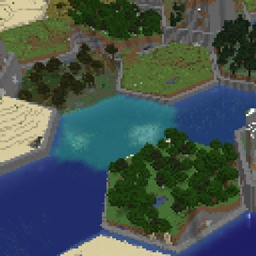
2 is the default and the most balanced setting in this codebase.4, very broad smoothing can produce large ocean-heavy starts. That is expected from the current scaling logic, not specifically an AMD/Linux issue.Primary runtime/build dependencies involved in this fork:
1.21.121.1.2291.23.27.2.xThe Linux AMD path in this fork relies on a custom ONNX Runtime Java/native build because the stock Maven Java artifacts do not ship as a ready-made MIGraphX package for this workflow.
Standard upstream variants still work:
./gradlew build -PuseDml=true
./gradlew build -PuseCuda=true
./gradlew build -PuseCpu=true
Linux AMD build for this fork:
./gradlew build -PuseMigraphx=true -PonnxRuntimeMigraphxVersion=1.23.2-migraphxfix
This expects a matching patched ONNX Runtime Java artifact to be available through mavenLocal().
Japanese installation guide: docs/INSTALL_JA.md.
Detailed notes for the AMD/Linux port are in docs/amd-linux-migraphx.md.
This usually means one of these is wrong:
inference.native_path does not point at the custom ORT native library directory.so filesThis is an effect of the current upsampling-based scale system. Reduce World Scale back to 2 or 3 if you want less smoothing and more compact terrain features.
Increase Minecraft RAM allocation and keep world scale moderate. The model files themselves are large, and higher scale values change chunk-generation behavior in ways that can still stress memory and CPU.