Loading...
Beta Modpages Unclaimed

TCT Flashlight

this mods added something to light up during your travels or exploration of haunting places in 1.16

0 Likes
43685 Downloads
Created by The_TCT

Description

FLASHLIGHT+ 

FLASHLIGHT+ adds advanced handheld and wearable light tools to improve your night survival and exploration experience
Ideal for traveling in darkness, exploring caves or walking through creepy abandoned places
Designed to offer immersive lighting while keeping gameplay balanced
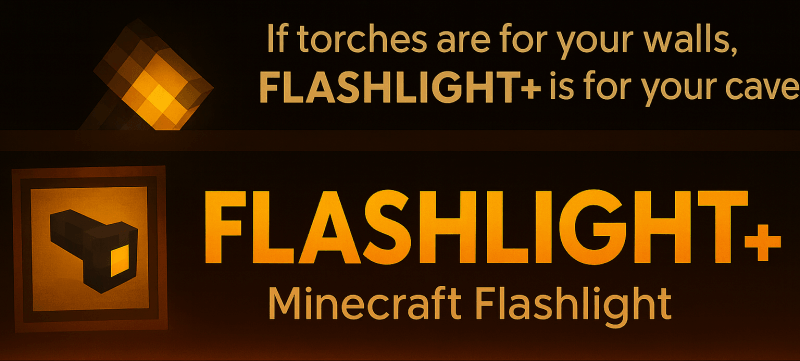
 

Light up your adventures and never fear the dark again

This mod adds

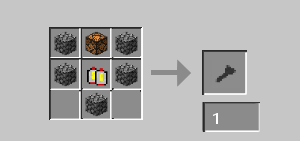
Flashlight
A directional light beam that follows where you look
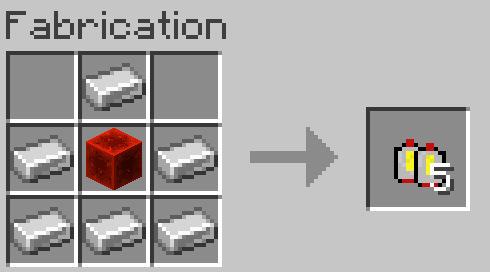
Recharge by right-clicking while holding a battery

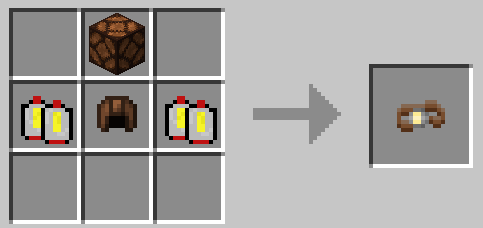
Headlamp
Hands-free lighting for mining and adventuring at night
Recharge by placing the headlamp with a battery inside an anvil

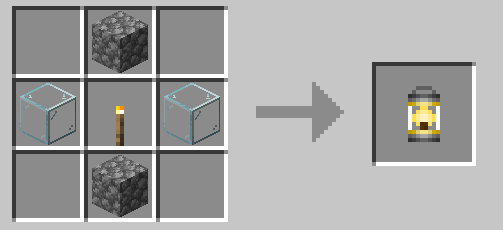
Lantern
A continuous warm light source you can hold or place
Cannot be recharged once drained

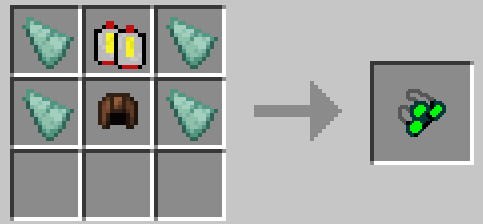
Night Vision Goggles 
See clearly in complete darkness without placing any light

⚠️ Dependencies
Requires TCTCore (V5.2+) Link download


AD Become Premium to remove Ads!

What means Verified?

  • Compatibility: The mod should be compatible with the latest version of Minecraft and be clearly labeled with its supported versions.
  • Functionality: The mod should work as advertised and not cause any game-breaking bugs or crashes.
  • Security: The mod should not contain any malicious code or attempts to steal personal information.
  • Performance: The mod should not cause a significant decrease in the game's performance, such as by causing lag or reducing frame rates.
  • Originality: The mod should be original and not a copy of someone else's work.
  • Up-to-date: The mod should be regularly updated to fix bugs, improve performance, and maintain compatibility with the latest version of Minecraft.
  • Support: The mod should have an active developer who provides support and troubleshooting assistance to users.
  • License: The mod should be released under a clear and open source license that allows others to use, modify, and redistribute the code.
  • Documentation: The mod should come with clear and detailed documentation on how to install and use it.

AD Become Premium to remove Ads!

How to Install

1

Download Forge & Java

Download Forge from the offical Site or here. If you dont have Java installed then install it now from here. After Downloading Forge you can run the file with Java.

2

Prepare

Lounch Minecraft and select your Forge istallation as Version this will create a Folder called Mods.

3

Add Mods

Type Win+R and type %appdata% and open the .minecraft Folder. There will you find your Folder called Mods. Place all Mods you want to play in this Folder

4

Enjoy

You are now Ready. Re-start your Game and start Playing.

More Mods like this

Mystical Agradditions

Adds tier 6 crops, Tinkers' support, Paxels and more to Mystical Agriculture!

Reborn Storage

Refined Storage add-on adding multi-block crafters and larger disks

Ex Compressum

Ex Nihilo Addon. Attempts to reduce grind by adding pre-automation tools like compressed hammers.