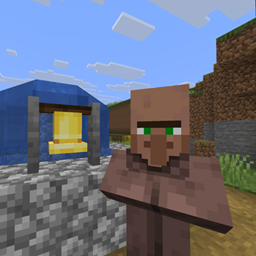
Villagers with names, personalities, families and politics — and you can actually talk to them, in your own words.
Every villager gets a name, a gender, an orientation and one of the 16 MBTI personality types. They form opinions about you and about each other, fall in love, marry, have children, grieve, gossip, complain about the food, and elect a mayor. Sneak-click one and type — they answer you in character, using a language model running on your own machine.
Nothing is sent to any external service. Speech is generated locally by Ollama. No API key, no account, no cloud, no cost. If Ollama is slow or missing, villagers simply go quiet — the server never blocks waiting on it.
This is a server-side mod. Everything it does is expressed through mechanisms a vanilla client already understands — entity names, floating text, particles, titles, the action bar, written books and chat.
Install it on your server and every player can join with an unmodded client. Nobody needs to download anything. It works in singleplayer too.
Both work with a plain book or one the mod already wrote (it rewrites it, so a record is never stuck stale).
Read the sitting mayor's book while standing in their village and you are offered [Take over as mayor]. Take the office and the Village Directory gives you [Rename village]. Those two buttons are the mod's only interactive controls — and the village's complaints become your problem.
Drop talkingvillagers-1.0.0.jar into the mods folder alongside Fabric API. Server only — or your own mods folder if you are playing singleplayer.
Download it from ollama.com/download.
On Linux:
curl -fsSL https://ollama.com/install.sh | shA 3B model is what this mod is tuned for — small, fast, and enough to hold a character:
ollama pull llama3.2:3bAny model you have pulled will work. See what you already have with ollama list — the model setting in the config must match a name from that list exactly, including the tag after the colon.
It usually starts with your computer and listens on port 11434. If not, run ollama serve. Check it with:
curl http://localhost:11434A working server answers Ollama is running.
That's it. If Ollama is on the same machine as the Minecraft server, the defaults already work — there is nothing to configure. The config file is written to config/talkingvillagers.toml on first run, and the server log tells you whether Ollama could be reached.
Ollama refuses outside connections until told otherwise. On the machine running Ollama:
OLLAMA_HOST=0.0.0.0config/talkingvillagers.toml, point base_url at it — e.g. base_url = "http://192.168.1.50:11434"