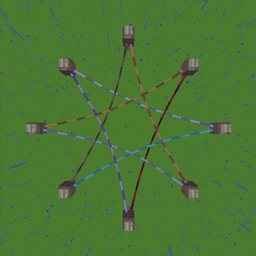
One rope. Every connection.
Super Lead is a NeoForge mod that turns the humble lead into a universal connection tool. Redstone, energy, items, fluids — all through a single familiar rope.
Right-click a rope with the matching material to convert or upgrade it.
| Kind | Convert with | Upgrade with | Effect |
|---|---|---|---|
| Redstone | Redstone Block | — | Bidirectional redstone signal between anchors |
| Energy (FE) | Iron Block | Redstone Block | FE transfer, tiered throughput (1x → 2x → 4x…) |
| Item | Hopper | Chest | Item transport, round-robin routing |
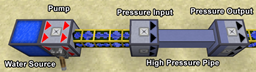
| Fluid | Cauldron | Bucket | Fluid transport between tanks |
| Pressurized | Steel Block | Reinforced Alloy | Mekanism chemical/gas transfer |
| Thermal | Copper Block | Reinforced Alloy | Mekanism heat transfer |
| AE Network | Fluix Block | 16³ Spatial Component | AE2 channel bridging |
Right-click a block face → set first anchor. Right-click another block → create connection. Ropes attach to any block face, not just fences.
New ropes: after setting the first anchor, click the same anchor again to spend 1 lead and extend the pending length by 1× (up to 4×). Existing ropes: sneak + right-click an anchor to extend. Extended ropes cost proportionally more to upgrade.
Sneak-right-click a rope with shears to cut it. Right-clicking a fence knot with shears cuts all ropes attached to that knot. Cutting refunds the rope and part of its upgrade cost; the current beta has a known duplicate-refund issue documented in the Chinese gameplay guide.
Hold an attachable item (lantern, sign, block) in your main hand and String in your offhand. Right-click a rope to hang it. Signs are editable in-world. Toggle block/item display modes.
Bind a zipline-enabled physics preset to a normal or redstone rope, then right-click the rope with a chain. Press Shift to dismount.
Client-side Verlet simulation with gravity, damping, block collision, rope-to-rope repulsion. Ropes auto-freeze when settled — zero CPU cost at rest.
config/super_lead-common.toml:
| Setting | Default | Description |
|---|---|---|
energy.base_transfer_per_tick |
256 | Base FE/t at tier 0 |
energy.tier_max_level |
30 | Maximum energy upgrade tier |
network.max_leash_distance |
12.0 | Blocks per length unit |
network.max_ropes_per_block_face |
8 | Max ropes per block face |
network.item_transfer_interval_ticks |
4 | Ticks between item transfers |
network.fluid_bucket_amount |
1000 | mB per fluid transfer |
Optional: Mekanism, Applied Energistics 2
Apache 2.0