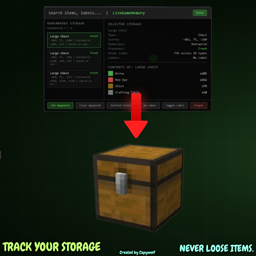
StorageMemory helps you keep track of what you last saw inside storage blocks, with a simple vanilla-style browser so you can find things fast.
What it does
- Saves snapshots of storage containers you open.
- Shows names (including renamed chests), coords, dimension, source world/server, and item counts.
- Keeps per-world/server memory and merged global memory.
Main features
- LiveGameMemory (in-game)
View storage memories from your current world/server.
- Total Memory (main menu)
View all saved storage memories across all worlds/servers.
- Auto save/load JSON logs
Data is stored in .minecraft/MemoryLogs with separate profile files per world/server.
- Double chest support
- Storage-only tracking
Ignores non-storage containers like crafting tables and furnaces.
- Scrollable UI + search
- Performance cap in Total Memory
Shows 15 entries at once with a Show More button.
Important note
StorageMemory is not a cheat.
It only shows snapshots from containers you already opened. It does not let you open or modify containers remotely.
Default keybinds
- B Open LiveGameMemory
- V Open deposit planner / item-based memory search
- G Clear waypoint
Requirements
- Minecraft 1.21.11
- Fabric Loader 0.18.4+
- Fabric API
Credits
* Soley Coded By Capywolf.