Now available for Forge and NeoForge, Minecraft 1.20.1 to 26.2. Each file lists the
exact versions it runs on. Install it on both the client and the server.
Quick stack
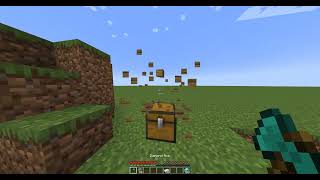
A button in your inventory sends your items into nearby chests, barrels and shulker
boxes that already hold the same item.
Reach is measured through open space: walls, floors and closed doors have to be gone
around, so a chest on the other side of a wall is left alone. The default radius is
5 blocks, configurable up to 16 (quickStackRadius in the common config).
The stacked items fly from you into the containers that took them, and everyone nearby
sees it.
Lock an item type by hovering it and pressing Left Alt (rebindable). Locked items are
marked with a star and never get stacked away. Locks last until you close the game.
Sorting
A sort button on chests, barrels and shulker boxes.
Left click sorts A–Z and merges partial stacks.
Right click sorts vertically: armor sets stand in columns from helmet to boots, and
every material gets its own column ordered by value (netherite, diamond, emerald, gold,
iron, copper, redstone, lapis, coal…), with the block, ingot, nugget, raw ore and raw
block each on their own row. Modded ores that use the common tags line up on their
own. Containers shorter than four rows sort A–Z instead.