Bridge your in-game Siemens LOGO! to a real one.
SPC Soft Comfort is an optional addon for Stored Program Controls that lets the in-game LOGO! controller exchange signals with a real Siemens LOGO! 8 controller over Modbus TCP. Flip a lever in Minecraft, and a real-world output turns on. Press a real-world button, and an in-game lamp lights up.
This addon is for makers, automation hobbyists, and anyone who wants to use Minecraft as a soft-PLC training environment connected to actual hardware.
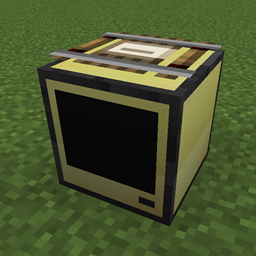
0BA8) or LOGO! 8.3 with Ethernet, on the same network as your PC| LOGO Modbus Server block | Place in-world, connects to the in-game CAT-network, talks Modbus TCP to a real LOGO! |
| Register Read (Bool) node | Reads a digital signal from the real LOGO! into your in-game program |
| Register Write (Bool) node | Writes a digital signal from your in-game program out to the real LOGO! |
| 6 new crafting items | LOGO Modbus Core + 5 components (Modbus Transceiver Chip, Crystal Oscillator, Flash Memory Module, Optoisolator, Terminal Block). All recipes show up in JEI. |
The full crafting tree builds up from base-mod components (circuit boards, machine frames, copper wire, etc.) through tier-2 electronics into the Modbus Core, then into the server block. No mystery items — every part has a real-world counterpart.
lamp1)READ (in-game reads from real LOGO!) or WRITE (in-game writes to real LOGO!)COIL, DISCRETE_INPUT, HOLDING_REGISTER, or INPUT_REGISTERRegister Read (Bool) — pick the server (by CAT-network IP), then pick a readable channel.Register Write (Bool) — pick the server, then pick a writable channel.That's it on the Minecraft side. The block polls the real LOGO! at ~5 Hz by default and pushes outbound writes at ~10 Hz.
In LOGO! Soft Comfort:
In LOGO! Soft Comfort:
192.168.0.50. This is the IP you'll enter in the Minecraft block.The LOGO! 8 manual (chapter "Communication with Modbus") has the full address table. The most useful ones:
| What you want to bridge | Modbus type | Address range |
|---|---|---|
| Inputs I1 – I24 (real-world buttons, sensors) | Discrete Input | 1 – 24 |
| Outputs Q1 – Q20 (real-world relays, lamps) | Coil | 8193 – 8212 |
| Marker bits M1 – M64 (program-internal flags) | Coil | 8257 – 8320 |
| Function keys F1 – F4 (LOGO! TDE) | Discrete Input | 1025 – 1028 |
| Analog inputs AI1 – AI8 | Input Register | 1 – 8 |
| Analog outputs AQ1 – AQ8 | Holding Register | 513 – 520 |
| Variable memory V0 – V850 | Holding Register | 1 – 851 |
Use the function blocks you would normally use:
Register Read channel on Discrete Input address 1 in the Minecraft block.Register Write channel on Coil address 8193 in the Minecraft block.BIDIRECTIONAL.Tools → Transfer → PC → LOGO! (Ctrl + D). Once the LOGO! is in RUN mode, the Modbus TCP server is live.
In Minecraft, enter command "/spcsoftcomfort status". If it shows "status = connected", you did everything right. If not, look at the steps again and fix, then re-run the command.
You can test if your Modbus bits actually flip with this command, for an example of a write bit called "mc_start" in a Modbus Server block placed at 5 75 6 with a command like this:
"/spcsoftcomfort e2e write 5 75 6 mc_start true", or just click the "0" in your Modbus Server Block.
If your connected real life lamp turns on, it worked. If you just hear a relais click but no turn on where you expected it, your stored program in your real LOGO overwrites the state instantly. If you can, any input on your real Q, if you cannot do that, add a Network Input in LOGO! Soft Comfort, link that via e.g. OR to your Q. The register in the Modbus Server block now does not need "8193" as address anymore, but the one you configured in LOGO! Soft Comfort for the Network Input, per default 0.
Goal: press a physical button connected to the real LOGO! → an in-game lamp turns on.
real_buttonREADDISCRETE_INPUT1Register Read (Bool) node:
real_buttonPress the real button — the in-game lamp comes on. That's a complete round trip from physical hardware → Modbus TCP → in-game logic → Minecraft world.
This mod talks to real industrial hardware. If you wire your LOGO! to anything that controls real loads (mains-voltage relays, motors, heating, etc.), you are responsible for the safety of that installation. Use proper isolation, test on the bench first, and never leave Minecraft as the sole controller of anything that matters.