Sophisticated Matcher
Sophisticated Matcher adds a matcher item (shown as NBT Matcher in game) for Sophisticated
Storage and Sophisticated Backpacks. Instead of storing a whole item, it stores one rule about
that item's data, and Sophisticated filter upgrades then accept every item that satisfies the
rule - no item ID required.
What it does
- Right-click the matcher to open its GUI and put an example item into the preview slot.
- The preview is a ghost copy: it is never consumed and can only be replaced.
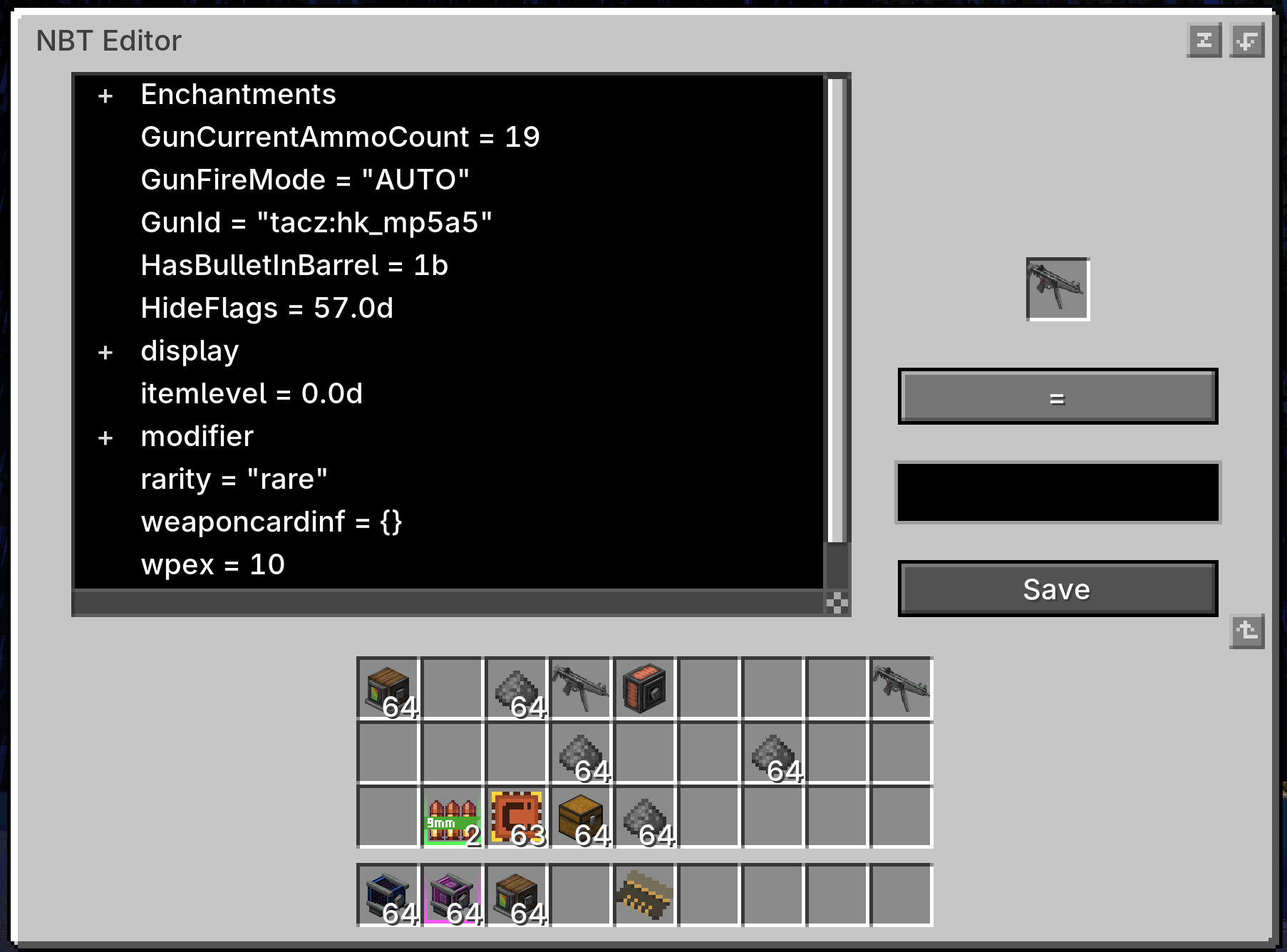
- Press Edit NBT to open the matcher editor and browse the preview item's data as a tree.
- Pick any entry as the match path - top level or nested, including entries inside lists.
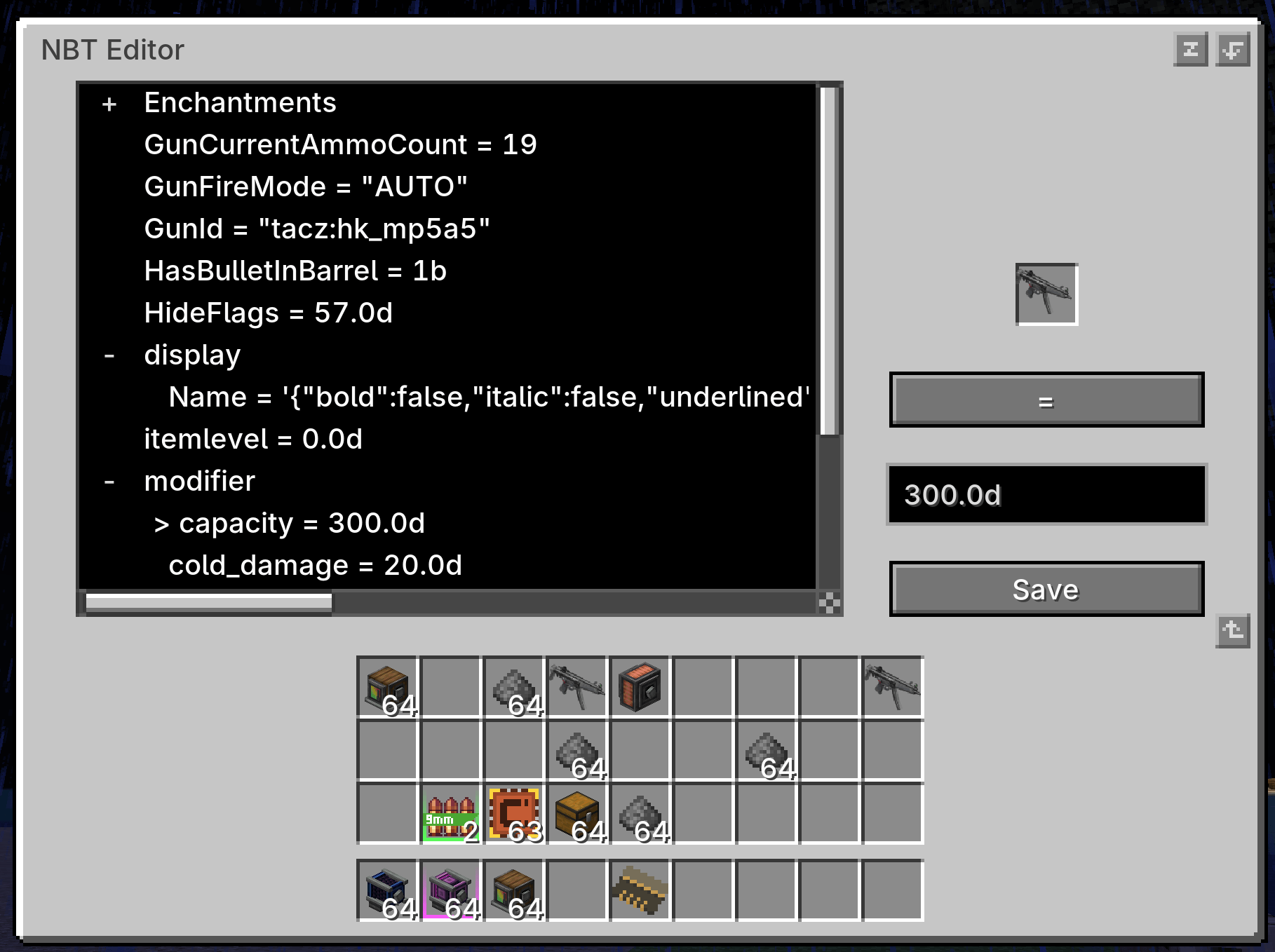
- Choose an operator, edit the value, then press Save.
- Only the rule is written to the matcher item; the preview item itself is not kept.
- The saved rule is shown in the item tooltip.
Match rules
| Operator |
Meaning |
Example |
= |
value equals |
display.Name = "Sword" |
!= |
value differs |
display.Name != "Sword" |
> >= < <= |
numeric comparison |
Damage > 100 |
[min, max] / (min, max) |
numeric range, each bound can be inclusive or exclusive |
[10, 20) |
exists / not exists |
entry is present / absent |
Enchantments exists |
- Paths may be nested and may contain list indexes, for example
Items[0].Count.
- Numeric operators require a numeric entry and compare the values numerically.
- Equality compares the stored value exactly, so text, numbers and booleans stay distinct.
Using it with Sophisticated filters
- Right-click the matcher item.
- Put an example item into the preview slot.
- Press Edit NBT to open the editor.
- Expand the tree and click the entry you want to match.
- Choose the operator, adjust the value, then press Save.
- Put the matcher into a Sophisticated Storage or Sophisticated Backpacks filter upgrade.
- Disable item ID matching and enable NBT / component matching in that upgrade.
Every item that satisfies the saved rule then passes the filter. On 1.21.1 and newer the path
starts at the component ID, so a rule on minecraft:rarity = "rare" matches rare items of any
type; on 1.20.1 the same idea uses a legacy NBT path such as display.Name.
Editor controls
- Click the
+ / - markers in the tree to expand or collapse branches.
- Scroll the tree with the mouse wheel, drag the vertical or horizontal scrollbar, or hold Shift
while scrolling to move sideways through long paths.
- The operator button cycles through the operators that fit the selected entry. Numeric entries
also offer
>, >=, <, <= and a range; other entries offer =, !=, exists and
not exists.
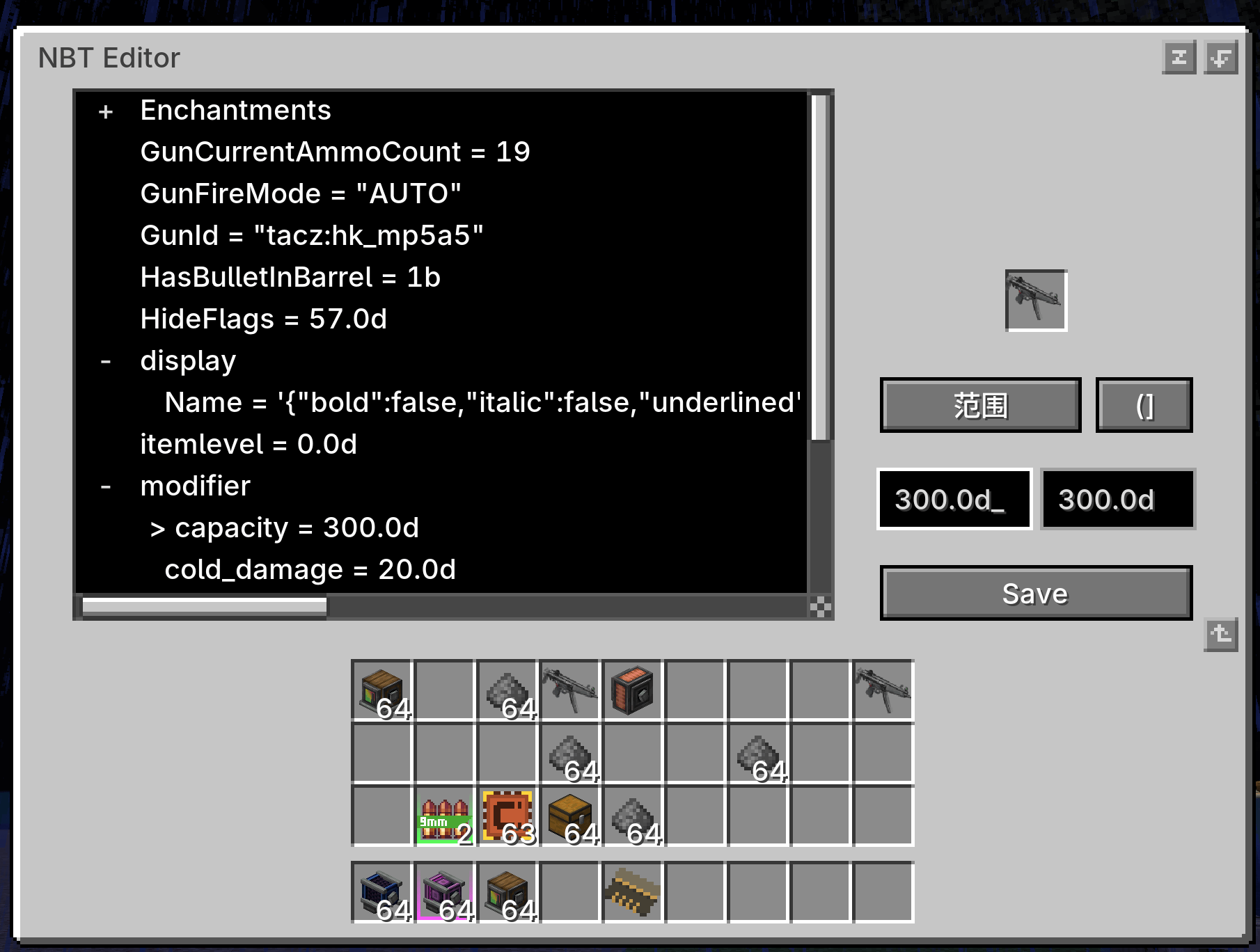
- In range mode the value field becomes Min and Max, and the bracket button cycles the bounds
through
[], (], () and [).
Compatibility
| Minecraft |
Loader |
Sophisticated Core |
| 1.20.1 |
Forge 47.x |
1.3.6.1514 or newer |
| 1.21.1 |
NeoForge 21.1.x |
1.5.1.2341 or newer |
| 26.1.2 |
NeoForge 26.1.x |
1.5.0.2334 or newer |
Minecraft 1.21.1 and newer keep item data as components instead of legacy NBT. Those builds list
component entries in the same editor and use the same rule syntax.
Dependencies
- Sophisticated Core - required.
- Sophisticated Storage and/or Sophisticated Backpacks - provide the filter upgrades that
consume the matcher.
License
All Rights Reserved. Redistribution, modification, rehosting, sublicensing, and commercial use
require prior written permission from the author.