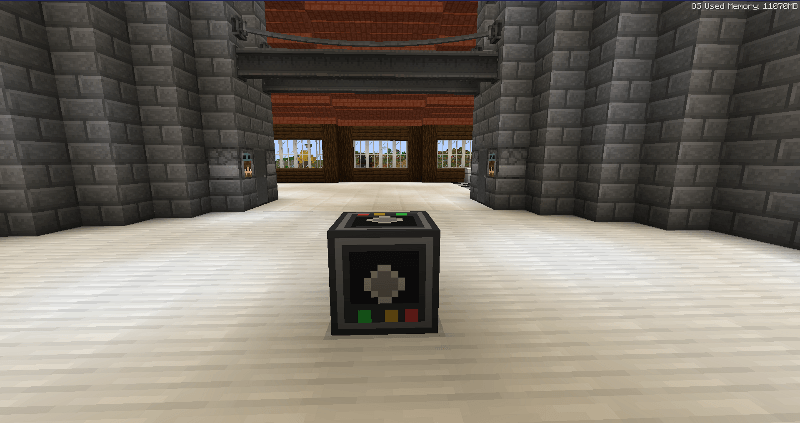
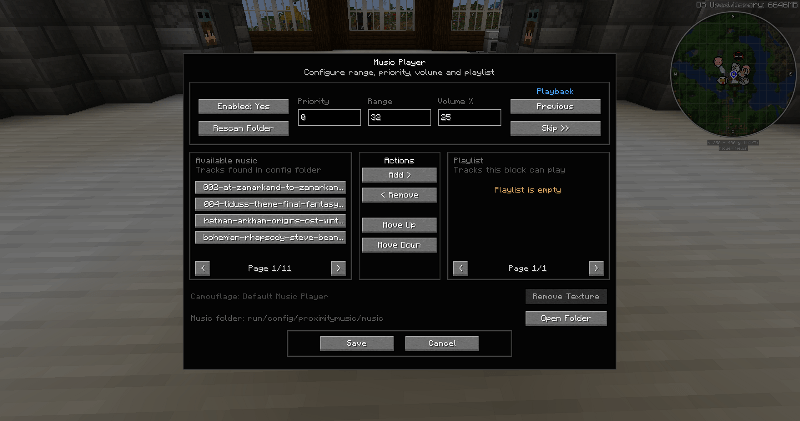
Simple Proximity Music adds a configurable music player block that plays custom local music whenever you are nearby.
Each placed Music Player has its own playlist, playback range, priority and volume settings, making it useful for inns, taverns, towns, dungeons, bases, shops, themed areas, or anywhere else you want location-based music.
.mp3, .ogg and .wavMusic files are loaded from:
config/proximitymusic/music
You can also open this folder directly from the Music Player interface.
Add your music files to the folder, press Rescan Folder, then add the tracks you want to that Music Player's playlist.
If multiple Music Players overlap, the player with the highest priority takes control.
This makes it possible to create layered areas, for example:
11020When you leave the higher-priority area, the previous Music Player resumes from where it left off.
Hold a block and right-click a Music Player to apply that block's appearance as camouflage.
This is useful for hiding Music Players inside floors, walls or ceilings without affecting their functionality.
For example, a Music Player hidden inside an oak floor can be made to look like an Oak Planks block while still playing music normally.
Music files are loaded locally from the player's own Minecraft installation and are not distributed through the world save or server.
You are responsible for ensuring that you have permission to use any music files you add.